

Most states approach accessibility the same way: start with a pilot program, test it in a handful of schools, wait for results, then maybe scale up. Arkansas skipped all of that.
In 2022, the Arkansas Department of Education decided that digital accessibility wouldn’t be an opt-in program or a pilot. It would be the default, for every one of the state’s 436,000 public school students, starting immediately.
Students wouldn’t need a diagnosis or special approval to access support, and schools wouldn’t have to wait for a complaint or lawsuit before making accessibility a priority.
Here’s what Arkansas actually did, why it worked and how other districts can apply the same approach, regardless of their size or resources.
Why Arkansas skipped a pilot for digital accessibility
The decision wasn’t made in a vacuum. Federal scrutiny around digital accessibility in education had been increasing, and accessibility-related lawsuits had been climbing nationwide for years. Arkansas’s Department of Education looked at that trajectory and chose to act early.
The intent was simple: accessibility had to be built into the default student experience across public schools, rather than added later for students who specifically requested support.
In many schools, assistive tools are tied to an IEP, diagnosis or formal accommodation request. Arkansas made them available more broadly from the start, so students could use the support without first having to qualify for it.
That approach feels even more relevant in 2026. ADA Title II now requires covered websites and mobile apps from public schools and other state and local government entities to meet WCAG 2.1 Level AA, with compliance deadlines beginning in 2027.
Takeaway for other districts: Arkansas offers a useful lesson. Building accessibility into the learning environment early gives schools more time to implement it well, instead of making changes only when compliance deadlines or accessibility issues force them to. Arkansas treated inclusion as a starting point, not a retrofit.
What “Access for All” actually looked like
A mandate is only as good as its execution, and this is where Arkansas’s approach gets specific enough to actually replicate.
The state rolled out a set of assistive tools to every student, regardless of IEP status or documented need:
- Text-to-speech (TTS) tools from TextHelp, deployed statewide
- AI sign language avatars to translate content in real time
- Smart glasses, piloted to help students navigate their physical environment
These tools were available by default, without requiring students to identify themselves as needing support, complete additional paperwork or wait for approval.
That removes two common barriers to assistive technology in schools: friction and stigma. When accessibility tools are part of the standard learning environment, students can use the support they need without having to make a separate request for it.
How Arkansas got schools to adopt accessibility tools
Making assistive technology available statewide was only part of the rollout. Arkansas also had to make sure educators knew how to use the tools and that students were actually using them.
The state implemented accessibility adoption in several ways:
- Statewide onboarding programs trained every educator on the tools, not just special education staff
- Accessibility officers were assigned at the district level, giving every district a named person responsible for follow-through
- Dashboards tracked actual usage, not just how many licenses were distributed
- High-performing districts shared best practices with districts that were struggling to adopt
The state ran weekly dashboard reviews. Districts falling behind on usage weren’t just flagged, rather they got additional support to fix it. This turned accessibility from a one-time IT rollout into an ongoing, measured program.
For school districts planning their own digital accessibility rollout, this is an important part of the process. Providing assistive technology is only useful if teachers understand how to integrate it into the classroom and schools have a way to track adoption over time.
Arkansas’s digital accessibility rollout improved student outcomes
Rollout numbers and adoption dashboards are only meaningful if they translate into outcomes — and Arkansas tracked that too.
- Reading achievement gaps narrowed across multiple districts after the rollout
- Text-to-speech usage was linked to significant improvement in standardized test scores for students using the tools
- Some districts used the resulting data to justify further edtech investment, turning a compliance mandate into an ongoing budget priority
In one district, reading scores for students with disabilities increased by 12 points over two years of consistent text-to-speech use. Other districts used accessibility and student performance data to support further edtech investment.
That helped shift accessibility from a compliance requirement to something districts could measure as part of the learning experience. Schools could look at how assistive technology affected participation, reading support and academic performance over time.
The broader lesson from Arkansas is that accessibility outcomes should be measured alongside adoption. Tracking both shows whether students have access to the tools and whether those tools are actually supporting learning.
How school districts can implement digital accessibility at scale
Arkansas had the scale and authority of a state education department, but the underlying approach can work at the district level too. The key is to treat digital accessibility as an ongoing system rather than a one-time technology rollout.
- Start with universal access. Make assistive technology available as broadly as possible so students do not have to go through unnecessary eligibility or approval steps before they can use it.
- Track how accessibility tools are being used. Usage dashboards can show whether students and teachers are actually adopting the tools, where engagement is low and where additional support may be needed.
- Assign accessibility ownership at the school level. Give each school or department someone responsible for accessibility implementation, training and follow-through.
- Train staff on digital accessibility. Teachers and administrators need to understand how to use assistive technology and how to create accessible digital content as part of their everyday work.
- Share what works across schools. Use adoption data, teacher feedback and student outcomes to identify practices that are working and make them easier for other schools to replicate.
The same approach should extend to the digital content a district creates.
Related: How to Create Accessible Forms and Charts Without PDF Remediation
Create accessible content from the starting
Teachers and administrators regularly produce lesson materials, reports, presentations, handouts, infographics and PDFs. These need to be accessible too.
Fixing issues like missing image alt text, poor color contrast or incorrect reading order after publishing can quickly create a remediation backlog. It’s easier to build accessibility into the creation process.
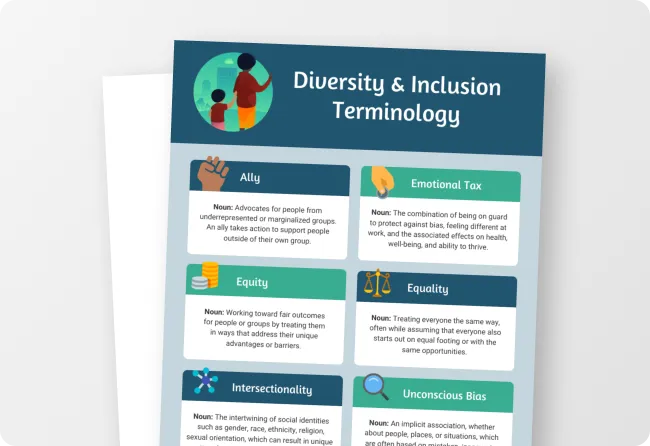
Venngage helps teams do this with accessible templates for reports, presentations, infographics and other commonly used documents. Staff can customize the content while working from a template designed with accessibility considerations such as color contrast, document structure and tagging already in mind.
For example, this presentation template is already designed to be accessible and WCAG-compliant, giving educators a ready-made starting point for classroom presentations or school communications.

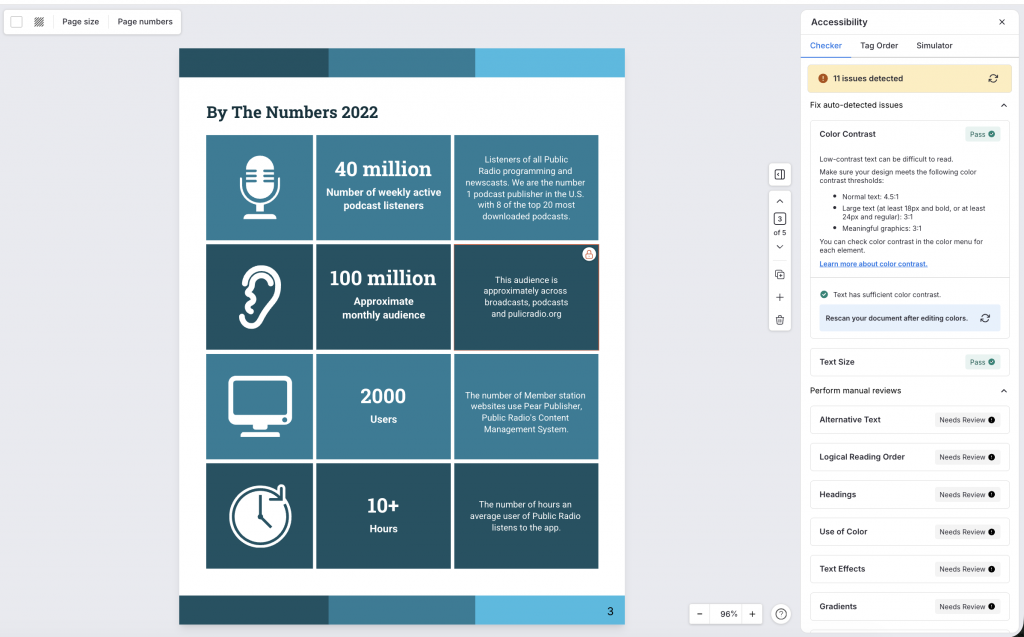
Venngage also has a built-in Accessibility Checker that highlights any accessibility misses, such as missing alt text, low color contrast, insufficient font size, etc. while you are still working on the document. This reduces the volume and cost of PDF remediation districts need to do later.
You do not need a statewide rollout to apply this model. What matters is creating a repeatable digital accessibility strategy that covers access, training, accountability, accessible content and measurement.
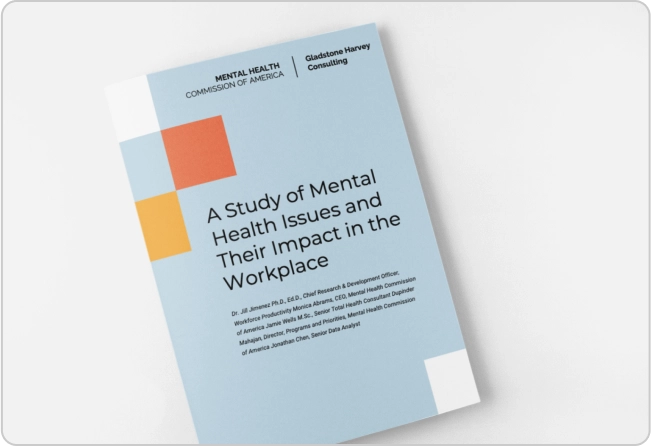
Standardize frequently used materials instead of asking every educator to build them from scratch. For example, school report templates can be adapted for progress reports, assessments and other school communications while keeping the underlying structure consistent.
Get the full Arkansas digital accessibility case study
Arkansas’s rollout offers a useful example of what statewide digital accessibility can look like in practice, from universal access and educator training to usage tracking and student outcomes.
The full ebook goes deeper into the tools Arkansas deployed, how districts monitored adoption and the results they saw after implementation.
FAQs
1. What did Arkansas do differently on accessibility in schools?
Arkansas rolled out digital accessibility tools to all 436,000 public school students statewide by default, without requiring an IEP, diagnosis, or formal request — instead of running a limited pilot program first.
2. What assistive technology tools did Arkansas deploy?
The state deployed TextHelp’s text-to-speech tools statewide, AI sign language avatars for real-time translation, and piloted smart glasses to help students navigate their environment.
3. Did Arkansas’s accessibility rollout actually improve outcomes?
Yes. Reading achievement gaps narrowed across multiple districts, and text-to-speech usage was linked to measurable improvement in standardized test scores — including a 12-point reading score increase over two years in one district.
4. Can smaller school districts replicate Arkansas’s approach?
Yes. Arkansas’s own 5-step framework — universal access, usage dashboards, school-level champions, vendor support for training, and cross-district knowledge sharing — is designed to scale down to a single district, not just a statewide rollout.
5. Why did Arkansas skip a pilot program for accessibility?
The state’s Department of Education anticipated growing federal scrutiny and rising accessibility-related litigation nationwide and chose to act proactively rather than wait for a complaint or audit to force change.
Want help building an accessible rollout for your district or organization?
Arkansas proved that accessibility at scale is achievable without waiting for a mandate to force your hand. If your team is thinking through how to build accessible content and documents into your workflow by default — the same way Arkansas built accessible tools into its classrooms — we’d be glad to talk through it.