





Flyers are one of the most commonly created documents across higher education, government, healthcare, and nonprofit organizations. They’re used for event promotion, student communications, community outreach, public notices, program announcements and awareness campaigns. Yet, they’re also one of the most commonly overlooked document types when it comes to accessibility.
Many organizations create a flyer, publish it, and only later discover that it isn’t accessible to screen reader users, people with low vision, or individuals who rely on assistive technology. What follows is PDF remediation, accessibility reviews, additional software costs and a growing backlog.
In this guide, we’ll explore how to create accessible flyers from scratch, common accessibility mistakes organizations make and why an accessibility-first approach can reduce most of the remediation work right from the get go.

Why flyer accessibility matters
When organizations think about accessibility, they often focus on websites.
However, flyers frequently contain critical information:
- Registration deadlines
- Event details
- Public health announcements
- Student resources
- Community programs
If those flyers aren’t accessible, users may never receive the information they need.
For public sector organizations and higher education institutions, inaccessible flyers can also create compliance risks related to:
- ADA
- Section 508
- WCAG standards
- Provincial and state accessibility requirements
The difficulty is that most accessibility workflows are built around fixing documents after they’ve already been created, which leaves teams fixing problems instead of preventing them.
The biggest problem with document accessibility
One of the key insights from our accessibility training session was simple:
Most organizations are trying to scale remediation instead of scaling accessible creation.
The traditional workflow looks like this:
- Create the flyer
- Publish the flyer
- Send it for accessibility review
- Remediate issues
- Republish
This process may work for a handful of documents. It becomes difficult when organizations are creating hundreds or thousands of PDFs every year. Every new flyer adds remediation work, review time, and cost. The backlog grows faster than accessibility teams can address it.
A more sustainable approach is to ensure flyers are accessible during creation.

What makes a flyer accessible?
An accessible flyer isn’t simply one that passes a color contrast check. Accessibility requires multiple elements to work together.
Clear structure
Users should be able to understand the flyer’s content hierarchy immediately.
Questions worth asking:
- What is the main message?
- What action should users take?
- What information is most important?
Strong visual hierarchy benefits everyone, including screen reader users.
Proper heading structure
Many flyers contain:
- Event title
- Date
- Location
- Registration information
- Contact information
These sections need to follow a logical hierarchy so assistive technologies can communicate the information in an effective order. Without that structure, content becomes difficult to navigate.
Meaningful alt text
Images are often essential to flyer design but screen readers cannot interpret visual content automatically. Every meaningful image needs descriptive alt text that communicates what the image conveys and not just what it depicts.
A label like “Event image” does not provide much information to the screen reader. A description like “Students attending a campus accessibility workshop” gives them better context. The goal is to communicate meaning, not appearance.
Accessible color contrast
Sufficient contrast between text and background is one of the most recognized accessibility requirements, but passing a contrast check doesn’t guarantee a flyer is accessible.
For example:
- Using color as the only way to communicate information
- Highlighting important dates using color alone
- Distinguishing categories using color only
Accessible flyers should use labels, icons, headings, and text in addition to color.

Common accessibility mistakes in flyers
1. Treating accessibility as a final step
This is the most common mistake teams make. Accessibility gets treated as a box to check after design is complete, which means rework, added costs, and delayed publishing. The most successful organizations integrate accessibility into creation itself.
2. Prioritizing visual design over usability
A flyer can look beautiful and still be inaccessible. Common examples include:
- Tiny font sizes
- Decorative fonts
- Busy backgrounds
- Low contrast text
Accessibility and design are not competing priorities. In most cases, accessible choices improve communication for everyone.
3. Missing image descriptions
Images, icons, illustrations, and graphics appear in almost every flyer. When alt text is missing, screen reader users miss critical context. For teams producing large volumes of flyers, maintaining consistent image descriptions manually is difficult to sustain.
4. Ignoring reading order
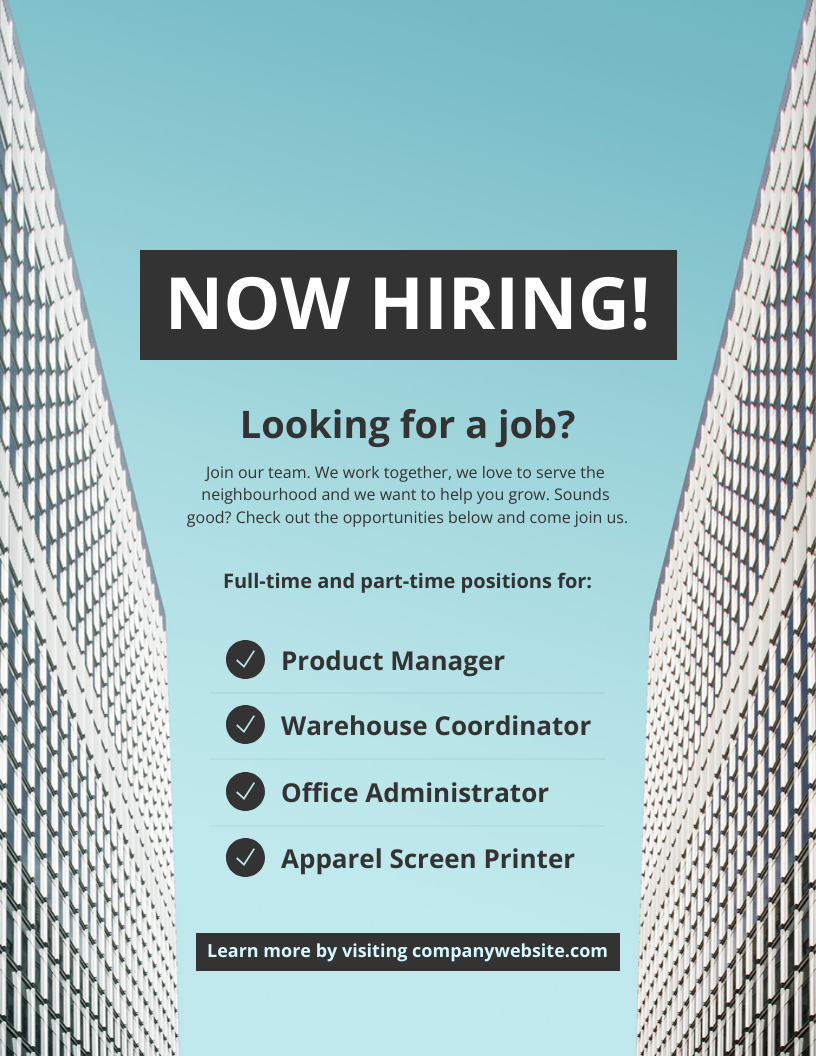
Reading order is one of the most overlooked accessibility issues in flyer design. Visual order and screen reader order aren’t always the same. A flyer might visually appear as:
But assistive technologies may read those elements in a completely different sequence, which makes the content confusing or hard to follow.

Why reading order is so important
Reading order determines how assistive technologies interpret content. When it’s incorrect, important information can appear out of sequence, users may miss registration instructions, and event details become difficult to follow.
For highly visual content like flyers, brochures, and infographics, reading order is often the most significant accessibility challenge. Reviewing reading order before publication takes far less time than remediating it later.
Can AI help create accessible flyers?
AI is becoming an important part of accessibility workflows, particularly in areas where manual effort has traditionally slowed teams down. Some of the most valuable applications include:
AI-generated alt text
AI can generate descriptions for:
- Images
- Graphics
- Icons
- Visual elements
Accessibility recommendations
AI can identify:
- Missing descriptions
- Potential accessibility issues
- Areas requiring review
Faster content creation
For organizations creating large volumes of public-facing content, AI support makes it easier to maintain accessibility standards without slowing down production. Human review remains important, but AI can significantly reduce the workload.
Why accessibility-first design works better than remediation
Remediation will always play a role in accessibility. It’s needed when content that’s already published doesn’t meet accessibility requirements. However, remediation alone does not scale.
The organizations making the most progress are focusing on:
- Accessible templates
- Accessible workflows
- Accessible creation tools
- Accessibility education for creators
The conversation has moved from how to fix inaccessible flyers to how to build accessible ones from the start, and that single shift changes the scale of the problem.
Create accessible flyers with Venngage
Venngage helps organizations create accessible flyers, reports, infographics, and visual documents from the start.
Accessibility Checker: Review accessibility issues during creation rather than after publication.
AI-Generated Alt Text: Generate descriptions for images and visuals automatically.
Reading Order Controls: Ensure screen readers follow the correct content sequence.
Accessible Templates: Start with templates designed to support accessibility best practices.
Accessible PDF Export: Create accessible PDFs without relying on downstream remediation workflows.
What this means in practice
The case for accessible creation comes down to this: it costs less, moves faster, and works better for everyone. Organizations that make accessibility part of how flyers are built, rather than a step that follows, reduce remediation work, improve user experience and maintain standards even as output grows. The easiest time to make a flyer accessible has always been before it gets published.
FAQs
What makes a flyer accessible?
An accessible flyer has clear structure, readable typography, sufficient color contrast, meaningful alt text for images, logical reading order, and compatibility with assistive technologies.
How do I make a PDF flyer accessible?
Use proper headings, accessible color choices, as well as image descriptions and check the reading order before exporting. Accessibility checkers can help identify issues early.
Why is reading order important for accessibility?
Screen readers follow reading order to navigate content. When it’s wrong, content can be confusing or impossible to follow, even if the flyer looks correct visually.
Can AI generate alt text for flyers?
Yes. Modern accessibility tools can generate alt text for images and graphics, which reduces manual effort while keeping documents accessible.
Is PDF remediation enough?
Remediation is important, but it doesn’t scale well for organizations producing large volumes of content. Accessibility-first creation is generally more efficient and cost-effective at scale.
What is the best way to create accessible flyers?
Use tools and workflows that support accessibility during creation, not after. Starting with accessible templates and checking for issues before export is more efficient than fixing problems after publishing.








