

TL;DR
Here are the best AI infographic generators for 2026:
1. Venngage: Best for business and data infographics
2. Canva: Best for simple marketing infographics
3. Piktochart: Best for reports, guides and educational infographics
4. Adobe Express: Best for creative infographics
5. Visme: Best for interactive infographics
6. Infogram: Best for website and blog infographics
7. Text2Infographic: Best for content repurposing infographics
8. NoteGPT: Best for educational infographics and study guides
9. Infografix: Best for text-based educational and business infographics
10. Genially: Best for animated infographics
11. VistaCreate: Best for event and campaign infographics
I’ve tested a range of infographic software and AI infographic generators to see how well they handle different types of infographics, from data-heavy reports to marketing, educational and interactive designs.
What became clear is that no single tool is best at everything. Some are much better at visualizing data, while others are stronger for quick creative designs, interactive content or turning existing documents into infographics.
For this guide, I shortlisted the best AI infographic generators based on what each tool actually does well, how usable the AI-generated output is and how much work it takes to get to a finished design.
If you’re comparing broader infographic software, we also have a separate guide covering non-AI tools to generate infographics.
Overview of the best AI infographic generators in 2026
What is an AI infographic generator?
An AI infographic generator is a design tool that creates infographics from a text prompt. Instead of designing from scratch or editing an infographic template manually, you add a prompt explaining your idea and the AI generates a polished design with proper layout, icons, colors, and copy.
Some tools even allow you to upload PDFs, docs, and CSV files and automatically create an infographic layout from the content.
Methodology: How I evaluated the best AI infographic generators
I tested each AI infographic generator using its core workflow and the features it is designed around. Depending on the tool, this included generating an infographic from a prompt, importing documents or data, creating charts, customizing the design and testing interactive or AI editing features where available.
I evaluated each tool based on:
- AI generation quality: How well the tool structured the content and how usable the first generated infographic was.
- Ease of use: How easy it was to go from input to a finished AI-generated visual .
- Editing and customization: Control over layouts, text, visuals, charts, colors, fonts and branding.
- Data and content handling: How well the tool handled documents, charts, structured data or other source material where supported.
- AI capabilities: Whether AI meaningfully helped with creating or editing the infographic rather than only generating individual images or copy.
- Export and publishing: Available download formats, interactive or embed options and free-plan restrictions.
- Pricing: What the free plan or trial includes and the starting cost of paid plans.
I also tested any standout features that differentiated a tool from the rest. The “Best for” labels reflect where each tool was strongest based on the overall experience and the capabilities that set it apart.
Top 11 AI infographic generators in 2026
Let’s take a look at the best AI infographic generators, what they’re best at and which type of user they’re built for.
1. Venngage (Best for business and data infographics)
The reason why AI-generated infographics can be easily spotted is that they lack a human touch. And it’s not the user’s problem. If you are a non-designer, you don’t even know what to improve or how to make the design better. This becomes even more difficult if you want to create a statistical infographic.
This is where Venngage AI Infographic Generator stands out. It simplifies infographic generation process at each step and helps visualize data effectively.
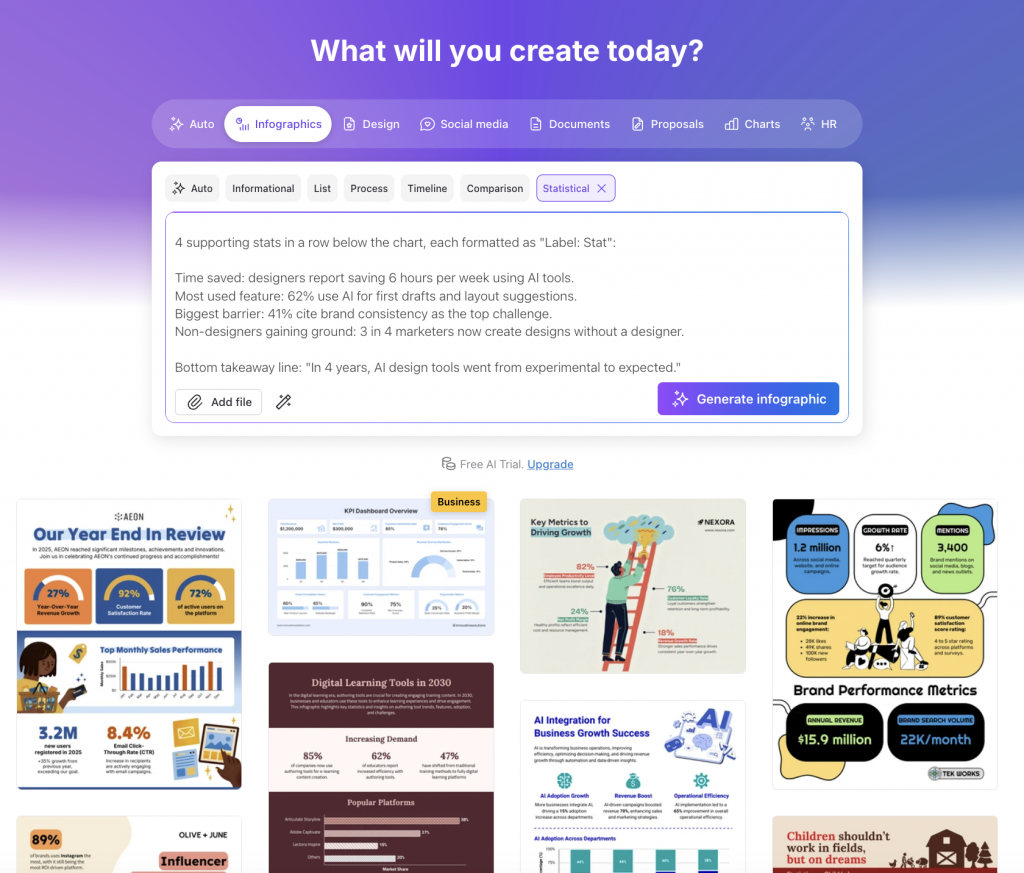
There are two ways to design an infographic in Venngage: either start with a text prompt or if you already have a particular layout in mind, browse Venngage’s infographic templates, select a relevant one and add your prompt. The AI Infographic Generator will auto-fill your content to the existing template.
If you’re creating a data infographic, you can also upload your data and let AI generate editable charts. This gives you more control over the final design.
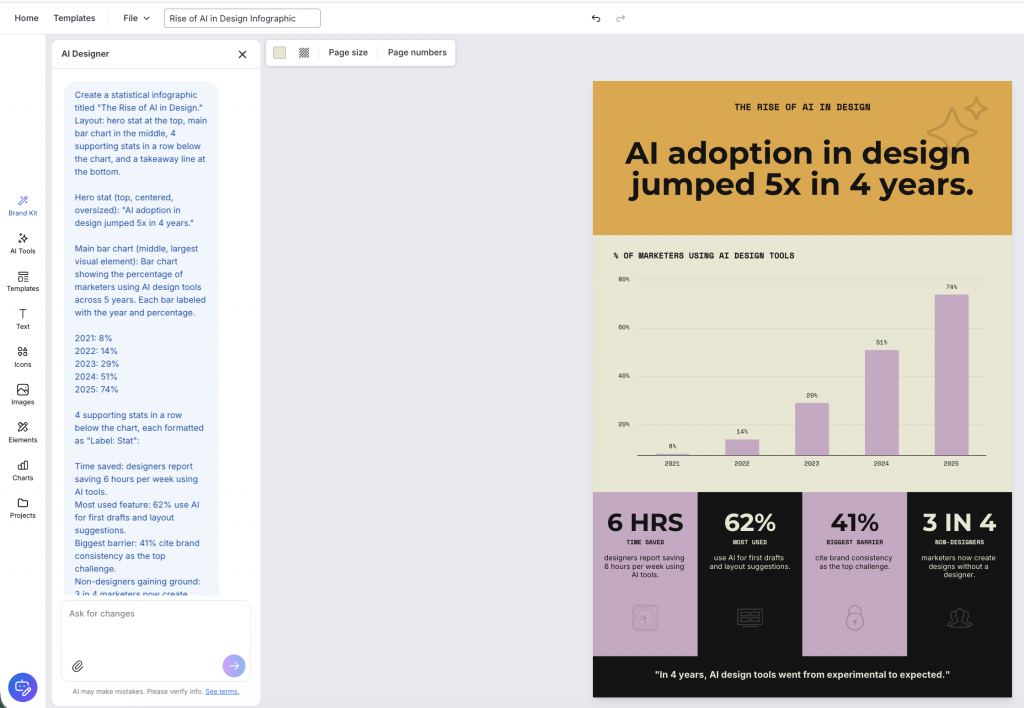
Once the first draft is ready, use AI to refine every part of the infographic. If you want to edit a chart, simply click on it and ask AI to recommend a better chart type based on your data. You can instantly switch between different chart types.
Beyond charts, AI can also suggest new layouts, improve the copy, replace icons, share color palettes or review the entire infographic design.
The best part is the AI Designer chatbot. Just type what you want to change like improve the visual hierarchy, suggest a new color palette or adjust the layout and Venngage AI will make the changes for you.

If you want to make additional edits yourself, use the drag-and-drop editor. Once the infographic is ready, apply your brand colors, fonts and logo in one click using the Brand Kit feature. Within a few minutes, you’ll have an AI-powered infographic design that you can easily export and share.
Key features:
- AI Chart Generator: Turn data into editable charts and graphs without building them manually.
- Document Upload: Convert PDFs, Word documents, CSV or Excel files into editable infographic drafts.
- Smart Templates: Start with AI-ready infographic templates that speed up customization and layout creation.
- AI Image Generator: Create custom visuals that match your infographic instead of relying on stock images.
- AI Translation: Translate your infographic into multiple languages while preserving the layout.
- One-click Resize: Adapt the same infographic for presentations, social media or print without redesigning it.
- Brand Kit Autopilot: Apply your brand colors, fonts and logo across every infographic in a single click.
Limitations:
- Most download and export options require a paid subscription.
- Features like Brand Kit are reserved for Business and Enterprise plans.
Pricing: Free AI trial; premium plans start at $19/month.
G2 rating: 4.7/5
According to WebFX, visual content gets 94% more views as compared to text-only content.
2. Canva (Best for simple marketing infographics)
Source: Canva
Canva is an AI graphic design tool that can help generate infographics from text. Compared to the other tools on this list, it’s much stronger design platform than an AI infographic generator.
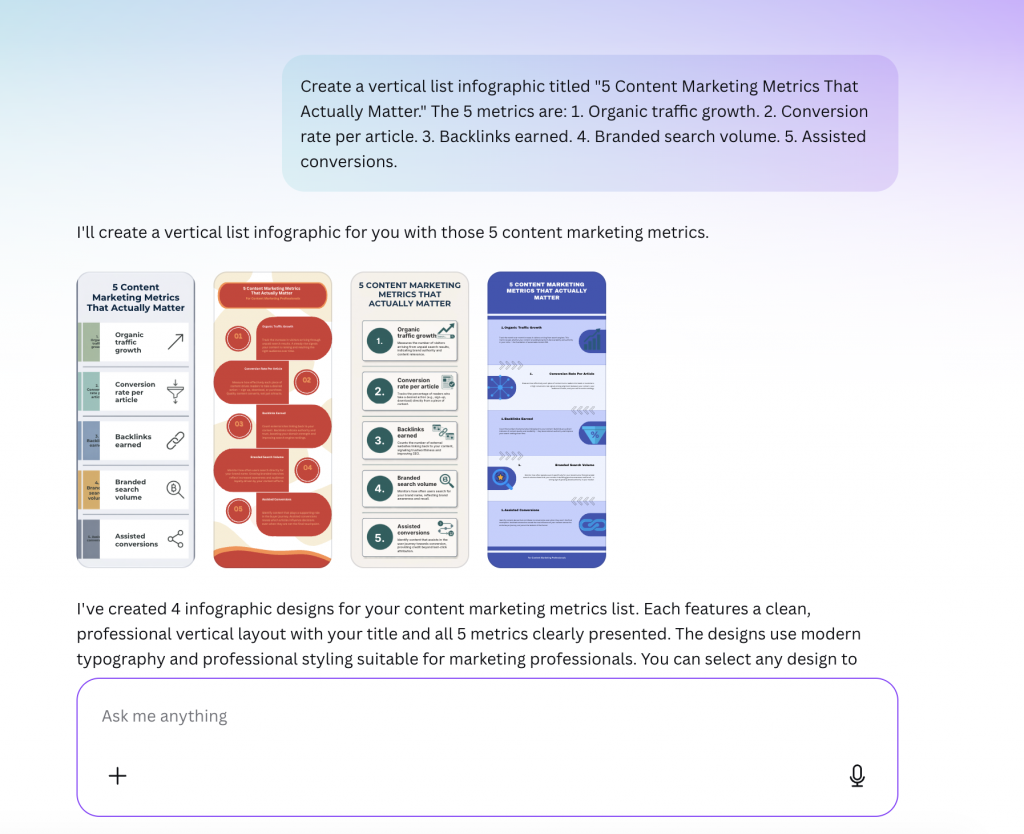
I like that Canva generates four infographic concepts to choose from. The layouts of AI-generated infographics, however, are fairly basic compared to Canva’s professionally designed templates. Creating a polished infographic usually requires manually rearranging elements, replacing graphics and refining the layout.
The drag-and-drop interface, extensive template library and real-time collaboration features make manual customization straightforward. You can tag teammates, leave comments and edit designs together.
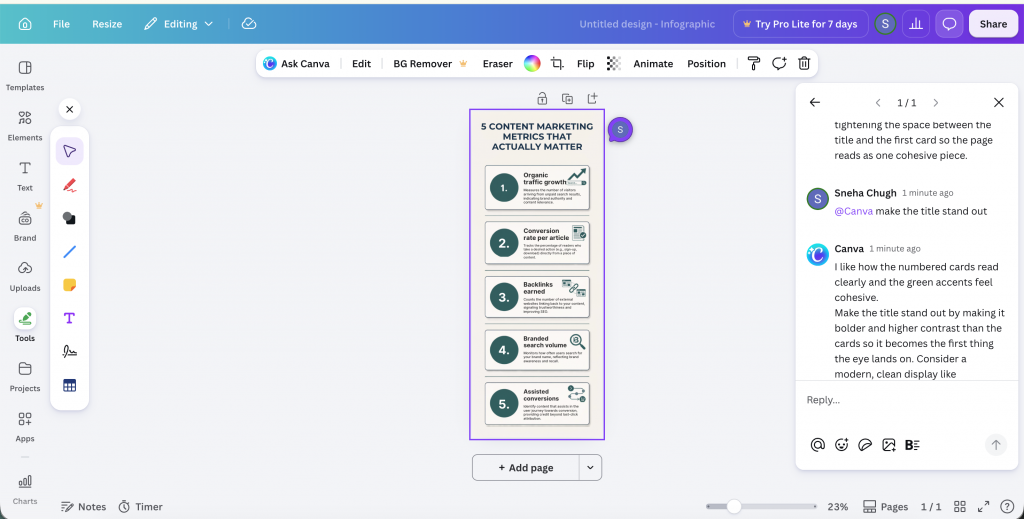
The editing workflow is largely manual. Changing layouts, testing color palettes and improving visual hierarchy all require manual edits. The ‘Ask Canva’ feature can suggest design improvements, but it can’t apply those changes automatically.
If you have some design experience and enjoy customizing layouts yourself, you can consider Canva.
Key features:
- Magic Design: Generate multiple infographic concepts from a single text prompt to quickly explore different layouts.
- Template Library: Choose from thousands of customizable infographic templates across business, education and marketing.
- Real-time Collaboration: Co-edit infographics, leave comments and tag teammates during the design process.
- Magic Switch: Resize, translate or repurpose infographics into different formats with a few clicks.
Limitations:
- Some features, such as Brand Hub and translation, require a Canva Pro subscription.
- The free plan has basic icons and images.
Pricing: Pro plans start at $12.99/month.
G2 rating: 4.7/5
3. Piktochart (Best for reports, guides and educational infographics)
Source: Piktochart
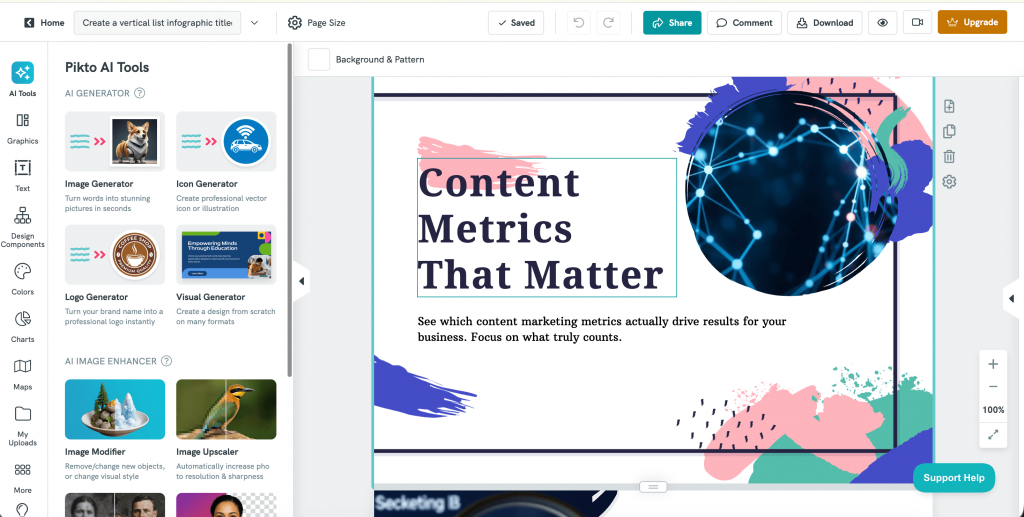
Piktochart works best for long-form, content-heavy infographics such as reports, guides and educational one-pagers. Once you enter a prompt, it generates multiple layout options and automatically maps your content into the selected template, giving you a good starting point.
One thing I liked was its collection of infographic components, including data and metrics blocks, quote sections, bios and text banners, which make long-form infographics more engaging. Plus, its AI outline feature makes it easier to organize the content for the infographics and create a logical structure for the design.
However, the AI-generated layouts often require manual cleanup. Since the templates are designed for longer content, text alignment and spacing aren’t always consistent, so you’ll need to spend time adjusting the layout with the drag-and-drop editor.
Key features:
- Document-to-Infographic: Convert reports, PDFs and presentations into editable infographics.
- Smart Content Mapping: Automatically organizes long-form content into sections and layouts.
- Brand Hub: Save and apply brand assets across visual projects.
- Visual Asset Library: Access icons, illustrations and stock photos directly from the editor.
- Content Blocks: Build infographics faster with pre-designed components like timelines, quote cards, data highlights, comparison tables and team bios.
Limitations:
- AI-generated layouts often require manual adjustments for more creative designs.
- Some essential features, such as the brand kit and transparent background download, are available in the paid plan.
Pricing: Free plan; paid plans start at $14/month.
G2 rating: 4.4/5
4. Adobe Express (Best for creative infographics)

Source: Adobe Express
Adobe Express adds a creative touch to infographics with AI-powered design suggestions, customizable templates, and dynamic elements. Its ‘Generate Template’ feature converts text prompts into designs.
If you want to get started immediately, you can use the pre-designed AI infographic templates for social media posts, reports and presentations.
The best part is that all visual elements are arranged in a column, so you can easily select each element and edit it. No need to lock and unlock overlapping icons or illustrations. This also means you can add visual effects and animations to each element separately.
Key features:
- Adobe Firefly: Generate custom images and illustrations for infographics.
- Generate Similar: Create alternative design variations with AI.
- Brand Kit: Maintain consistent branding across every infographic.
- Quick Actions: Edit images, remove backgrounds and resize assets in one click.
- Creative Cloud Integration: Continue editing designs in Photoshop or Illustrator when needed.
Limitations:
- It has fewer infographic-specific templates than other dedicated infographic generators.
- Some advanced AI and premium assets require a paid plan.
Pricing: 30-day free trial; paid plans start at $9.99 per month.
G2 rating: 4.5/5
5. Visme (Best for interactive infographics)
Source: Visme
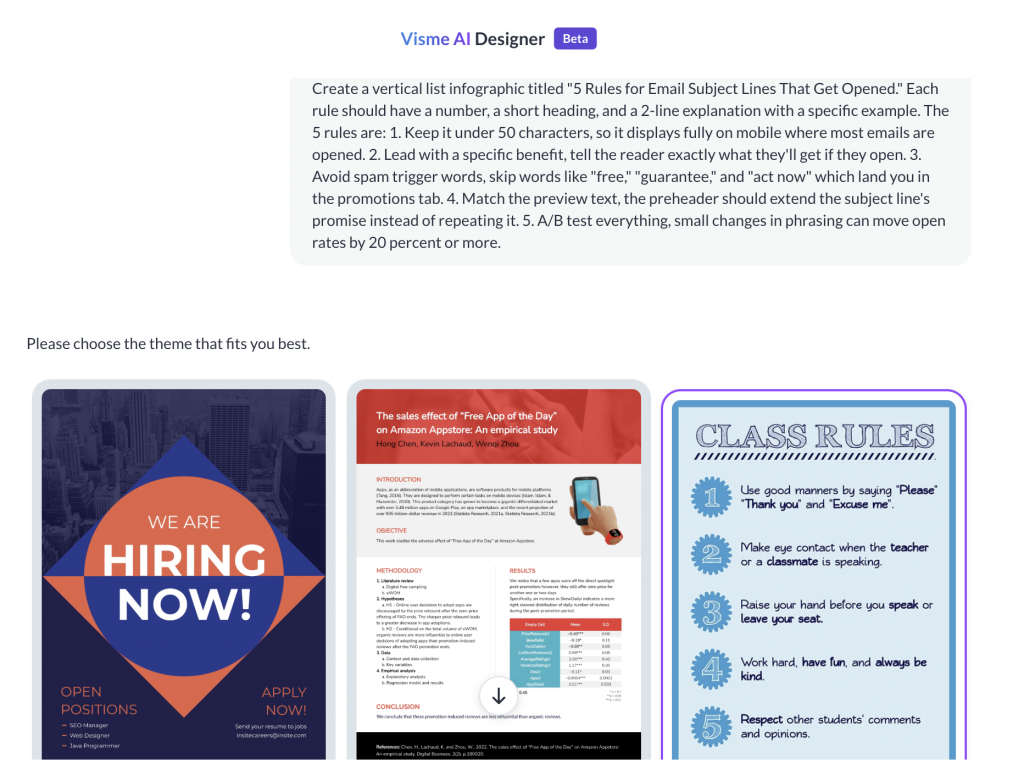
Visme is an AI infographic generator built for creating presentation-style infographics and interactive visuals. Similar to Canva, its AI Designer generates three to four design themes based on your prompt, so you have a few options to choose from before creating the infographic.
Once you select a theme, the design opens in the editor for customization. This extra step makes the workflow feel a little slower than some of the other tools on this list. I liked the design blocks, which make it easy to add charts, data, timelines and other infographic elements. The AI Writer helps improve the copy, although it sometimes truncates the text, so you’ll need to adjust the formatting manually.
Visme also offers animations, avatars, gestures and background music, making it a strong choice for interactive infographics and presentations.
Key features:
- Brand Wizard: Automatically applies your brand colors, fonts and logo across designs.
- Content Library: Store brand assets and reusable content in one place.
- Collaboration: Assign comments, collect feedback and manage team projects.
- Privacy Controls: Create private projects and manage workspace permissions.
- Analytics: Track views and engagement for published interactive content.
Limitations:
- Limited AI automation for fully interactive or detailed infographics.
- Offers 10 credits to generate AI infographics on the free plan
Pricing: Free plan; paid plans start at $12.25 per month (billed annually).
G2 rating: 4.5/5
Related: Best AI Presentation Makers in 2026: Create Slides Instantly
6. Infogram (Best for designing infographics for website or blog)
Source: Infogram
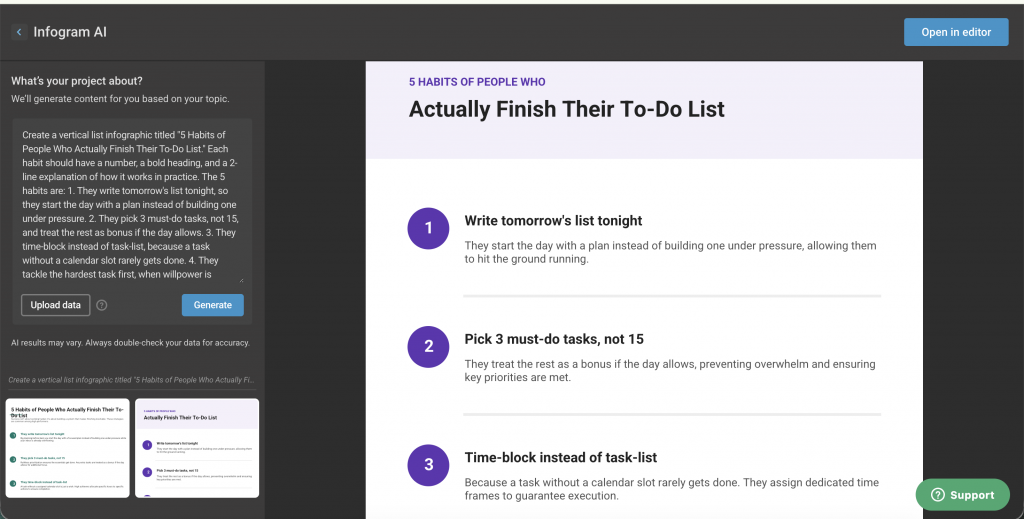
Infogram is an AI infographic generator built primarily for data storytelling. Compared to the other tools on this list, it focuses more on charts, reports and numerical data than highly visual infographic designs.
The AI-generated infographics are fairly simple, but the platform does a good job of organizing data into clean, readable layouts.
What stood out most were the interactive chart features. You can add hover effects, animations and tooltips to charts, making them more engaging for reports, presentations and web pages. Once published, the infographic can be embedded directly into websites and blogs, so readers can interact with the charts instead of looking at a static image.
However, the downside is that any project you create is public by default and can appear in search engines unless you upgrade to a paid plan.
Key features:
- Interactive Charts: Add hover effects, animations and dynamic chart interactions.
- 35+ Chart Types: Visualize data using bar charts, line charts, maps, treemaps, bubble charts and more.
- Live Data Connections: Connect spreadsheets and databases to keep charts updated automatically.
- Embed Anywhere: Publish and embed interactive infographics directly into websites and blogs.
Limitations:
- Projects are publicly accessible unless you upgrade to Pro for privacy controls.
- AI-generate designs are more text-oriented with limited visual elements.
Pricing: Free plan; paid plans start at $25 per month.
G2 rating: 4.7/5
Related: AI in Digital Marketing: Use-Cases, Strategies, Tools and Trends
7. Text2Infographic (Best for content repurposing infographics)
Source: Text2Infographic
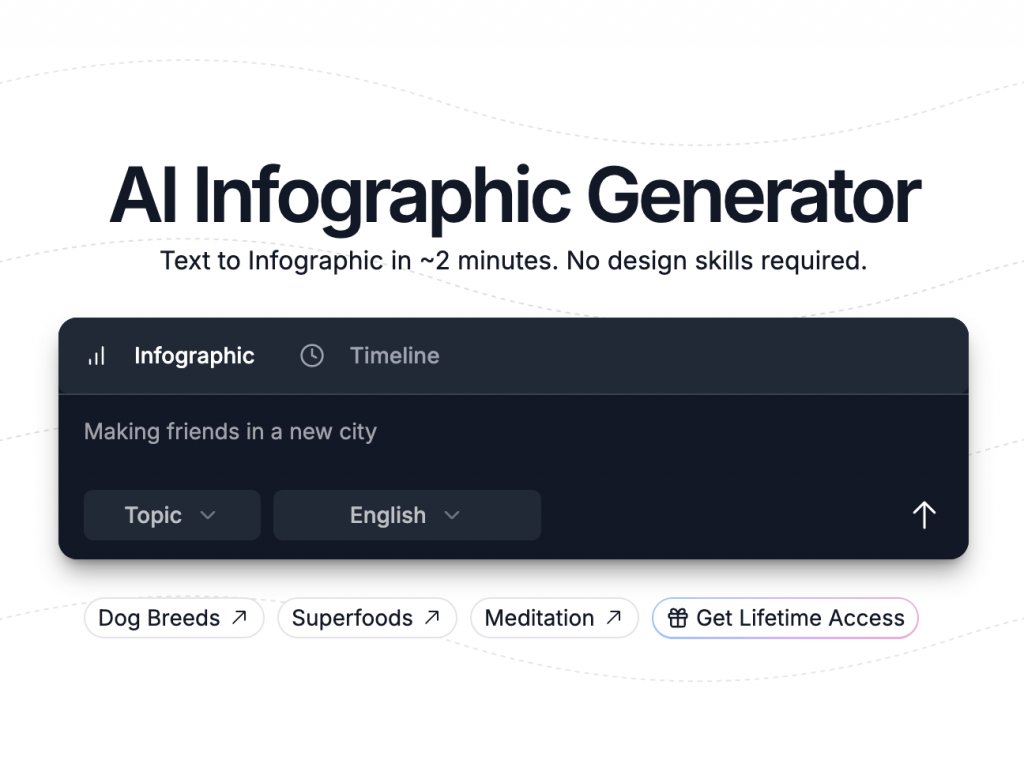
Text2Infographic is a simple AI infographic generator that requires no design skills or experience. Just add a prompt and the tool will create a basic infographic for you. The best feature is the ‘Blog to Infographic Converter.’ This makes it easier to repurpose content using AI and share it on different channels.
This tool also allows users to generate infographics from Excel sheet data and documents. You can even set up your brand color palette and style guidelines with this tool.
Key features:
- Blog to Infographic Converter: Transform blog posts into infographic drafts in one click.
- Document & Excel Import: Generate infographics from documents and spreadsheet data.
- Automatic Citations: Include source citations to improve content credibility.
- Brand Guidelines: Apply your brand colors and visual style across infographics.
- 20+ Languages: Create infographics in multiple languages.
Limitations:
- There are only 2 free credits available.
- The tool offers limited infographic layouts.
Pricing: $70 for lifetime access.
G2 rating: N/A
According to data by DemandSage, infographics can increase website traffic by 12%.
8. NoteGPT (Best for educational infographics and study guides)

Source: NoteGPT
NoteGPT isn’t a dedicated infographic maker. It’s an AI learning assistant that can turn YouTube videos, PDFs, documents and notes into infographic-style visual summaries. Instead of starting with a design, you simply upload your content, choose an infographic style and let AI organize the key points into a visual format.
The infographics are fairly simple, but they’re quick to generate and don’t require any design experience. I found it more useful for summarizing lessons, research papers and study material than creating polished marketing or business infographics.
Key features:
- YouTube to Infographic: Convert YouTube videos into infographic summaries.
- PDF & Document Import: Generate infographics from study material, PDFs and documents.
- Multiple Infographic Styles: Choose from different layouts based on your content.
- Editable Designs: Customize AI-generated infographics after they’re created.
Limitations:
- AI-generated designs focus more on information than visual creativity.
- Better suited to educational summaries than polished marketing graphics.
Pricing: Free
G2 rating: 4.7/5
9. Infografix (Best for text-based educational and business infographics)

Source: Infografix
Infografix is an AI infographic generator app with a quirky interface. Once you add the prompt, it provides the text on the left side and the infographic on the right side. You can try different layouts for your infographics, including timeline, list, question and answer format, process and hierarchy.
The best part is that you can easily edit the content to refine your infographics. Plus, Infografix also allows you to edit the background color, font size and aspect ratios as per your requirement. However, the downside is that Infografix just provides plain text designs without visuals.
Key features:
- Multiple Layout Formats: Create timelines, lists, process flows, hierarchies and Q&A infographics.
- Real-time Content Editing: Edit the generated text while previewing the infographic.
- Theme Customization: Change colors, typography and aspect ratios.
- Social Sharing: Generate shareable links and embed infographics online.
Limitations:
- It provides only text-based infographics that may not be visually appealing.
- Limited creative customization compared to dedicated design platforms.
Pricing: Free
G2 rating: 4.5/5
10. Genially (Best for animated infographics)

Source: Genially
Genially is an AI-powered platform for creating interactive infographics, presentations and learning content. Unlike most AI infographic generators, Genially lets you build experiences that readers can interact with instead of simply scrolling through.
I liked how easy it was to add interactive elements like buttons, pop-ups, animations, embedded videos and clickable hotspots without any coding. If you’re creating infographics for a website, online course or presentation, these features make the content much more engaging than a traditional static infographic.
Plus, the co-editing feature reduces the back-and-forth for design review. However, it has limited infographics templates.
Key features:
- AI Builder: Generate interactive infographics from a prompt or document.
- Interactive Elements: Add pop-ups, hotspots, buttons and animations.
- Media Embeds: Embed videos, PDFs, websites and other external content.
- Page Navigation: Create multi-section interactive infographics with navigation.
Limitations:
- You need a paid plan to download the infographics in JPG format.
- Some advanced interactive features are available only on paid plans.
Pricing: Free; paid plans start at $15/month (billed annually).
G2 rating: N/A
Related: Top 30 AI Marketing Tools for Growth in 2026
11. VistaCreate (Best for event and campaign infographics)

Source: VistaCreate
VistaCreate is primarily an AI image generator that creates photorealistic, artistic and 3D images from text prompts. However, it offers tons of pre-designed infographic templates that you can customize.
I liked how easy it was to customize the designs. The editor is clean, the templates look modern and there are plenty of stock photos, icons and animations to work with. If you’re creating branded marketing infographics, VistaCreate offers enough flexibility without feeling overwhelming.
However, compared to dedicated AI infographic generators, the AI plays a much smaller role in the overall workflow.
Key features:
- 200K+ Design Templates: Choose from a large library of editable infographic and marketing templates.
- 170M+ Creative Assets: Access stock photos, videos, vectors and animations.
- AI Image Generator: Create custom visuals from text prompts.
- One-click Resize: Adapt designs for different social media and print formats.
- Brand Kits: Save logos, colors and fonts for consistent branding.
Limitations:
- It may not be suitable for creating complex infographics due to a lack of advanced AI features.
Pricing: Free; paid plan is available at $13/month.
G2 rating: 4.2/5
“As generative AI models become more sophisticated, we’ll soon have systems that can conceptualize and execute entire infographic campaigns based on minimal human input, while maintaining brand consistency and design excellence.”
Dr. Jonathan Wei, AI researcher at MIT Media Lab
Related: AI in Content Marketing: Trends, Tools and Strategies
Common limitations of AI infographic generators
After testing the tools, a few limitations came up repeatedly.
- The first draft usually needs editing: AI can get the structure in place quickly, but the layout, copy and visual hierarchy often need some refinement.
- Content still needs fact-checking: AI can introduce incorrect facts, statistics or citations, especially when it generates supporting copy rather than working only from your source material.
- Long or complex content can be harder to structure: Reports and dense documents can lead to crowded designs or important information being left out.
- Editability varies a lot: Some tools generate fully editable infographics, while others give you much less control over charts, visuals or individual sections.
- Data features aren’t equally strong: If you’re creating statistical or business infographics, check whether the tool can actually work with structured data and editable charts rather than simply turning numbers into text.
- Free plans usually have limits: AI credits, exports, branding features and premium assets are often restricted unless you upgrade.
How to choose the right AI infographic generator?
Now that you are aware of the variety of AI infographic generators in the market, which one should you go for? Here are a few factors you should consider:
- User experience: First, check how easy the tool is to use. Navigating multiple features to create a simple infographic shouldn’t feel like rocket science. If you are looking for a minimalist tool to create professional infographics, Venngage can be the best choice. If you are looking for more advanced design elements, try Adobe Express.
- Intended use (marketing, education, presentations): Consider what you need the infographic for. For example, if you need to create educational infographics, NoteGPT is a suitable option. For marketing and business purposes, you can go with Venngage. If you want to create interactive designs, try Genially.
- Level of customization desired: If you need full control over branding, fonts, and visuals, pick a tool that allows advanced customization of text and visual elements.
- Budget and available pricing plans: Check free vs. paid features for tools. Decide whether you want to go with a monthly or annual plan.
You can shortlist the top 4-5 tools based on your goals and expertise level and see how they align with your requirements.
Create infographics with Venngage
Designing infographics is no easy feat, especially if you don’t have design experience. With AI infographic generators, the process has become a lot easier. AI selects the design, writes content and creates an engaging infographic with a simple prompt.
For beginners, Piktochart is a great choice, while Canva works well if you have some design experience. But if you need a tool for professional-grade AI infographics, Venngage stands out. It offers advanced customization, branding tools, and AI-powered design suggestions, making it ideal for business reports, presentations, and marketing materials.
FAQs on the best AI infographic generators
1. How to use AI to create an infographic?
To create an infographic with AI, enter a text prompt, upload a document, or import a CSV file into an AI infographic generator. The tool will automatically design a layout, add visuals, and format the content. You can then customize colors, fonts, icons, and charts to match your needs.
2. Can AI infographic generators match your brand style?
Yes. Many AI infographic tools like Venngage include brand kit features that store your logo, brand colors, and fonts. This enables you to create branded infographics that stay consistent with your brand’s visual identity.
3. Which is the best AI infographic generator in 2026?
The best AI infographic generator depends on the type of infographic you want to create. If you’re creating data-driven business infographics, Venngage is the strongest choice because it combines AI-powered generation with AI-assisted editing, chart generation and branding tools. For marketing graphics, Canva is a solid option, while Piktochart works well for reports and long-form educational infographics.
4. How long does it take to make an infographic with AI?
With AI, you can create a first draft infographic in minutes. The total time depends on how much editing is required. Simple infographics may be ready in 10–15 minutes, while more detailed or branded designs can take 30 minutes or longer.
5. What file formats do AI infographic generators support?
Most AI infographic generators let you import content from PDFs, Word documents, PowerPoint presentations, Excel spreadsheets or CSV files. You can typically export the finished infographic as PNG, PDF or JPG, while some tools also support SVG, PPT or HTML.
6. Are AI-generated infographics editable?
Yes. Most AI infographic generators let you edit the layout, copy, colors, fonts, icons, charts and branding after the first draft is created. However, editing capabilities vary. Some tools only generate the initial infographic, while others use AI to help refine layouts, charts, visuals and copy throughout the design process.
7. How much do AI infographic generators cost?
Most AI infographic generators offer a free plan or trial with limited AI credits or export options. Paid plans typically start between $10 and $25 per month, while some tools also offer lifetime licenses or enterprise plans.