


TL;DR
Here are the 10 best AI cover letter generators for different use cases:
- Grammarly: Best for quick, free cover letter drafts
- Venngage: Best for well-designed cover letters
- Enhancv: Best for aligning cover letter with your resume
- Resume Worded: Best for more personal cover letters
- Teal: Best for managing cover letters across multiple applications
- Resume Genius: Best for guided cover letter creation for beginners
- Kickresume: Best for consistent resume and cover letter design
- MyPerfectResume: Best for step-by-step writing assistance
- WonsultingAI: Best for highly detailed cover letters
- Cover Letter Copilot: Best for fine-tuning cover letter tone
“This is it. It’s perfect for me.” That is what you tell yourself when you find a great job opportunity. But then comes the hard part: writing a tailored cover letter that actually gets you noticed.
The usual route is using ChatGPT as a starting point, but the result is almost always generic. You end up trying multiple prompts and editing heavily just to make it sound human. Doing this for dozens of applications is exhausting.
There are better options than ChatGPT for creating a personalized, ATS-friendly cover letter. In this article, I will review the best AI cover letter generators that deliver high-quality results without the extra legwork.
Overview of the best AI cover letter generators in 2026
How we evaluated these AI cover letter generators
Before we dive in, please remember that AI cover letter generators are a starting point. They help when you are applying for multiple jobs or struggling with the ‘blank page’ syndrome. While some tools are better than others, you will still need to edit and proofread the final draft to make it sound like you.
To keep this evaluation objective, I used my own resume and a real job description to compare the outputs side-by-side. I wanted to see which tools actually deliver a solid draft and which ones just add more manual work to your plate.
Here are the key factors I looked for:
- Personalization: Does it actually connect my experience to the job, or just swap the company name?
- Role relevance: Does it pick up on the industry keywords that help with the ATS?
- The human element: Does it sound like a professional person wrote it, or is it obviously robotic?
- Effort required: How much do I actually have to edit before it’s ready to send?
- Context: Did it understand my career path or just hallucinate details?
- Visuals: Is the final document formatted and ready to go?
- Free vs. paid limits: I checked what you actually get for free. It’s frustrating to spend time on an application only to find the download gated behind a paywall.
Best AI tools to write cover letters (Full reviews)
Now let’s see the best AI cover letter generators and how they performed when I put them to the test. I’ve focused on how much these tools actually simplify the process while keeping the quality high enough to pass a recruiter’s scan.
1. Grammarly: best for quick, free cover letter drafts
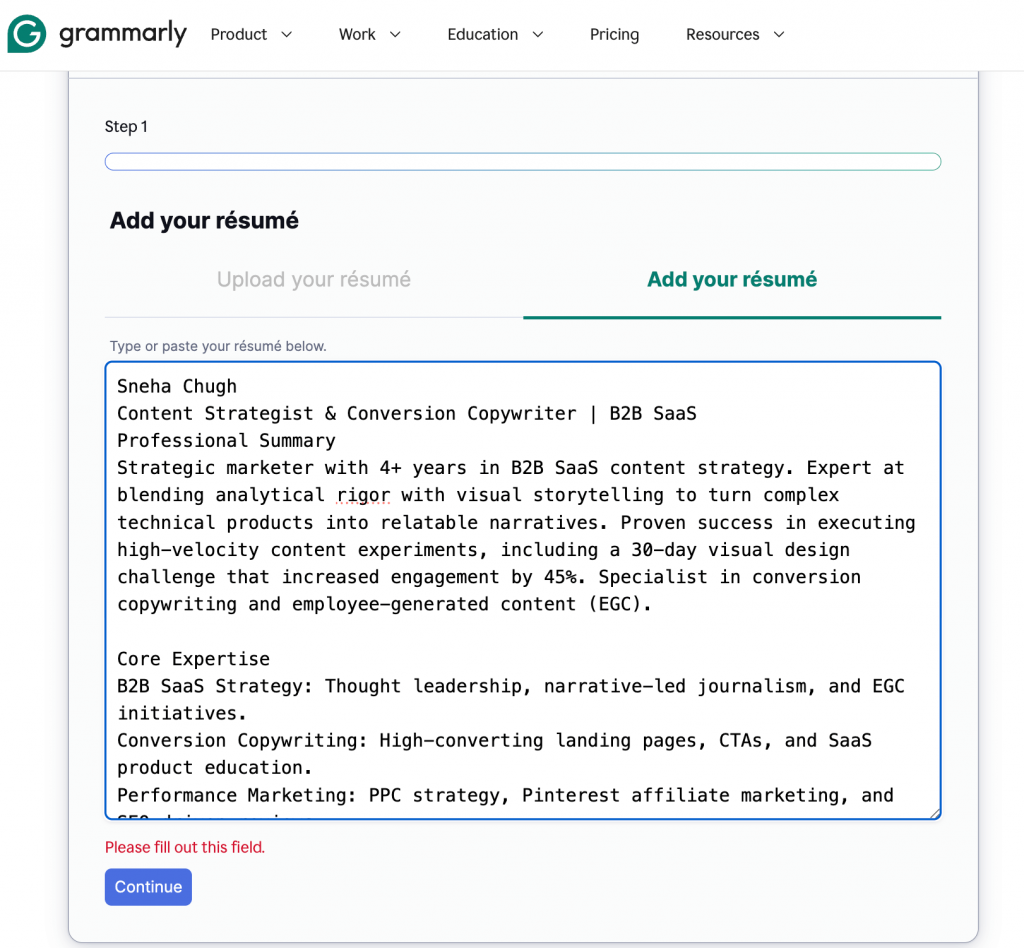
Grammarly offers a free and simple AI cover letter generator that can generate a polished cover letter from your resume and job responsibilities. During my testing, it picked up some relevant details automatically from my resume and added them to cover letter to match the role.
Once the cover letter is ready, you can copy the text and paste it into a doc to edit without sign-in.
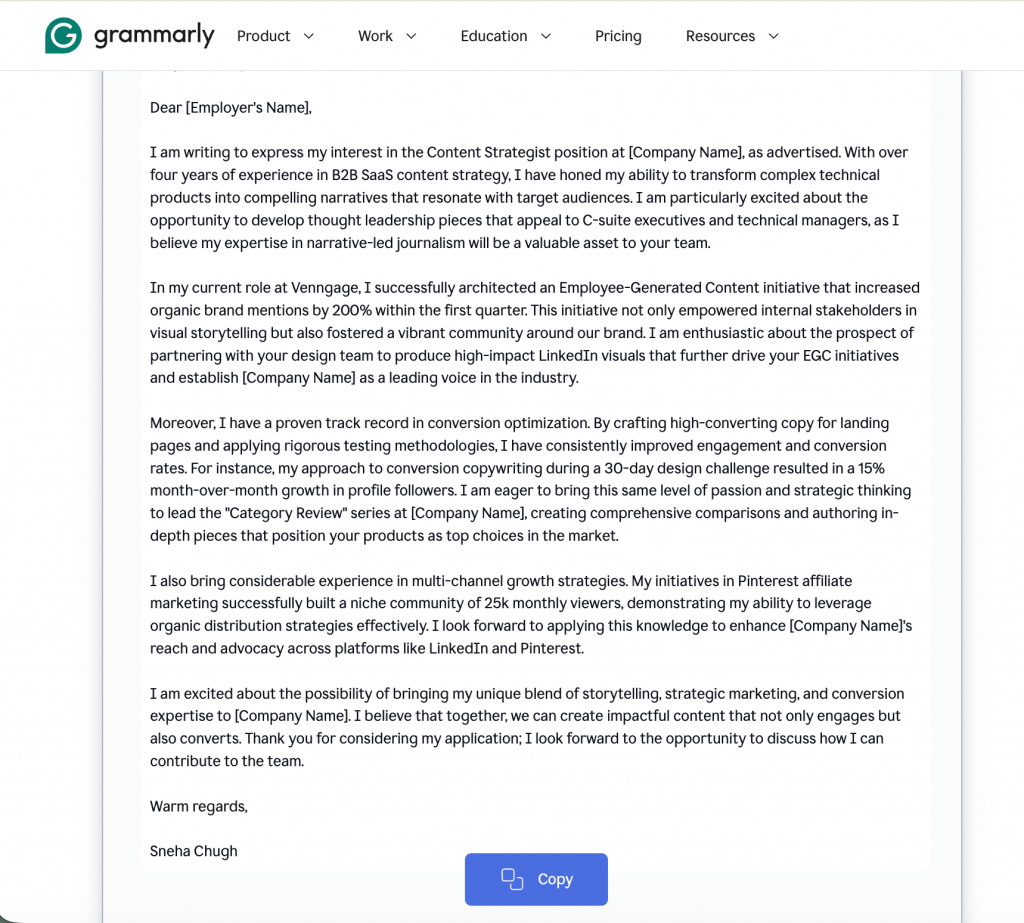
However, the language and tone of Grammarly’s AI cover letter can feel overly formal and generic. It also added some resume details that didn’t perfectly align with the job, making the narrative feel unnatural. I used Grammarly’s AI Humanizer to tone down this rigid language, which made the draft slightly more engaging.
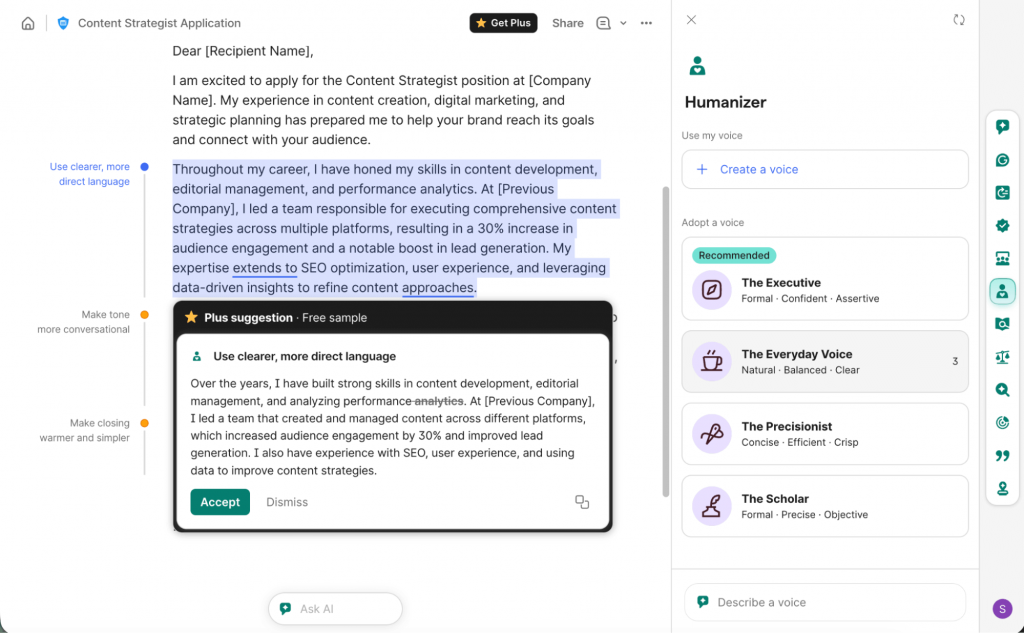
That said, this tool is great if you are applying for jobs in a traditional fields like finance and legal that prefer formal writing style.
If you are applying for a creative role or want to “cold DM” a hiring manager with a punchy, personality-driven note, the Grammarly output might feel a bit too generic.
Pros
- No sign-in required: Generate a draft instantly without creating an account.
- Easy to edit: Quickly copy and paste the output into your preferred document editor.
- Relevant keyword matching: Effectively pulls specific skills from your resume to match the JD.
- AI Humanizer: Helpful for softening the default “robotic” and formal tone.
Cons
- Occasionally includes resume points that don’t fit the context.
- Advanced rephrasing and tone adjustments require a paid plan.
Pricing
- Free: For basic grammar and 100 AI prompts.
- Premium: $12/month (billed annually) for 2,000 AI prompts and full-sentence rewrites.
- Monthly: $30/month for a non-annual commitment.
2. Venngage: best for well-designed cover letters
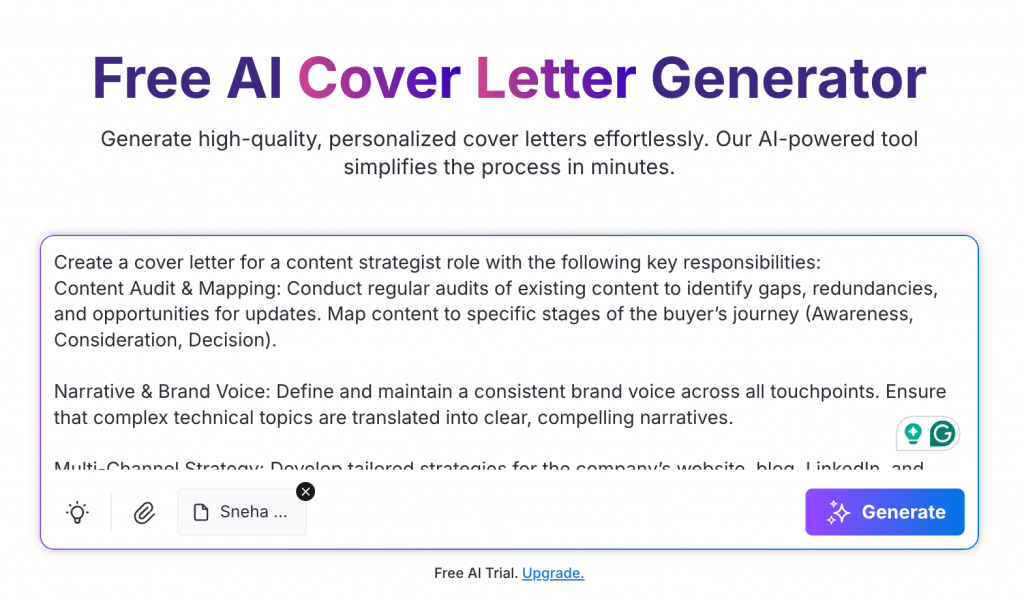
Venngage is our software, but I’ve held it to the same standards as the other tools to avoid bias. When you’re one of hundreds applying for a role, sending a standard black-and-white resume design and cover letter is a missed opportunity.
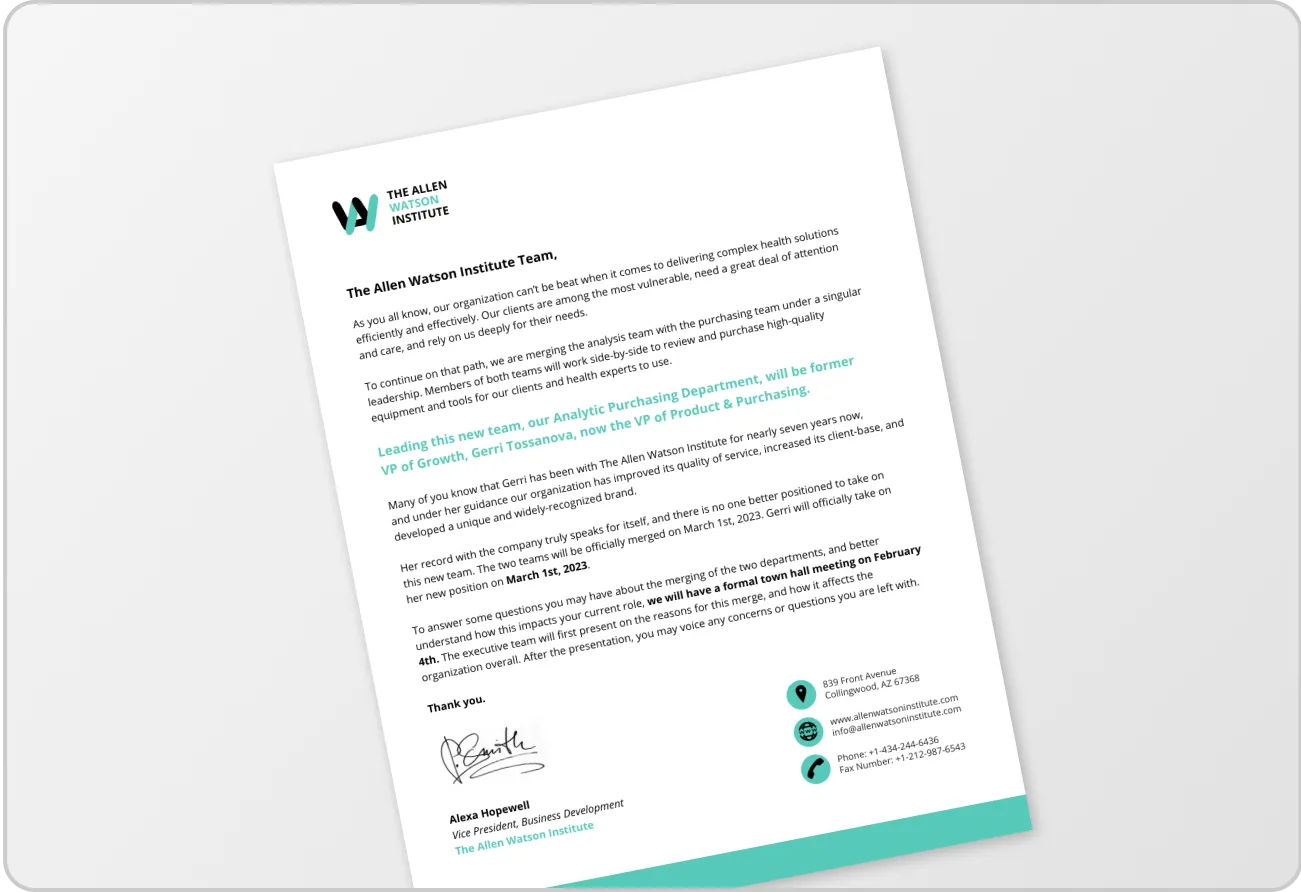
Think from a hiring manager’s perspective: scanning endless walls of text can be exhausting. This is where Venngage AI Cover Letter Generator helps. It creates a visually appealing cover letter that grabs attention.
I tested it two ways: first, with a simple text prompt and my resume, which gave me a clean, structured visual layout.
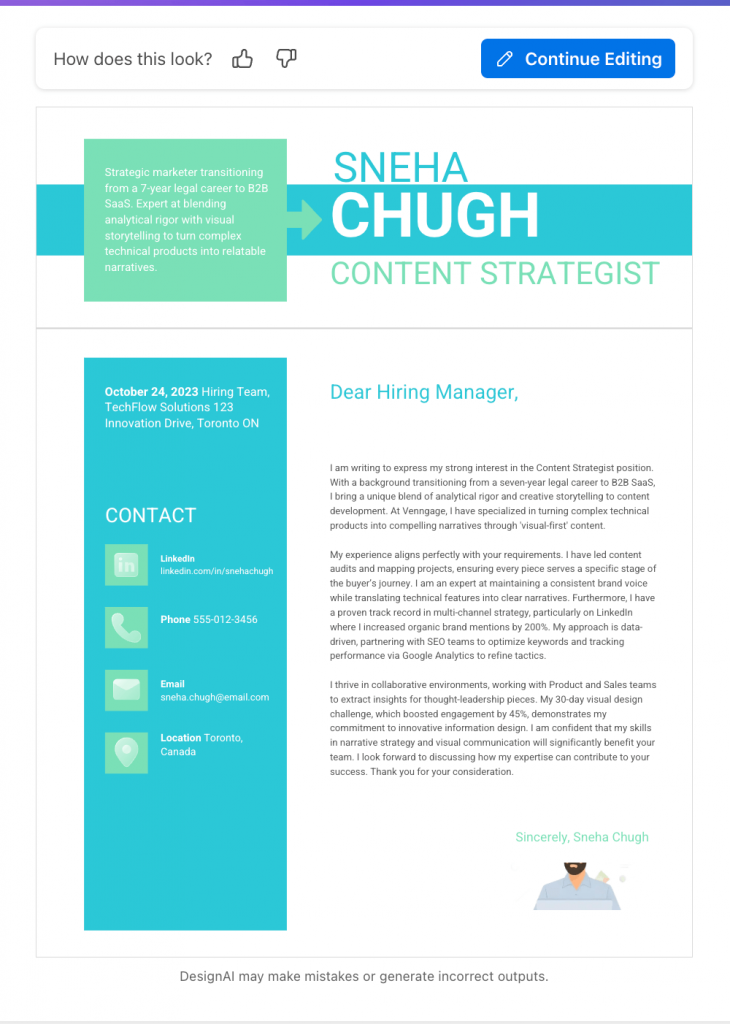
Then, I picked a cover letter template and used the AI to refine it. The tool pulls your resume data and adjusts the formatting automatically.
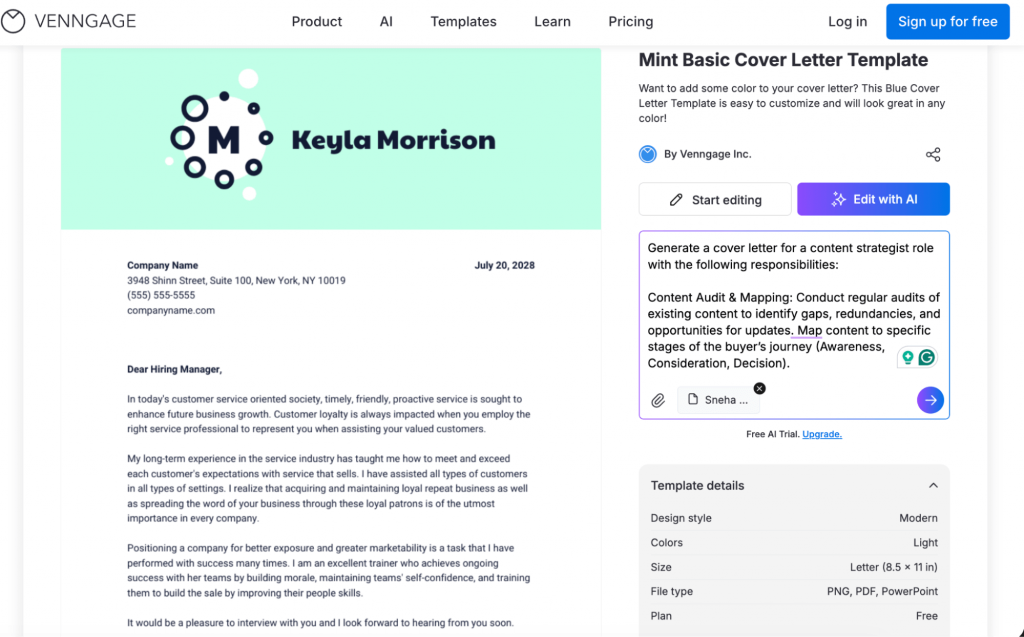
Venngage is not just about design. You can also use Venngage AI Writing Assistant to improve the cover letter copy. I used the “make it more engaging” prompt to sharpen the writing, which is a great shortcut if your writing feels a bit flat.
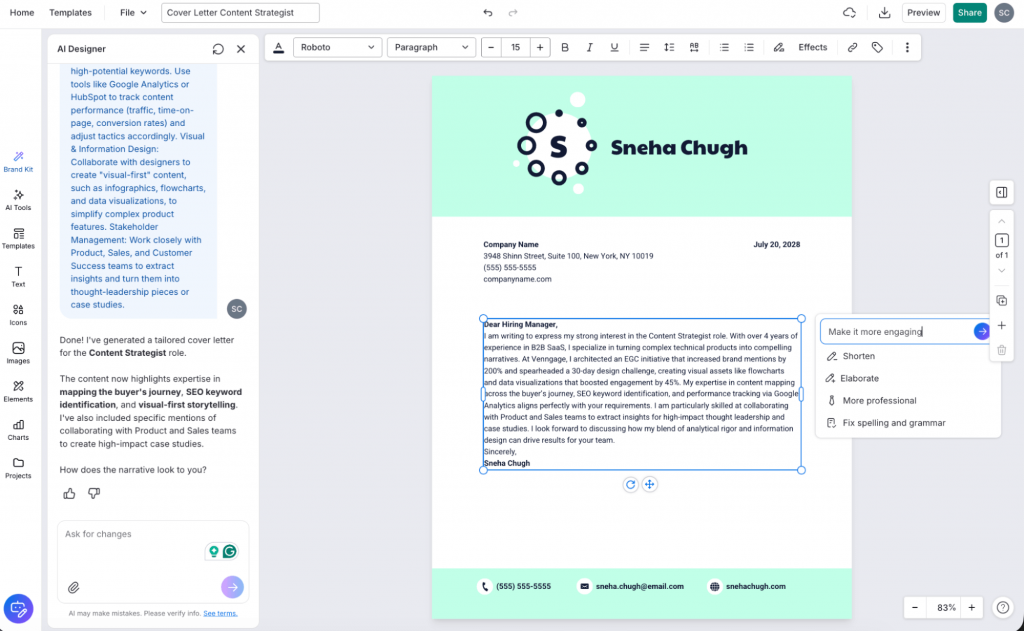
You can easily customize the cover letter using AI. Go to the chat box and ask the AI Designer to review your cover letter, suggest different layouts, improve the writing style or add background images and icons.
It’s also easy to add your photo, website and portfolio links to the cover letter. This works great for creative roles like marketing and design.
Pros
- Visual-first design: Easily creates eye-catching letters that break the text monotony.
- AI-powered editing: Refines your text or design instantly with simple conversational prompts.
- Easy customization: Provides a library of icons, stock photos and brand kit features, making it easier for non-designers to create visually appealing cover letters.
- Interactive elements: Ability to embed hyperlinked portfolios and social profiles directly.
Cons
- May feel too design-heavy for very conservative or traditional industries.
- While the AI does the heavy lifting, the editor has more features than a simple text box, which may take a few extra minutes to master.
Pricing
- Free: Includes all AI design features.
- Premium: $19/month. For individuals wanting unlimited designs and PNG exports.
- Business: $49/month. Unlocks AI features, Brand Kits and PDF/PowerPoint exports.
3. Enhancv: best for aligning cover letter with your resume
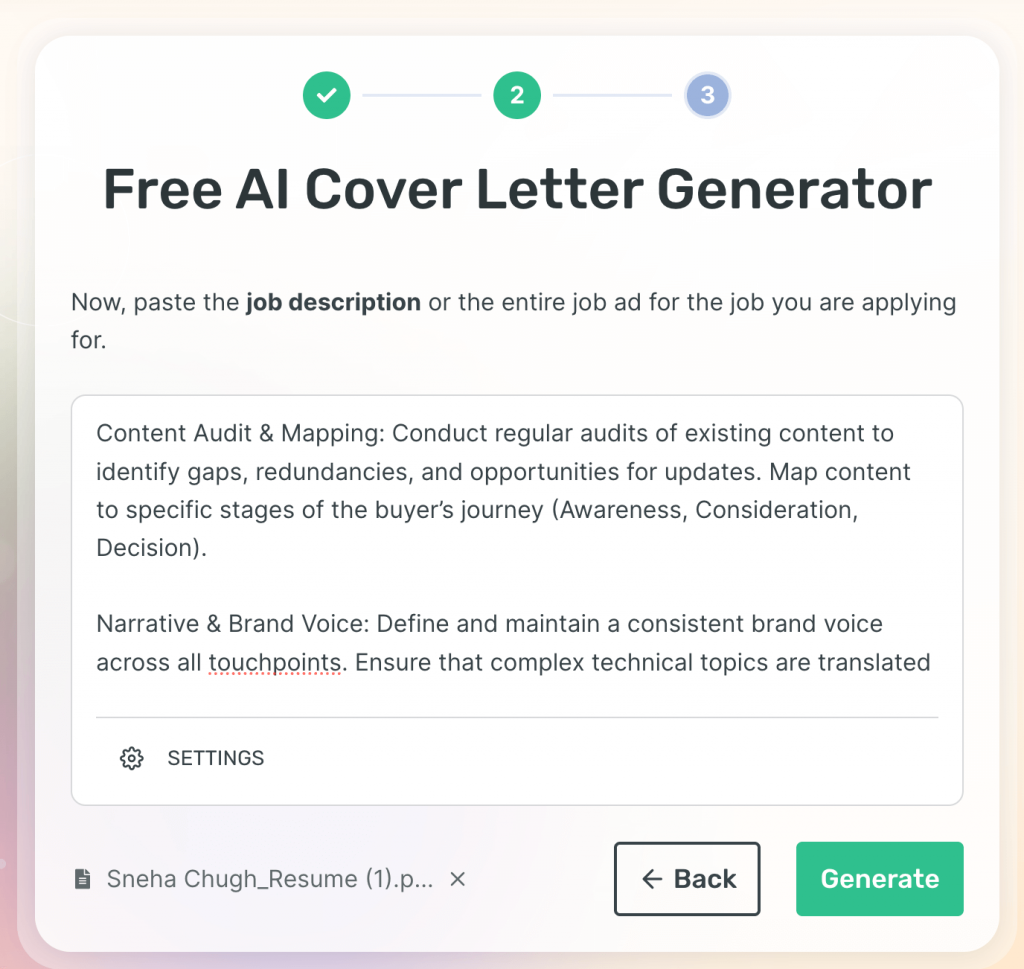
Enhancv is an AI cover letter generator for B2B professionals that rephrases achievements to match the specific keywords mentioned in the job description. It’s particularly good at focusing on the impact. I like how it offers simple, clean layouts to generate professional cover letters.
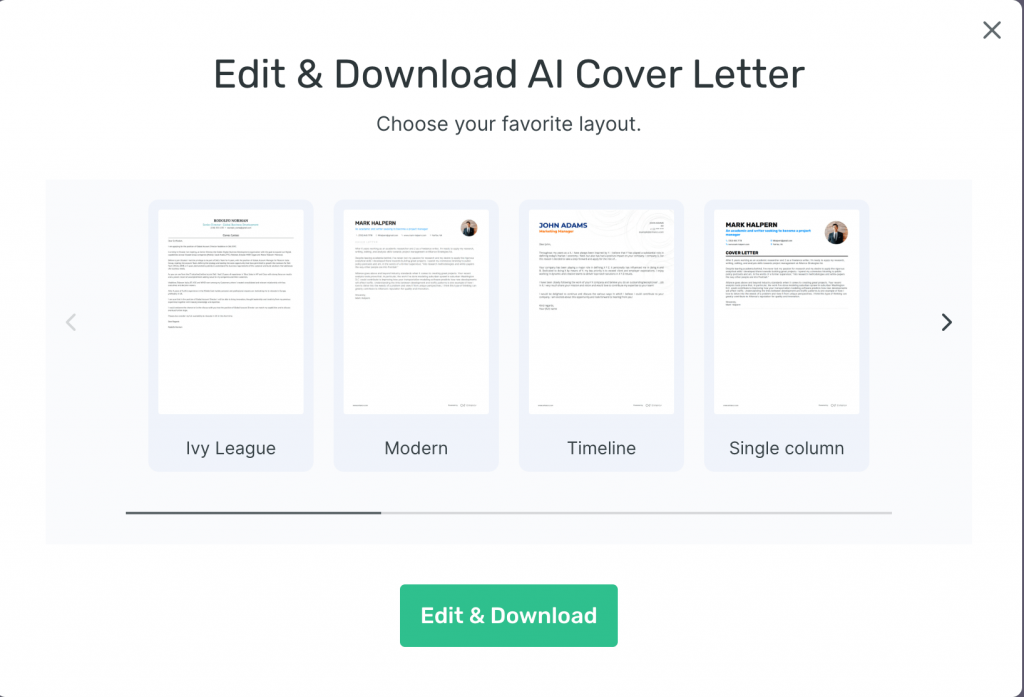
It has a built-in Content Checker that flags clichés, typos and weak phrasing as you edit the cover letter. Enhancv offers ATS-optimized cover letter templates that mainly target senior or technical positions.
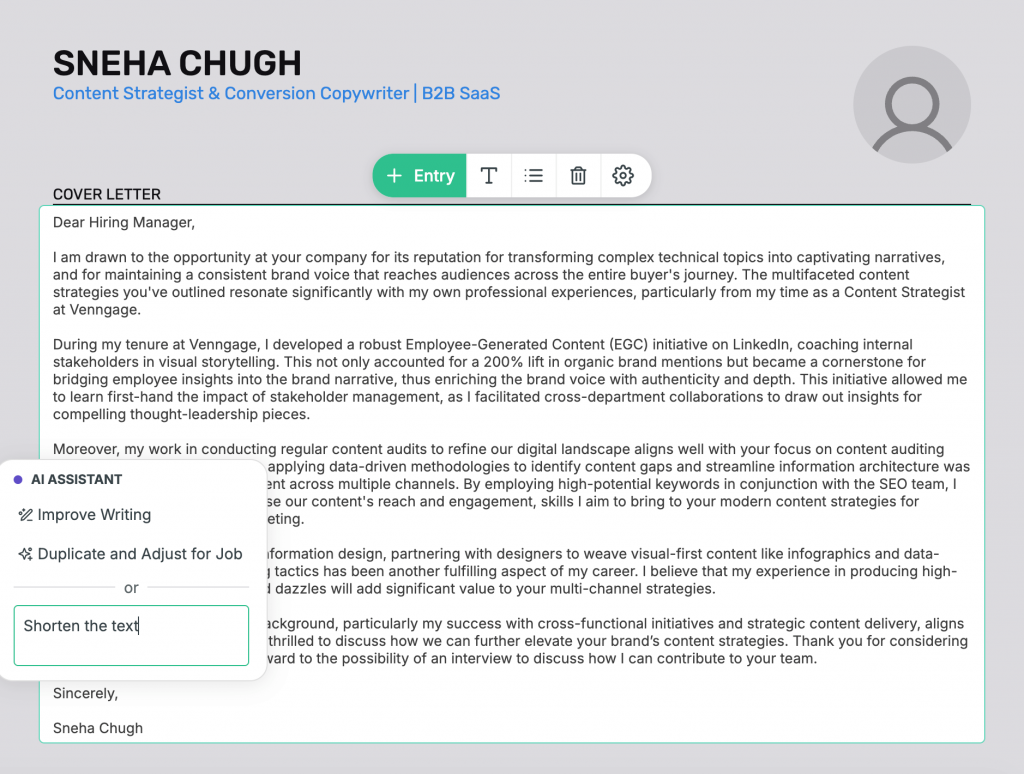
However, it doesn’t have a strong editing experience. While the AI is great for generating a strong starting point, the formatting is quite structured. This doesn’t give much flexibility to change the layout.
Pros
- No sign-in for initial draft: Generate and copy a tailored plain-text version without an account.
- ATS-optimized templates: Designs are tested to ensure they pass through recruiter bots while looking modern to humans.
- Resume matching: Automatically aligns the design of your cover letter with your resume for a unified look.
Cons
- The Pro features and branding removal are more expensive than basic competitors.
- The structured templates look great but offer less “free-form” design flexibility than a tool like Venngage.
Pricing
- Free: 7-day trial (downloads include watermarks).
- Pro (Monthly): $24.99/month for unlimited resumes, cover letters and full AI tools.
- Pro (Quarterly): $16.66/month (billed as $49.97 every 3 months).
4. Resume Worded: Best for personal cover letters
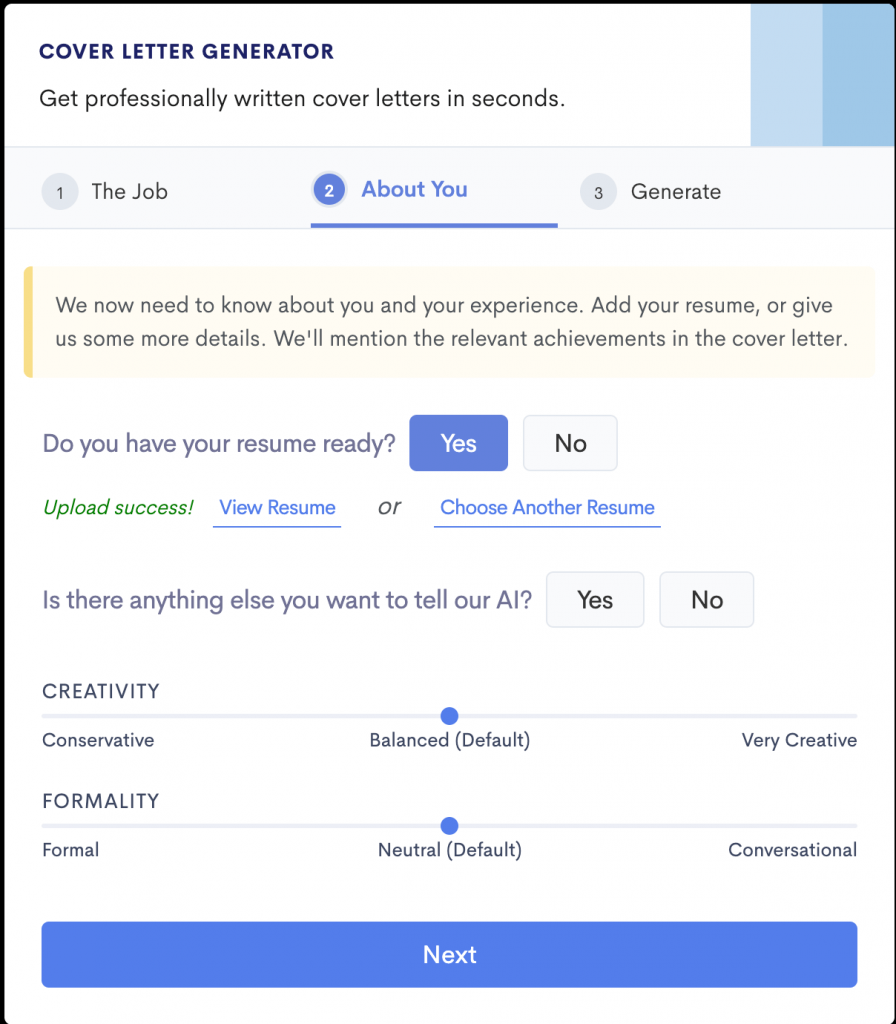
I tried Resume Worded expecting it to follow the same robotic style as other generators, but I was pleasantly surprised.
While uploading the resume, the tool lets you adjust ‘Creativity’ and ‘Formality’ scales. I stuck to the defaults, and the writing felt significantly more natural and better aligned with the job description than most competitors.
I like how it pulls specific impact keywords from your resume to tell a story. Instead of just listing skills, it frames them to show a recruiter exactly how you’ll solve their problems.
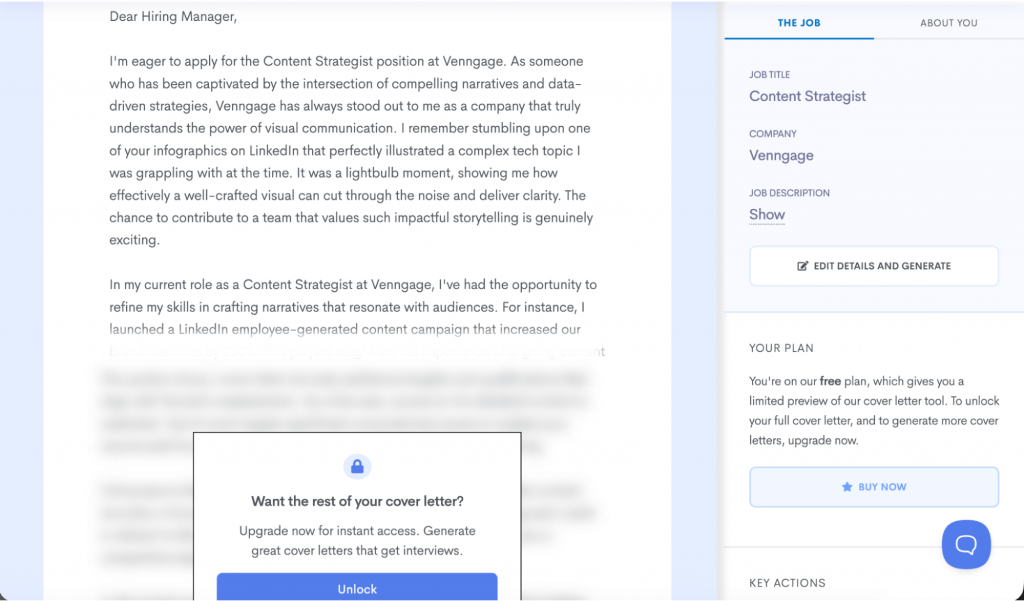
However, you have to upgrade to a Pro plan to actually unlock and download the full cover letter.
If you are looking for a strictly free option, this won’t work for you. But if you like the preview and want a letter that requires minimal editing and builds a proper narrative, the investment might be worth it.
Pros
- Natural tone: The output feels significantly less robotic than standard AI tools.
- Narrative-driven: Frames your experience as a solution to the recruiter’s problems.
- Recruiter-aligned: Pulls the right impact keywords to highlight your career wins.
Cons
- You cannot see or download the full letter without a paid subscription.
- One of the more expensive options for a monthly commitment.
Pricing
- Pro: $49/month for full access to all AI features.
5. Teal HQ: best for managing cover letters across multiple applications
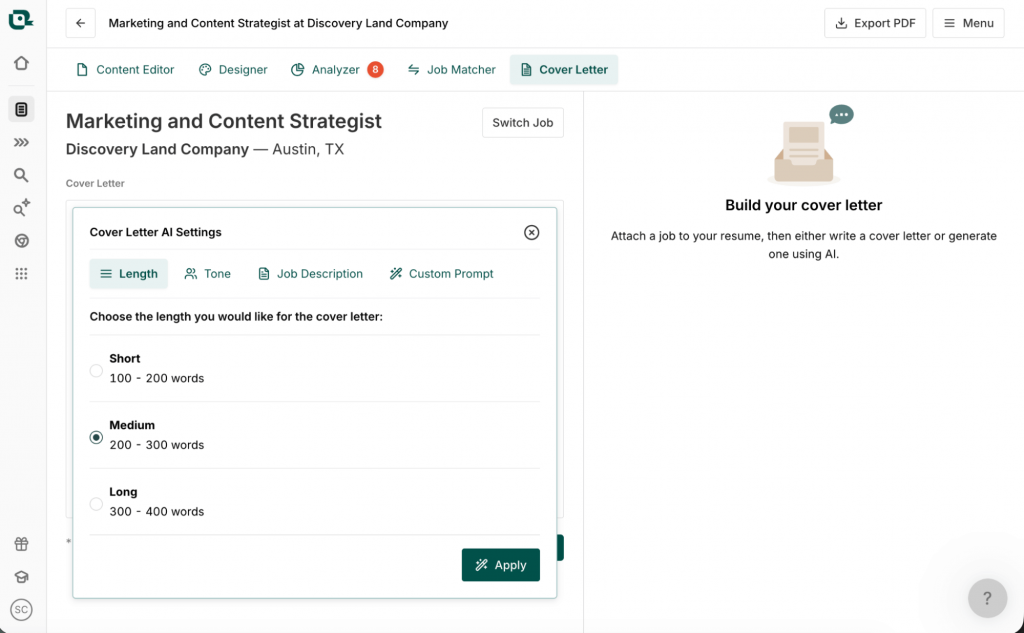
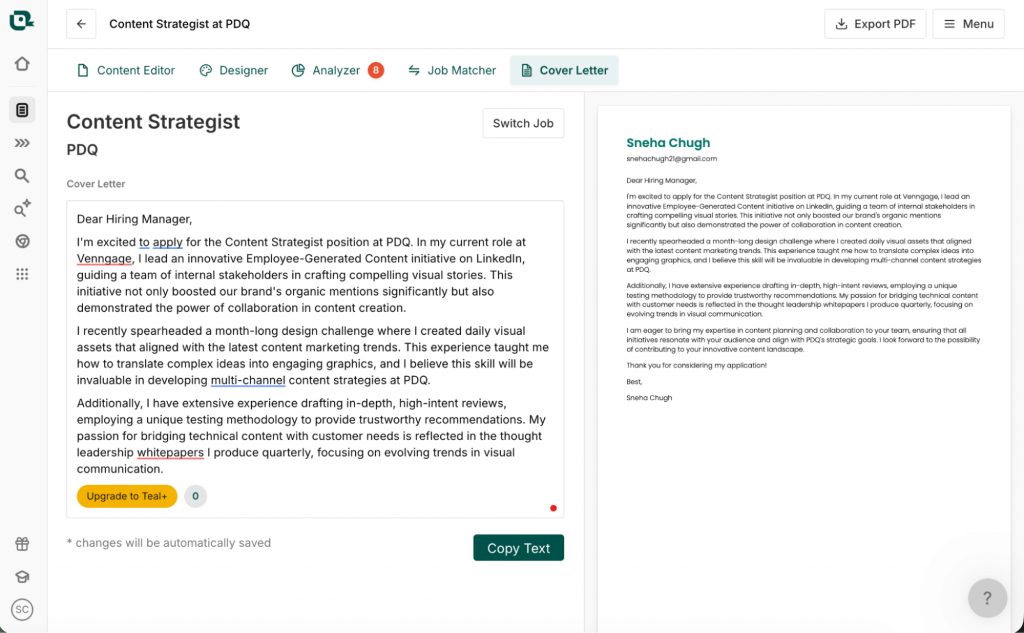
If you already use Teal to track your applications, this is a great tool to build your cover letter without leaving your workflow. The biggest advantage is the integration. Instead of manually copy-pasting, you can search for job descriptions directly within the tool or use the Chrome extension to pull them from boards like LinkedIn.
If you’re applying for a role already saved in your Teal tracker, it simplifies the process even further. However, if you are new to the platform, the interface can feel a bit overwhelming at first.
While I liked the overall writing style, I noticed the AI summarizes your resume rather than aligning it with the specific job responsibilities. You’ll likely need to spend a few minutes manually to ensure the cover letter aligns with the job description.
Pros
- Workflow integration: Perfect for users who already use Teal’s job tracker and resume builder.
- Chrome extension: Save job descriptions from 40+ boards in one click to generate letters instantly.
- Keyword matching: Helps you identify which skills to emphasize based on the job posting.
- Cohesive branding: Ensures your cover letter and resume use the same professional templates.
Cons
- Confusing interface for new users who just want a quick one-off letter.
- AI output can sometimes be too resume-heavy rather than role-specific.
Pricing
- Free: Includes basic job tracking and limited AI credits.
- Teal+ weekly: $13/week for short, intense job searches.
- Teal+ monthly: $29/month for unlimited AI generations and keyword matching.
Related: 16 Resume Design Ideas and Tips From a Hiring Manager
6. Resume Genius: best for guided cover letter creation for beginners
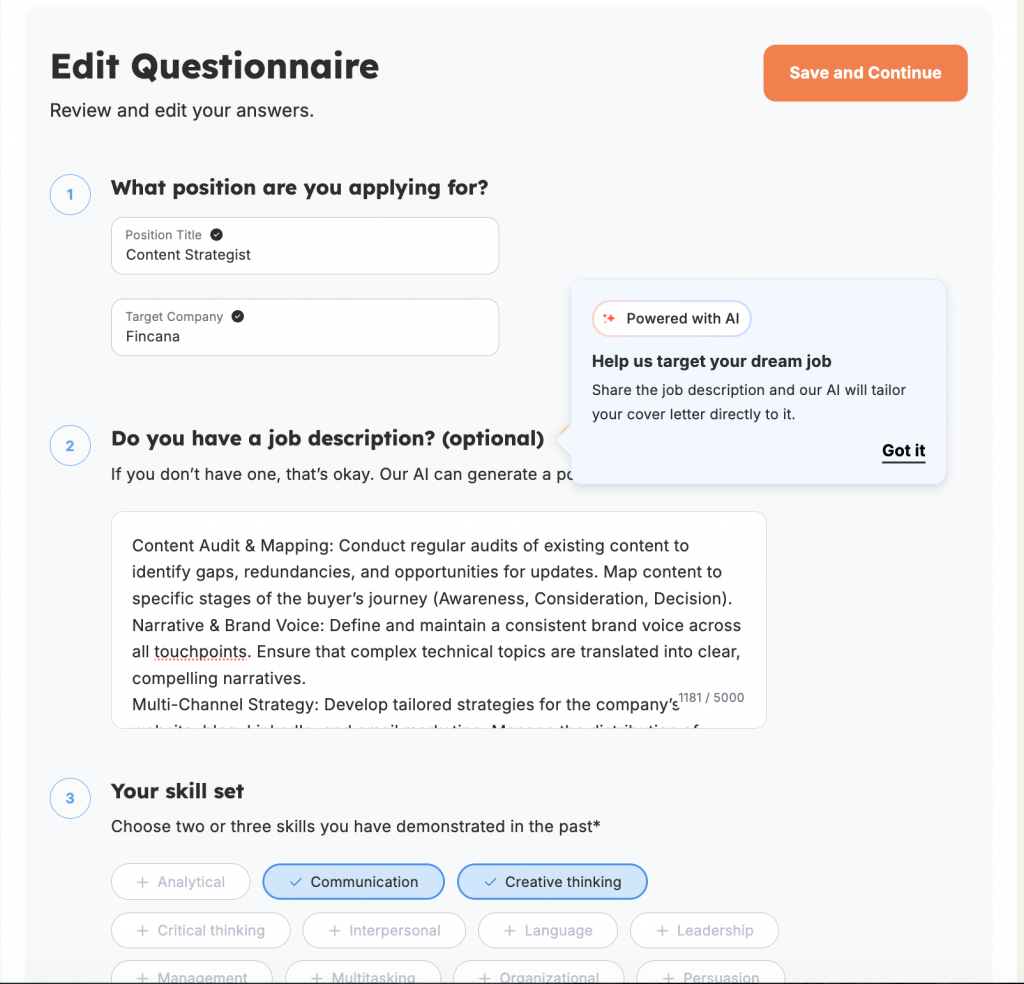
Resume Genius aligns the cover letter closely with the job description. Like some of the other AI cover letter software on this list, it uses a step-by-step questionnaire to build the cover letter. It’s helpful for personalization, but it definitely adds an extra step to the process.
I like that it offers different layouts, but the customization is pretty limited once you’re actually in the editor.
While the writing was good, it struggled with the details. It described me as a “recent graduate with 4 years of experience.”
Another con is that you have to hand over your phone number and email just to see a preview of your work. If you’re protective of your personal info, this is going to feel like a hurdle.
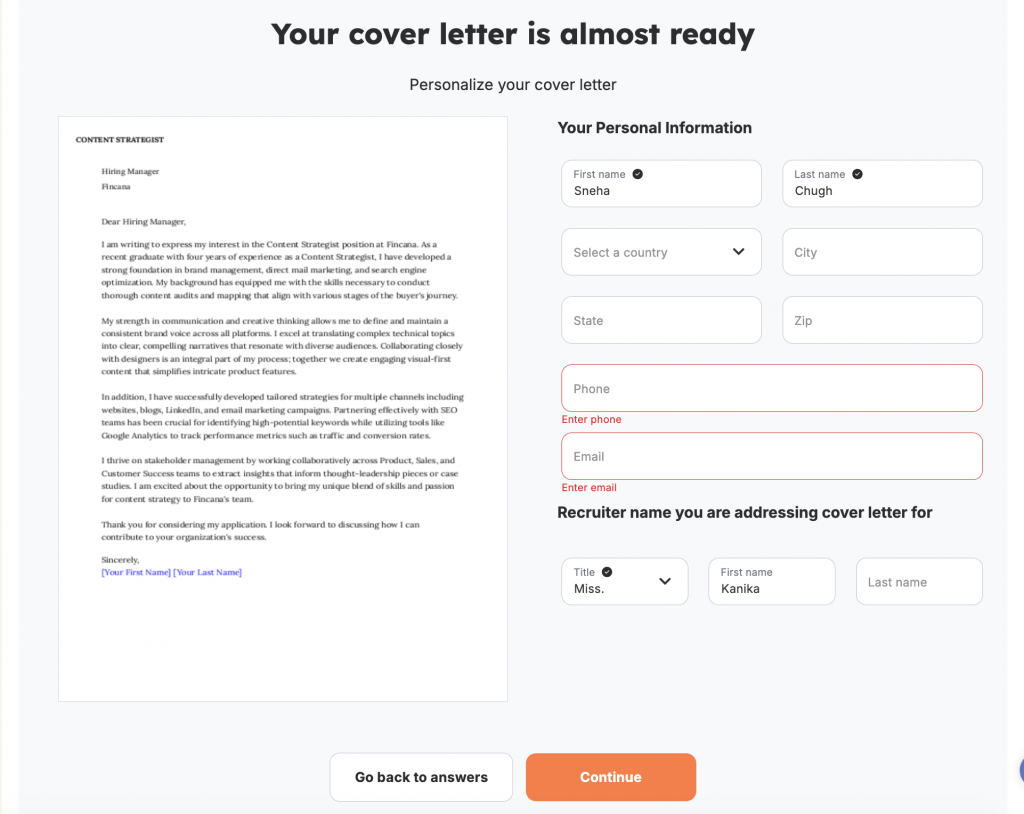
Plus, it’s a paid tool. You can build everything for free, but you’ll hit a paywall the second you want to copy or download your letter. If you’re looking for a strictly free option, this won’t be it.
Pros
- Guided process: The questionnaire helps you think through your experience before the AI starts writing.
- Professional layouts: Offers clean, recruiter-approved designs that make a good first impression.
- Impact-focused: Suggests strong action verbs to help your achievements stand out.
- ATS-safe: The templates are built to be easily read by standard applicant tracking systems.
Cons
- Forces you to provide a phone number and email address just to see a preview.
- Rigid editing tools that make it difficult to tweak fonts or move elements around.
- Hidden paywall that only shows up at the very end of the drafting process.
Pricing
- Trial: $2.95 for a 14-day full-access trial.
- Pro: $23.95/month
7. Kickresume: best for consistent resume and cover letter design
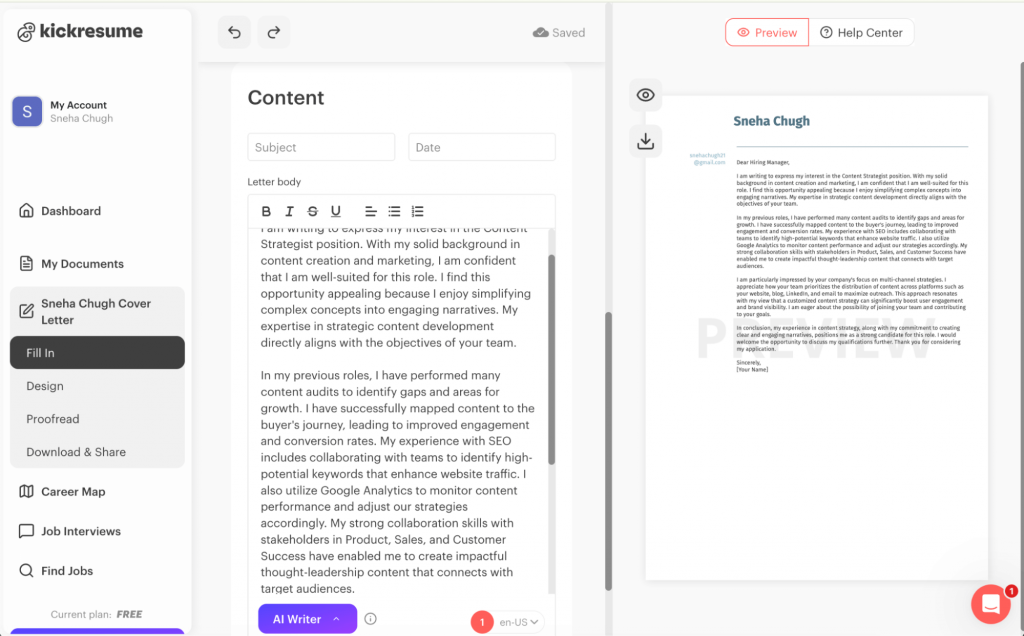
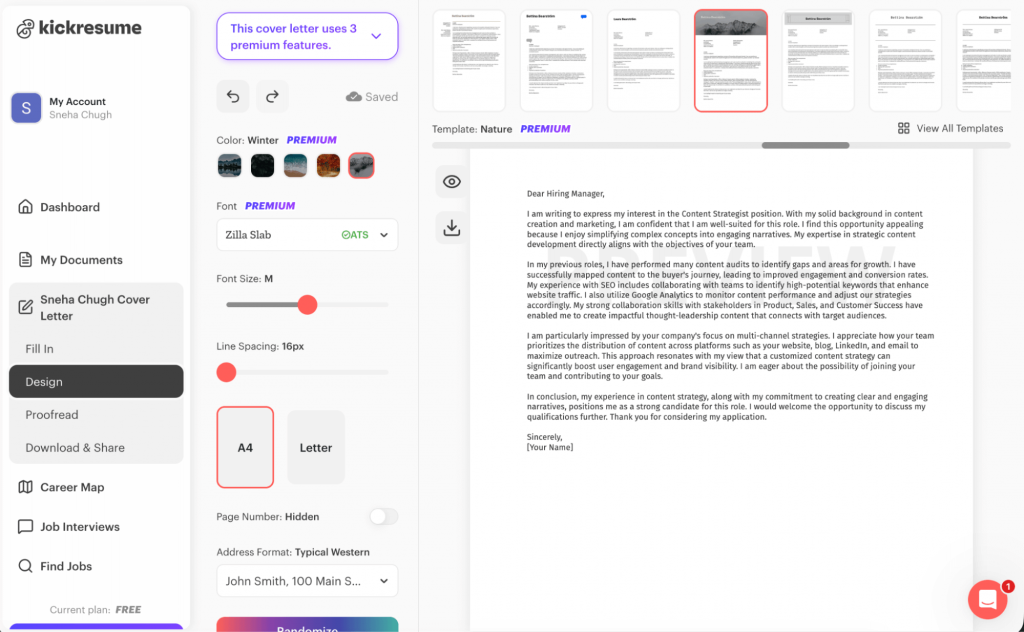
If you’re looking for a simple cover letter template that matches your job title perfectly, Kickresume is a solid, user-friendly choice. It’s easy to navigate, and the layouts are clean. It works very similar to what you’d find in a well-organized Word template.
However, because it’s powered by GPT-4, the writing can feel robotic. If you’re not a fan of the standard ChatGPT writing style, you might find the output a bit stiff.
I found that it does a good job of summarizing information from the job description. Kickresume works if you want a simple cover letter, but it won’t help you stand out for creative job applications.
Pros
- Simplicity: Very easy to navigate and get a draft ready in minutes.
- Visual consistency: Offers matching templates to keep your resume and cover letter looking uniform.
- Industry variety: Provides a wide range of basic templates for different job sectors.
- Standardized formatting: Great if you just need something that looks like a traditional Word document.
Cons
- Robotic writing style that feels very similar to unedited ChatGPT.
- Lacks personalization because you can’t upload your specific resume.
Pricing
- Free: For basic templates and standard AI drafts.
- Monthly: $24/month for full access to all templates and the AI writer.
- Yearly: $8/month, billed annually.
8. MyPerfectResume: best for step-by-step writing assistance
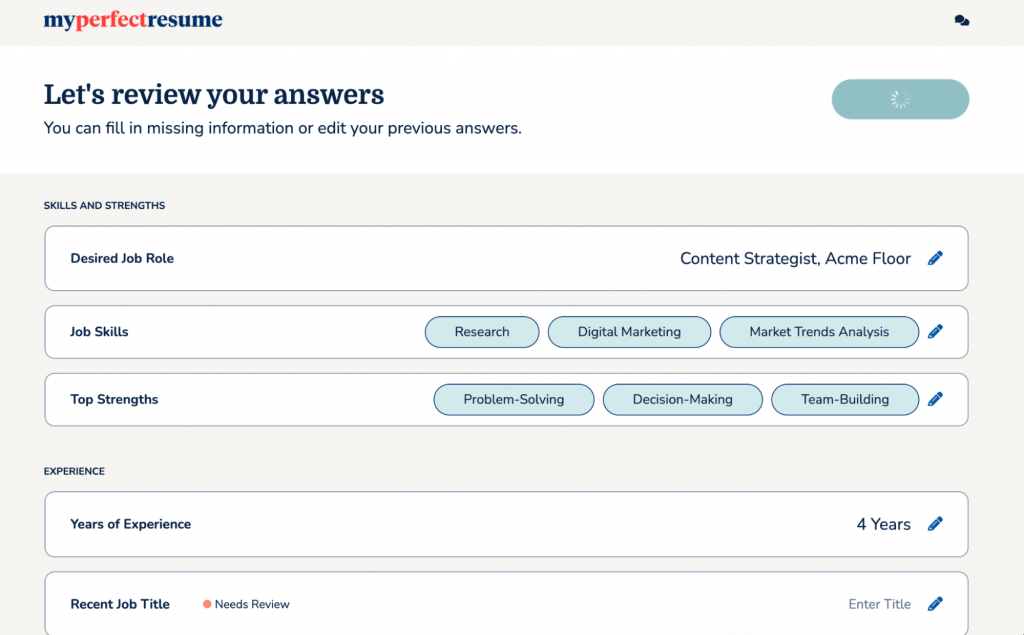
If you’re feeling stuck on how to describe your experience, MyPerfectResume is great for providing professionally written phrases you can drop right into your draft. The tool walks you through a guided, step-by-step process that feels very supportive if you don’t have much experience writing cover letters.
It suggests industry-standard keywords and action phrases that can help your resume and cover letter pass the ATS scan.
The interface is also incredibly easy to navigate. I like how it divides the cover letter into different sections so it’s easy to edit.
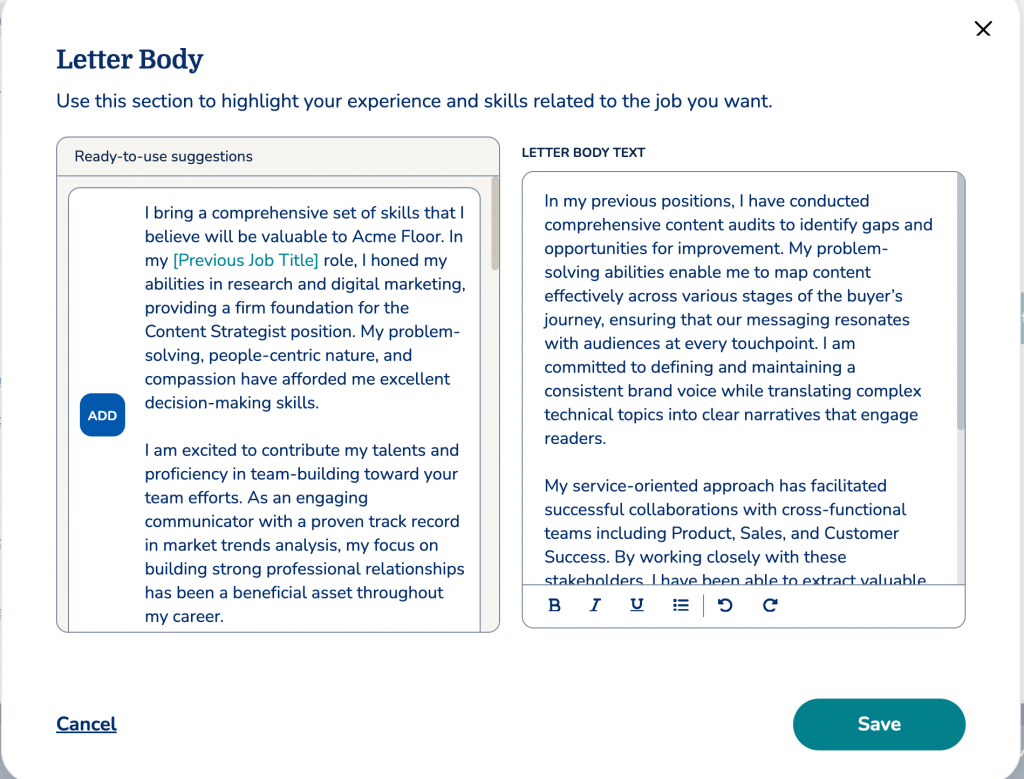
While you can build and preview your letter for free, you have to provide your email and phone number just to see it. Worse, you hit a hard paywall the moment you try to download or copy your text.
Pros
- Expert content suggestions: Offers pre-written phrases tailored to specific job titles and industries.
- Guided walkthrough: Excellent for beginners or those who need a structured, step-by-step approach.
- Ats-optimized: Templates are specifically designed to be readable by recruitment software.
- Large template library: Provides over 20+ professional designs that you can easily match to your resume.
Cons
- Mandatory collection of personal contact info just to see a preview of your draft.
- Paid tool that requires a subscription or a “trial fee” to actually download your file.
- AI content can sometimes feel a bit generic if you don’t manually swap out their suggested phrases for your own.
- Limited design flexibility once you’ve chosen a template.
Pricing
- Trial: $2.95 for a 14-day full-access trial.
- Monthly: $23.95/month.
9. WonsultingAI: best for highly detailed cover letters
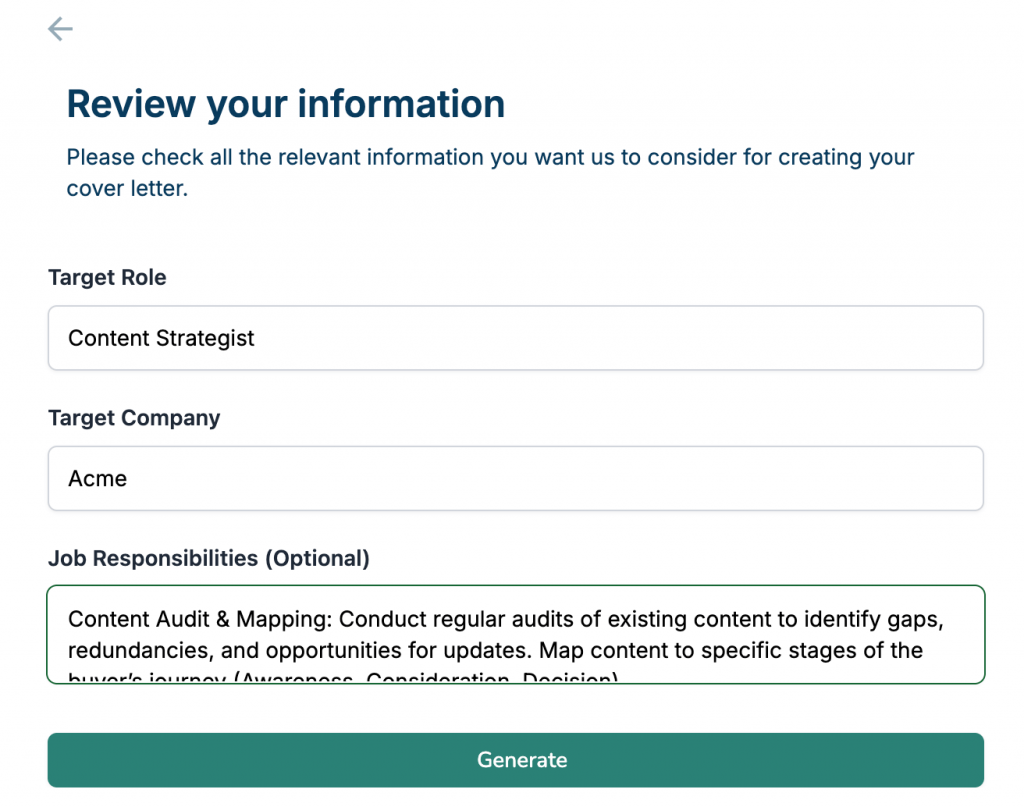
I checked out Wonsulting’s CoverLetterAI because it’s known for producing much more polished drafts than the standard three-paragraph tools.
Most generators give you a quick summary, but WonsultingAI generates a detailed cover letter of two pages. You can either select a resume you’ve already built in their system or upload your own, and it uses that data to tailor the narrative to your target role and company.
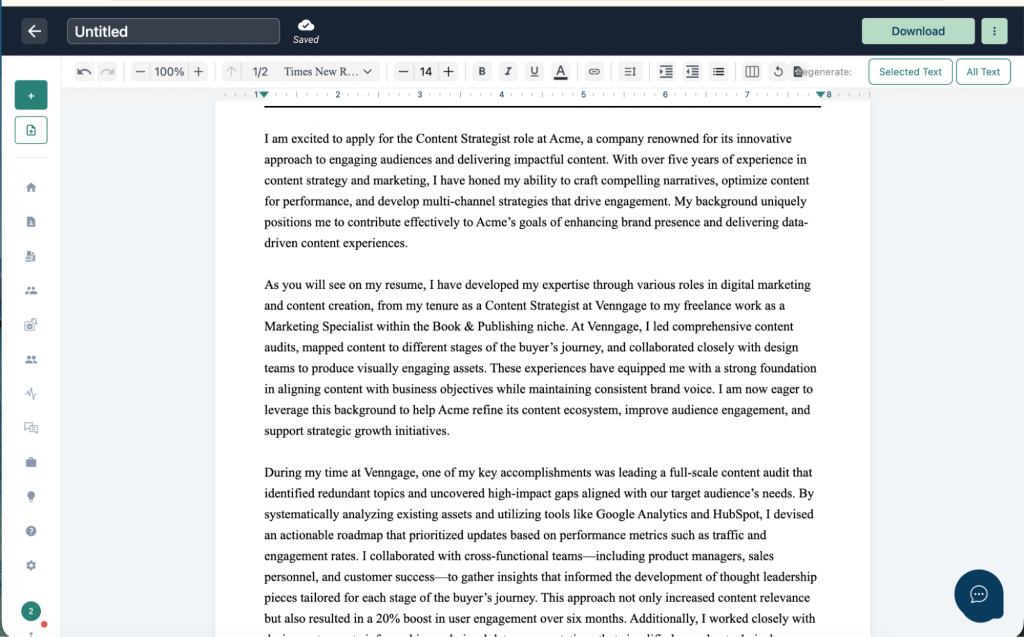
I like how it adds specific examples from my resume to match the job description. However, if you want to create more than one cover letter, you’ll have to upgrade. While the writing is high-quality, it still requires a human eye to make sure it doesn’t get too wordy.
Pros
- Detailed content: Generates full-page letters with more depth than most competitors.
- Resume-aware: Seamlessly pulls from your uploaded file to ensure your stories match your history.
- Easy navigation: The dashboard is clean and doesn’t require a degree in data science to figure out.
- Download options: Allows you to export in both PDF and Docx formats for easier editing.
Cons
- The free version only allows for a single cover letter before requiring an upgrade.
- Can occasionally be a bit too verbose, requiring you to trim the fluff.
Pricing
- Free: For your first cover letter.
- Pro: $20/month for unlimited generations and access to their full suite of job search tools.
10. Cover Letter Copilot: best for fine-tuning cover letter tone
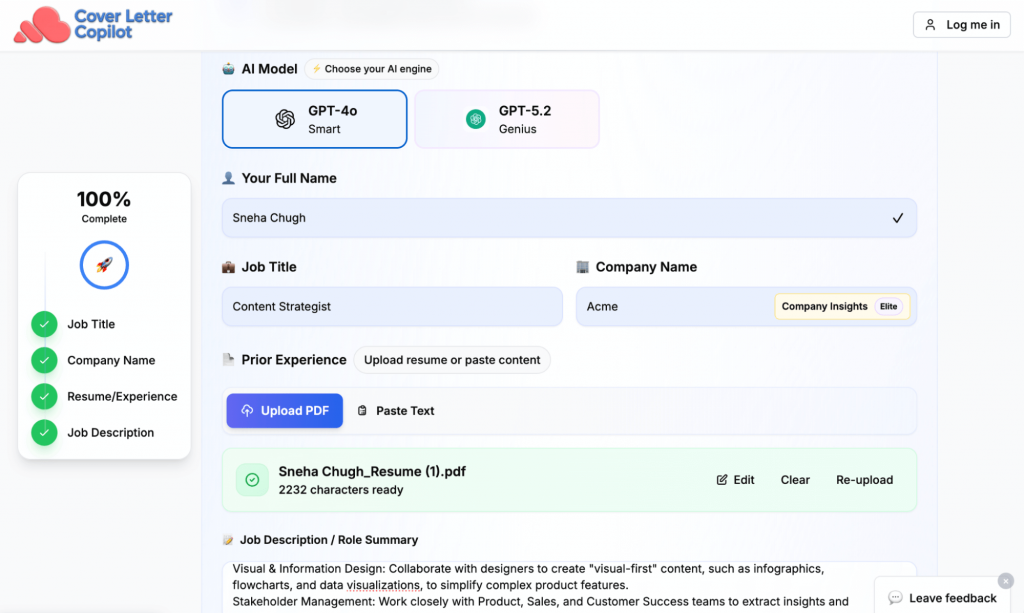
Unlike some of the broader tools, Cover Letter Copilot is purpose-built for cover letters. It uses a very clean, three-step process: you upload your resume, paste the job description and pick your tone.
I tried the ‘Modern’ tone, and it extracted my key achievements and added them into the letter without making it feel like a standard recap of my resume.
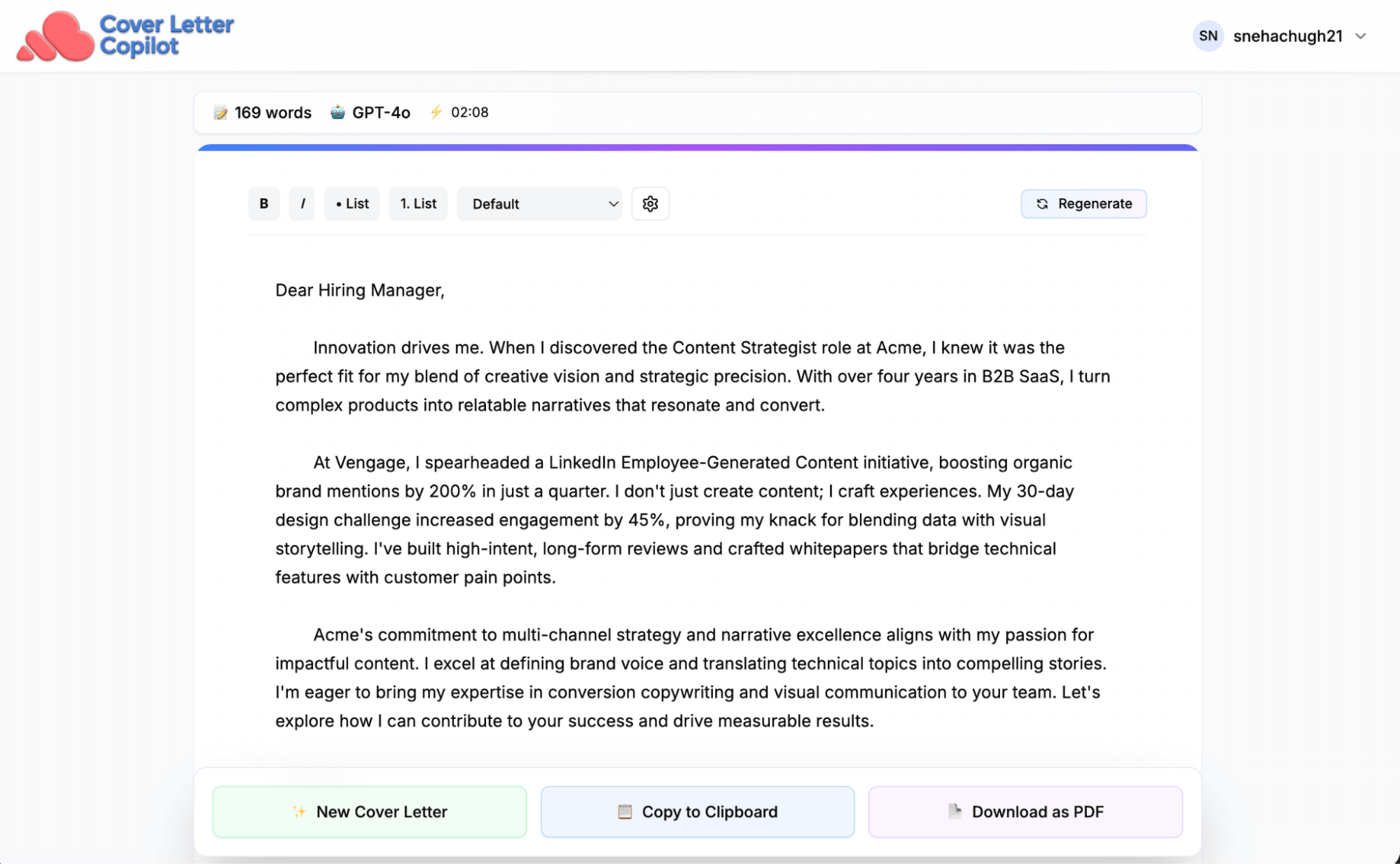
However, there are some limits; the job description field has a character cap (around 4,000), so if you’re applying for a role with a massive list of requirements, you’ll have to trim it down. It’s a great middle ground for someone who wants speed but still wants the output to feel authentic.
Pros
- Tone selection: Choose between professional, modern, or friendly to match the company culture.
- Custom prompts: Add specific instructions to highlight certain skills or career pivots.
- Resume memory: Saves your info so you don’t have to re-upload for every single application.
- Human-like output: The AI is tuned specifically for cover letters, avoiding the generic “I am writing to express interest” fluff.
Cons
- Character limits on job descriptions can be frustrating for complex roles.
- Limited customization on the actual design and layout compared to visual builders.
Pricing
- Free: Includes 1 tailored cover letter per day.
- Paid plans: Starts at $6/month for unlimited generations and advanced tone control.
Free vs. paid AI cover letter generators – what you actually get
Now that you’ve seen a variety of AI cover letter generators, you must be wondering if you should go for free or paid tools. Let’s see how they compare.
Free AI cover letter generators
They excel at creating a clean, standard draft that gets you past writer’s block. Most will handle basic keyword matching from your resume to the job description. However, you’ll likely get a plain-text output that requires you to do significant editing to personalize the cover letter.
The real wall you’ll hit with free versions is customization. Most limit the number of AI retries or keep the most advanced humanizing tones behind a paywall. You also run the risk of generic templates that don’t always play nice with Applicant Tracking Systems (ATS).
Paid AI cover letter generators
If you are actively searching for a job and targeting senior roles, a paid tool can be a good investment. Paid versions offer content checkers that flag clichés and suggest specific metrics to prove your impact. They are more ATS-friendly and save hours of manual tailoring to ensure your cover letter and resume are aligned.
Can ChatGPT write a good cover letter?
ChatGPT can write ATS-friendly cover letters, but the writing style is often robotic. It tends to use the same tired phrases, like “crafting compelling narratives” or “I am writing to express my interest,” which are immediate red flags for hiring managers. This means your cover letter will look exactly like hundreds of other applications unless you edit it thoroughly.
Here are some challenges you will face when using ChatGPT for cover letters:
- The hallucination risk: ChatGPT often invents details or improvises skills that aren’t on your resume to fill in the gaps.
- Lack of context: It tends to repeat the job description word-for-word rather than connecting your specific wins to the company’s needs.
If you already have a strong template and just need help refining your phrasing, ChatGPT is perfect. It’s also great for creating short, punchy intro blurbs for LinkedIn DMs or networking emails where a full, formal letter isn’t required.
How to choose the right AI cover letter generator for you
Finding the right tool is about matching the software to your specific sprint goals. Use this framework to decide which one fits your current situation:
Job volume
- High volume (5+ applications/day): You need a tool with a built-in tracker or browser extension. Teal HQ or Enhancv are best here because they allow you to generate and save letters without constantly switching tabs.
- Low volume (1–2 dream roles): Focus on quality over speed. Use Venngage to create a visual document that breaks the black and white monotony of standard applications.
Experience level
- Entry-level or career changers: You need hand-holding. Resume genius or Myperfectresume are helpful because they provide pre-written phrases and guided questionnaires to help you frame your transferable skills.
- Senior or leadership roles: You need narrative control. Resume worded or WonsultingAI are better for crafting the complex stories and high-impact results expected at a management level.
Industry
- Traditional (Finance, Law, Healthcare): Stick to safe and professional drafts. Grammarly or Kickresume provide the formal, structured tone that conservative hiring managers expect.
- Creative (Marketing, Design, Tech): You have more room to play. Use Venngage to add visual elements or Cover letter copilot to experiment with a modern or friendly tone.
Budget
- Strictly free: Grammarly is your best bet for a quick text draft. You can also use Cover letter copilot for one free tailored letter per day.
- The sprint investment ($20–$30): Most tools like WonsultingAI or Teal HQ offer monthly subscriptions that are worth the cost for 30 days of intense searching.
- Premium ($40+): Resume worded is at the top of the price bracket, but it’s worth it if you specifically need the human-sounding narrative logic for high-stakes roles.
FAQs about AI cover letter generators
What is the best free AI cover letter generator?
Grammarly is a good free option for generating a quick cover letter from basic details about the role and your experience. Venngage is useful if you also want to create a well-designed cover letter and customize how it looks. Teal is better for tailoring cover letters to specific job descriptions, although its free plan limits AI generations. You can also use ChatGPT if you prefer to write with prompts and format the final letter yourself.
Can ChatGPT write a good cover letter?
Yes. ChatGPT can create a strong first draft if you provide your resume, the full job description and enough context about the role. A dedicated AI cover letter generator may be easier if you also want guided inputs, templates, application tracking or built-in formatting.
Is it okay to use AI to write a cover letter?
Yes, but the final letter should still reflect your actual experience and reasons for applying. AI works best as a starting point. Review the draft carefully, remove generic language and make sure it does not add skills, achievements or experience you do not have.
How do you make an AI-generated cover letter sound less generic?
Give the AI specific information from your resume and the job description, then edit the result rather than sending the first draft. Replace generic openings, add relevant achievements and explain why you are interested in that particular role or company.
Are AI-generated cover letters ATS-friendly?
They can be, but using AI does not automatically make a cover letter ATS-friendly. Look for clean formatting and make sure the letter naturally includes relevant skills and terminology from the job description. Avoid overly complex layouts if the employer requires an ATS-readable document.
Can recruiters tell if a cover letter was written by AI?
There is no reliable way to determine whether every cover letter was written with AI, but generic phrasing and vague claims can make AI-assisted writing more obvious. Editing the draft in your own voice and adding specific examples usually makes the final letter feel more personal.
Do cover letters still matter in 2026?
Not every employer requires one, but a cover letter can still be useful when you need to add context that your resume does not show clearly. This could include a career change, employment gap, referral, relevant project or a specific reason you want to work for the company.
Create personalized cover letters
Most AI cover letter generators can give you a usable first draft. The bigger differences are in how much context they use, how well they tailor the letter to the job and how much control you have over the final result.
If you’re applying to several roles, a tool like Teal can make it easier to manage and tailor multiple cover letters. Grammarly works well when you need a quick draft, while tools like Resume Worded can help you create a less formulaic cover letter.
If you also care about how your cover letter looks, Venngage gives you more control over the final design. You can generate a cover letter with AI, choose a layout and edit the text, fonts, colors and other design elements before downloading it.
Whichever tool you use, treat the AI-generated version as a first draft. Check that every claim is accurate, remove generic language and add details that show why your experience fits the specific role.