





As someone who reviews content for a living, I’ve seen AI-generated business plans predict impressive hockey-stick growth with almost cartoonish confidence.
For instance, one AI business plan tool I recently tested projected a fictional SaaS startup hitting $4 million in revenue in just two years with a three-person team and zero churn. Another confidently listed competitors that don’t really exist.
And the scariest part? Both plans looked convincing enough for me to send to investors after a quick skim.
Since more people these days turn to AI to write business plans, it’s getting harder to tell the difference between a polished draft and a genuinely credible one.
To tackle this problem, we recently tested 7 AI business plan generators using the same startup briefs to see which tools produce credible plans and which ones fell apart once you check the numbers, sources and assumptions.
Quick picks: Best AI business plan generators by use case
If you already know what kind of business plan you need, here’s our shortlist to save you time and research headaches.
- Best for investor-ready business plans: LivePlan + ChatGPT + Venngage
- Best for SBA or bank loan applications: LivePlan
- Best AI business plan generator free option: Venngage
- Best for first-time founders: IdeaBuddy
- Best for strategy-heavy planning: PrometAI
- Best budget-friendly option: Bizplanr
- Best for flexible writing and custom prompts: ChatGPT
- Best for pitch decks and visual business plans: Venngage
- Best for AI business plan financial projections: Upmetrics
- Best hybrid workflow overall: ChatGPT + Upmetrics + Venngage
AI business plan generators at a glance
Here’s a quick side-by-side comparison of the best AI business plan generators based on forecasting depth, investor readiness, pricing and hallucination risk:
How we tested these AI business plan generators
Most “best AI business plan generator” roundups don’t reveal you the actual test. We wanted this comparison to hold up in front of founders, lenders and investors. Therefore, we gave every tool the exact same inputs.
We tested two business types because most AI business plan writers perform very differently across industries. Here are the briefs we used:
Test brief #1: Local service business
A mobile dog grooming startup based in Austin, Texas. The founder is a former veterinary technician with $50,000 in savings. The business starts with one van and plans to grow into a three-van fleet within 24 months. We used this brief to evaluate SBA business plan format support, cash flow realism, staffing assumptions and local market research.
Test brief #2: B2B SaaS startup
A restaurant inventory management SaaS platform raising a $1.5 million pre-seed round. Pricing starts at $99/month per location, with a goal of reaching 1,000 restaurant locations in 36 months. This brief tested investor-ready business plan quality, AI business plan financial projections, CAC/LTV logic and growth assumptions.
We ran the same two prompts through every tool:
- Full business plan prompt
- Financial projections prompt
- Investor pitch summary prompt
Then we scored each tool using the rubric below:
Full disclosure: We tested the tools in May 2026 on Chrome for macOS. We started with the free plan whenever possible and only upgraded if the free tier blocked core features.
For hallucination checks, we verified market statistics using Google Scholar, Statista and the SEC’s EDGAR database. We also manually checked whether AI-generated competitors actually existed.
We did not test industry-specific edge cases like regulated finance or enterprise SSO workflows.
Important disclaimer: We’re not CPAs or financial advisors. You should have a qualified professional review any AI-generated business plan before sending it to investors or lenders.
What makes a business plan investor-ready vs lender-ready?
Most founders search for the best AI to create a business plan without realizing they’re solving two completely different problems.
Investors want upside, while lenders want repayment certainty.
That difference changes what “good” looks like. It also changes which AI business plan tool actually fits your situation. Here’s what I mean:
Investor-ready checklist
An investor-ready business plan generator should help you tell a convincing growth story backed by believable numbers.
Here’s what investors usually expect to see:
- A clear problem tied to a paying customer segment
- Evidence that people want the product, such as waitlists, LOIs, pilots or MVP usage
- TAM/SAM/SOM market sizing with real sources attached
- Specific go-to-market plans, including acquisition channels and CAC assumptions
- A founder story that explains why your team understands the problem better than others
- A funding ask tied to milestones, hiring plans or product development
- Growth projections that feel ambitious but are still grounded in reality
And this is exactly where many AI-generated plans fail. Some tools produce logical-sounding executive summaries but weak market logic underneath. Others invent market numbers without verifiable citations. Serious investors notice such discrepancies quickly.
If you’re seeking funding, you need more than an attractive AI business plan template. You need a narrative that survives follow-up questions.
Lender-ready checklist
Banks, microlenders or SBA lenders care more about predictability and less about disruption. A lender-ready plan should typically include:
- Month-by-month cash flow forecasts
- A debt service coverage ratio (DSCR) above 1.25 in most cases
- Conservative revenue assumptions
- Clear repayment logic
- Collateral and personal guarantee disclosures
- An SBA business plan format with standardized sections
- Three years of pro-forma financial statements
- Spending plans tied directly to revenue-producing activities
This is why AI business plan financial projections matter so much. A lender will inspect the math before they read the vision statement.
Why this matters for tool selection
Some tools are better at storytelling, while others might be better at financial structure.
For example, PrometAI, Venngage and ChatGPT usually produce stronger narrative flow, cleaner presentation and faster first drafts.
On the other hand, LivePlan and Upmetrics focus more on forecasting, assumptions and audit-friendly outputs. These tools make more sense for SBA loans, banks or detailed financial reviews.
Therefore, the best business plan software with AI depends on who will read the plan next.
ChatGPT vs dedicated business plan generators
This question came up constantly during our testing: can ChatGPT create a business plan that’s actually usable?
The short answer is yes. But there’s a difference between “usable draft” and “ready to send.”
ChatGPT gives you speed, while specialized business plan tools give you more structure around financials, formatting and forecasting. Most founders eventually end up using both instead of relying entirely on one tool.
When ChatGPT is enough
ChatGPT works surprisingly well for early-stage brainstorming work. You can use it to:
- Ideate positioning and messaging
- Create outlines and lean plans
- Tighten weak sections
- Draft executive summaries
- Turn messy notes into readable copy
It’s especially useful if you already understand your numbers and only need help organizing ideas.
It also works well for internal planning documents that won’t face investor or lender scrutiny.
The catch is that ChatGPT doesn’t verify its own numbers. In our testing, it occasionally produced unsupported claims.
Related: How To Create Infographics Using ChatGPT
When a dedicated tool is better
Dedicated tools make more sense when structure and financial accuracy matter. Platforms like LivePlan and Upmetrics handle:
- Three-statement forecasting
- Scenario planning
- SBA-ready formatting
- Collaboration with advisors or co-founders
- Export workflows for lenders and investors
Some tools also connect the written plan to charts, timelines and pitch decks. If you’re comparing the best business plan software with AI, this is usually the core differentiator. ChatGPT helps you think, whereas dedicated tools help you pack everything together.
The hybrid workflow
The best business plans we reviewed rarely came from a single tool alone. In most cases, the best results came from combining a drafting tool, a research workflow and a dedicated planning platform.
Most founders use a stack that looks like this:
- ChatGPT or Claude for drafting and rewriting
- Perplexity for cited market research
- LivePlan or Upmetrics for financial modeling and formatting
- Venngage for pitch decks, visuals and branded cover pages
That workflow takes longer than using one AI business plan generator free tool. But the final output usually looks far more credible.
7 best AI business plan generators
The best AI business plan generator depends on what you actually need: lender-ready forecasts, investor storytelling or a quick first draft.
Here are 7 popular tools we tested to give you an idea about which ones produce credible financials, a useful structure and plans you’d feel comfortable sharing outside your company.
1. LivePlan: Best for lender-ready planning; forecasting depth
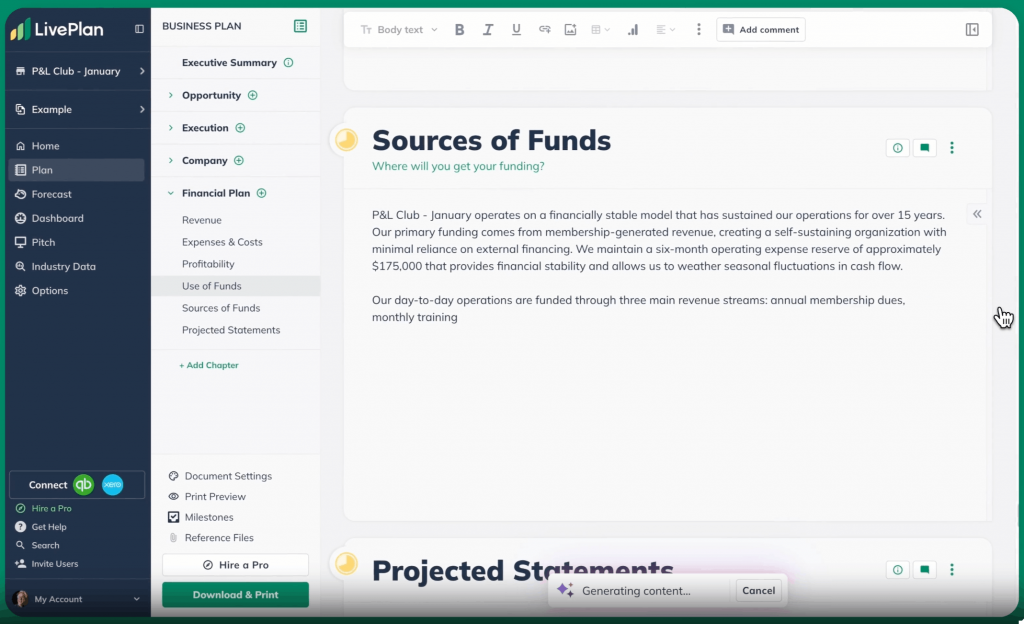
LivePlan is a business planning and forecasting tool that focuses on SBA-style plans, financial projections, and lender-friendly reporting.
Lane: Forecasting.
Tested verdict: LivePlan delivered a complete plan structure and multi-year financials (e.g., P&L, cash flow and balance sheet) with clear charts. However, the prose feels generic and needs user input. It’s still great at getting numbers right.
Investor-ready score: 3.5/5; Strong on figures but a bit bland on the pitch.
Lender-ready score: 5/5; Definitely built for lenders. It creates SBA-style forecasts and a detailed break-even analysis that banks expect.
A lot of G2 reviewers praise LivePlan for its beginner-friendly templates, guided structure and built-in financial tools that simplify forecasting and business plan creation without overwhelming first-time users.
What it does better than alternatives: LivePlan simplifies business planning with guided setup, automatic financial statements, scenario planning and QuickBooks/Xero integrations that keep projections tied to real business data.
Where it falls short: LivePlan offers limited customization, lacks a dedicated “Sources & Uses” section and costs more than most alternatives without a free plan. Its AI writing assistant can also produce generic copy.
Financial integrity: Very strong. It builds full 3-statement models with “what-if” scenarios and exports to Excel. Its forecasts are assumption-driven but transparent.
Free plan reality: No free plan (35-day refund only).
Pricing: Starts at $15 /month.
Avoid if: You need a free or ultra-flexible tool. LivePlan is overkill if you just want a quick outline or graphics.
Our weighted score: 4.0/5
2. Upmetrics: Best for guided templates; balanced output
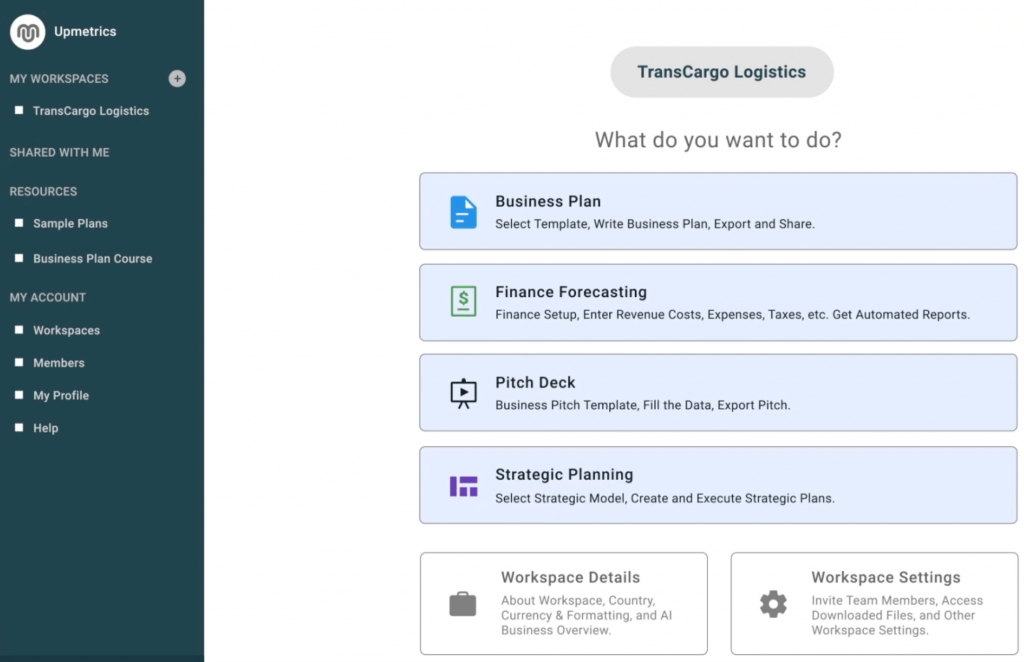
Upmetrics is an AI-assisted business planning tool that combines guided writing, financial forecasting, and pitch deck generation.
Lane: Forecasting.
Tested verdict: Upmetrics produced a fleshed-out plan with good narrative prompts and solid forecasts. It’s easy to click through (you don’t have to write everything from scratch) and it updates numbers automatically. The output feels balanced, gives better prose than LivePlan and solid 3-statement projections.
Investor-ready score: 4.5/5; Very strong story plus data. G2 reviewers love that it “keeps getting better” and makes fundraising easier. The plan includes key pitch sections (e.g., market, competitors, team) in professional layouts.
Lender-ready score: 4.5/5; Equally strong for banks. Upmetrics generates full financials and even a one-click pitch deck. It covers the SBA-style plan with cash flows, debt schedules and ratios. As one founder put it, “Upmetrics’ forecasting tools take the stress out of the financials.”
What it does better than alternatives: Upmetrics combines AI writing with solid financial planning tools. It offers hundreds of templates, automatically updates forecasts and charts when you change assumptions and can turn your plan into a pitch deck in one click.
Where it falls short: Upmetrics can be inflexible. The guided workflow can feel restrictive once the draft is ready and it can feel costly if you need advanced, collaboration-friendly features.
Hallucination watch: Upmetrics uses AI to write draft text, so watch for jargon or canned phrases. Be ready to tweak the narrative and verify any market stats it cites.
Financial integrity: Excellent. It does multi-year forecasts with scenario sliders and visual dashboards. It even supports multi-currency and Excel export on higher tiers.
Free plan reality: No free forever plan, but it has a 15-day money-back guarantee.
Pricing: Starts around $14/month.
Avoid if: You need something 100% free or if you want full creative control. Upmetrics trades flexibility for polish.
Our weighted score: 4.5/5
3. IdeaBuddy: Best for idea validation; structured planning steps
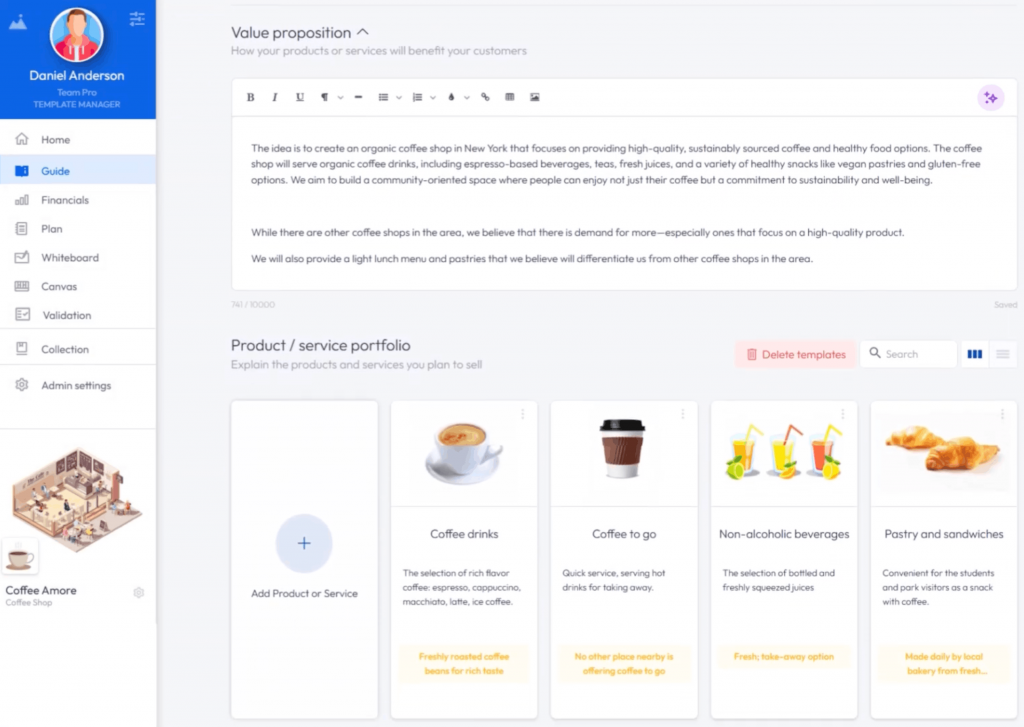
IdeaBuddy is a beginner-friendly planning platform designed for idea validation, business modelling, and early-stage planning.
Lane: Forecasting.
Tested verdict: IdeaBuddy walks you through the business-planning process with simple prompts around your idea, customers and finances. It then turns those answers into a structured plan. We found it especially beginner-friendly, though the final output felt lighter on analysis and forecasting.
Investor-ready score: 3.5/5; Good for clarifying the concept and market, but a bit surface-level on numbers. It’s perfect for your first draft, not a final deck.
Lender-ready score: 3/5; It generates P&L and balance sheet forecasts, but these are more high-level. It has a 5-year forecast builder, but it’s not as refined as LivePlan or Upmetrics.
What it does better than alternatives: IdeaBuddy stands out for idea validation and beginner-friendly planning. Its guided workflow helps you shape and test business ideas before turning them into a full plan, while collaboration tools and PDF/Word exports make sharing easy.
Where it falls short: No advanced customization. Several users say that you can’t drag-and-drop sections or add new ones.
Hallucination watch: If it auto-generates text (it has some AI assistant mode), it may invent benchmarks. You’ll need to double-check any figures it gives.
Financial integrity: Pretty good for early-stage planning. It includes basic P&L and cash flow forecasting and can model multiple scenarios.
Free plan reality: No free tier; only a 15-day free trial.
Pricing: Plans begin at $15/month.
Avoid if: You need an investor-grade, polished plan out of the box. IdeaBuddy is great for brainstorming and a quick sketch, but not for a publication-ready document.
Our weighted score: 3.8/5
4. Venngage: Best free option for design; pitch deck integration
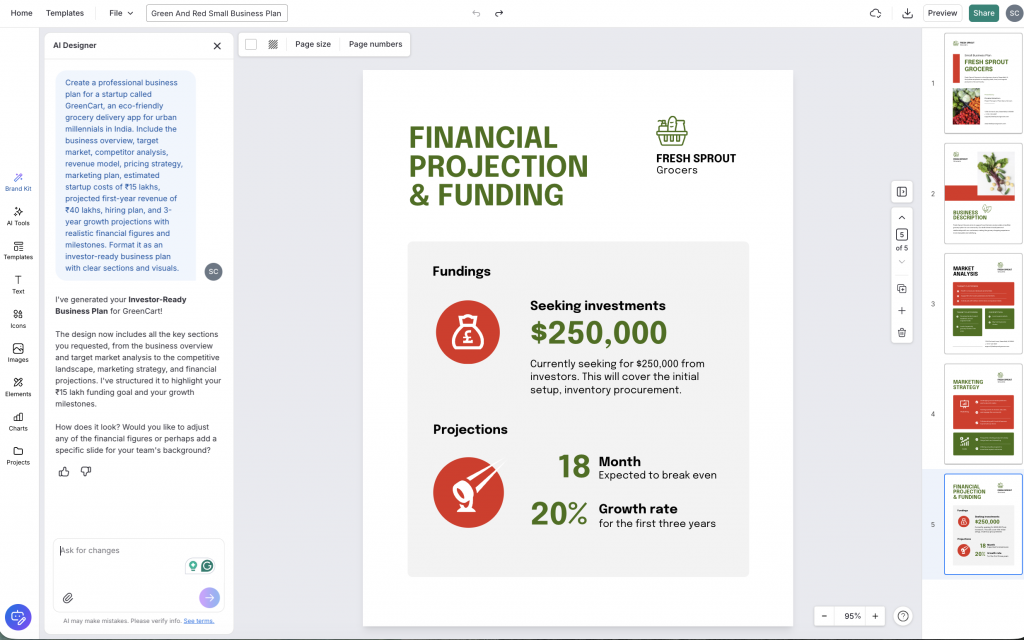
Venngage is a DIY visual design platform that comes with AI-powered templates, pitch decks, and branded design creation features.
NOTE: Venngage publishes this article, and I tested its tool using the same rubric as the other six platforms in this guide. Here are the strengths and tradeoffs I found during testing.
Lane: Structure & Design.
Tested verdict: Venngage gave a professional business plan in minutes. The AI tools auto-fill sections and generate slides, so you end up with a polished document. However, it won’t build your financial model. You have to provide and edit those figures manually. Venngage is the most design-driven option in the list.
Investor-ready score: 4/5; Visually professional and on-message. Its emphasis on crisp graphics and outlines makes plans look investor-grade. And since Venngage’s templates guide you section by section, you end up with a clean narrative.
Lender-ready score: 2.5; It lacks the forecasting engine banks want. You can insert charts and tables, but Venngage won’t auto-generate your P&L. It also omits an SBA-style narrative, so it’s not ideal for loan applications without extra manual work.
What it does better than alternatives: Venngage shines in design and free access. It provides hundreds of business plan templates and pitch deck templates. Its free tier plan gives you access to five designs and AI writing tools. You can unlock PDF/PPT export and brand kit with higher-tier paid plans.
It even has an ‘AI Pitch Deck Generator’ to turn your plan into a slide deck. Reviewers praise Venngage’s ease of use. One says the platform “makes it very easy for anyone to use this tool.”
Where it falls short: It’s not a forecasting tool. It won’t check your math or enforce financial hygiene. The free plan is limited with caps on saved designs and collaboration features locked behind paid tiers.
Hallucination watch: The AI content creator can hallucinate. For example, ask it for the market size without providing data and it will guess. Always double-check any AI-written market or finance sections.
Financial integrity: Weak. You must paste in your own forecasts or manually enter numbers. There are no built-in calculators.
Free plan reality: Truly free to start. You can use up to 5 design templates and run the business-plan AI with very limited writes.
Pricing: Paid plans start at $10/month.
Avoid if: You need built-in financials or forecasting accuracy. Venngage is best when presentation and quick iterations matter most to you.
Our weighted score: 3.9/5
5. PrometAI: Best for fast first draft
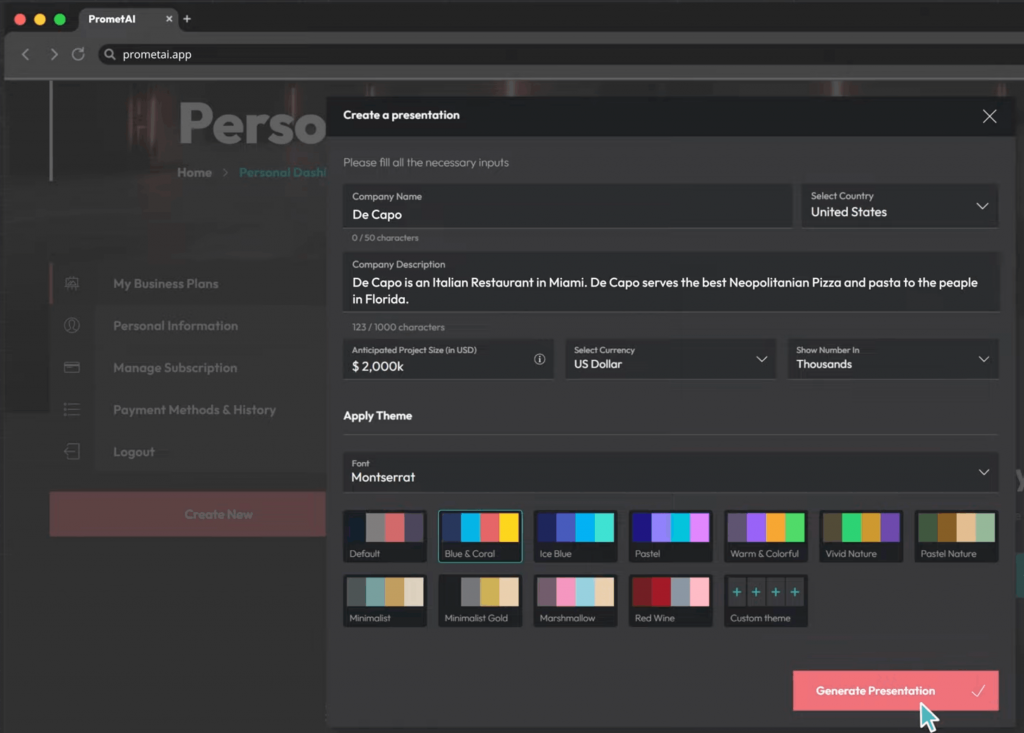
PrometAI is an AI-powered business planning tool that uses frameworks like SWOT and PESTEL to generate structured first drafts.
Lane: Structure & Design.
Tested verdict: PrometAI generated a structured business plan with SWOT, PESTEL and basic financial projections in just a few minutes. Its output felt more strategic than most tools we tested, though the writing and assumptions still needed editing.
Investor-ready score: 4/5; PrometAI adds built-in strategy frameworks like SWOT and VRIO, which made its output feel more detailed and consultant-style than most tools we tested.
Lender-ready score: 3/5; It includes cash flow forecasts, scenario testing and a “use of funds” section, but its lighter financial controls and limited exports make it less lender-friendly than LivePlan or Upmetrics.
What it does better than alternatives: Offers more depth than other tools we tested. Its guided workflow covers mission, risks, valuation and market analysis step by step. Its built-in frameworks make the output feel more analytical than a typical AI draft.
Where it falls short: Can feel rigid once the draft is ready, with limited customization and weak collaboration features. Its AI writing also leans generic, so expect to rewrite parts of the output.
Hallucination watch: High. PrometAI occasionally generated unverified market figures and vague report references during testing. Verify every statistic and market claim independently.
Financial integrity: Moderate; It’s useful for early validation, but the limited exports and lighter reporting mean most lenders will still want a separate financial review.
Free plan reality: Offers a forever free plan with access to one business plan and 25 AI requests a month.
Pricing: Paid plans start at $55/month.
Avoid if: Budget is tight or you just need numbers. If you must fine-tune financial projections yourself, a dedicated forecast tool might be better.
Our weighted score: 3.5/5
6. Bizplanr: Best lean budget option
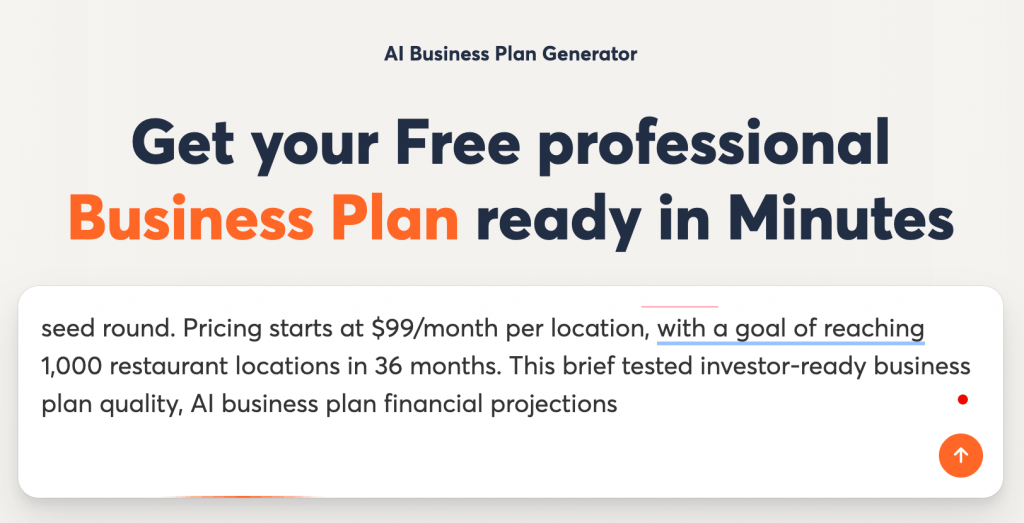
Bizplanr is an easy-to-use business plan tool that can help you generate first drafts and simple financial forecasting.
Lane: Structure & Design.
Tested verdict: Bizplanr created a decent business plan outline quickly through a simple guided questionnaire. However, the final output still needed editing and expansion before it felt ready to share externally.
Investor-ready score: 2.5/5; It’s quite good for initial pitches, but too template-y to impress investors. The narrative can feel generic. You’ll need to heavily customize to make it “your voice.”
Lender-ready score: 3/5; Surprisingly solid financial tools for a low-cost platform, including long-range forecasts and exportable financial statements. It works well for early planning, though lenders will still expect deeper review.
What it does better than alternatives: It’s one of the most affordable tools we tested, with a free core planner, guided setup, fast draft generation and helpful extras like collaboration and multilingual support.
Where it falls short: Don’t expect depth or customization options. It also lacks a template library or design flair.
Hallucination watch: Low. Mostly builds on the information you provide rather than inventing new facts. You should still verify any market data or financial assumptions it generates.
Financial integrity: Pretty strong. It generates multi-year forecasts, core financial statements and exportable models based on your inputs
Free plan reality: Comes with a 100% free forever plan.
Pricing: One-time payment of $99 per workspace.
Avoid if: You need a sophisticated business plan. Bizplanr is great for getting a solid first draft quickly, but advanced forecasting and industry analysis are limited.
Our weighted score: 3.7/5
7. ChatGPT: Best for flexible drafting with strong prompt control
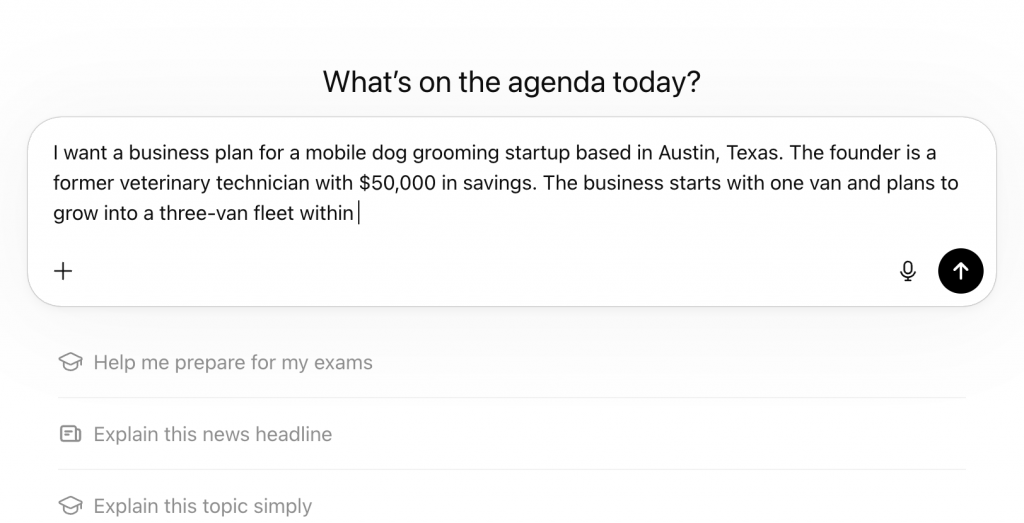
ChatGPT is an AI chatbot tool from OpenAI that offers easy draft generation, rewriting, design creation, and idea brainstorming (including business plan) using custom prompts.
Lane: DIY Chatbot.
Tested verdict: ChatGPT generated business plan sections quickly and handled prompts with impressive flexibility, but the quality varied widely. Some outputs were strong starting points, while others included generic filler or completely invented facts, so every section required careful editing and verification.
Investor-ready score: 2/5; Works best for brainstorming and early drafts, not final investor documents. Without careful prompting and fact-checking, it can hallucinate statistics, competitors or market assumptions that hurt credibility fast.
Lender-ready score: 1/5; ChatGPT lacks native financial modeling or consistency checks, so projections can be contradictory. You’ll need separate spreadsheets or planning tools for anything involving cash flow, repayment analysis, or lender review.
What it does better than alternatives: It’s easily the most flexible tool we tested. You can improve the output with prompts, rewrite sections in different tones, simplify complex ideas or build completely custom business plans without being boxed into rigid templates.
Where it falls short: It isn’t structured unless you structure it first, so you’ll need to guide it with a clear outline or prompt. Without nuanced prompts, it usually leads to overly long and convoluted answers. And ChatGPT hallucinates more than any other tool in the list, confidently inventing numbers, competitors and stats.
Hallucination watch: Very high. Hallucinations are ChatGPT’s default. Always verify any concrete data it generates.
Financial integrity: Zero. No auto-calculation or export. If you request projections, it will make up some maths. Treat any financial answers purely as placeholders.
Free plan reality: Has a free tier for the GPT‑3.5.
Pricing: Access to GPT‑4 starts at $20/month.
Avoid if: You need a ready-to-use, more reliable solution. ChatGPT is great as a research/writing assistant, not a final generator.
Our weighted score: 2.8/5
ChatGPT Prompt Library: The key to using ChatGPT for planning is strong prompts. For example, break your plan into sections and ask separately. Here are sample prompts to try (or tailor for your business):
- Executive Summary Prompt: “Generate an executive summary for [your business concept]. Explain what you do, who you serve, key milestones and funding needs.”
- Market Analysis Prompt: “Provide a market analysis for [your industry]. Include total addressable market (TAM), target segments, key trends and briefly compare with 3–5 competitors.”
- Go-to-Market Prompt: “Outline a go-to-market strategy for [your product/service]. Describe sales channels, marketing tactics, estimated customer acquisition cost and conversion expectations.”
- Financial Assumptions Prompt: “Make basic financial projections for a [business type] over 3 years. Assume [numbers for sales, costs, growth rate]. Show yearly revenue, gross profit and net profit.”
- Pitch Summary Prompt: “Write a short pitch summary for [your business] highlighting the problem, solution and why your team is right to execute.”
Pick by audience: Which tool for which reader
The best AI business plan software depends less on your industry and more on who will read it. Investors, banks, grant committees and internal teams all look for different signals.
Here’s a simple way to match the right tool to the right audience.
For Angel Investors and VCs
Use LivePlan for financial modeling, then pair it with Venngage or ChatGPT to polish your narrative and pitch.
Investors care most about market logic, growth assumptions and clear storytelling. A hybrid workflow often works better than relying on a single business plan generator.
For SBA or bank loan applications
In our test, LivePlan and Upmetrics produced the most lender-friendly outputs. Use either to handle structured financials, repayment assumptions and SBA business plan format requirements more consistently.
For first-time founders to validate ideas
IdeaBuddy works well if you’re still shaping the business idea itself. You can pair it with Venngage or ChatGPT for more flexibility with visuals, summaries and early-stage planning docs.
For internal operating plans
Internal plans usually need speed more than polish. ChatGPT, PrometAI and Bizplanr are good at generating fast drafts for operational planning, team alignment and brainstorming.
For grant applications/nonprofits
Grant reviewers expect clarity, structure and skimmable visuals. Pair Venngage with ChatGPT to turn dense program details into clearer, more readable proposals.
For pitch decks
A business plan usually needs a deck to support. Go with Venngage AI Pitch Deck Generator because it connects planning, presentation, charts and branded design in one workflow.
Pricing and free plans: What’s actually free
Here’s a quick breakdown of which AI business plan generators offer real free access and where the paywalls begin.
*Verified on 18 May 2026 using official pricing pages.
Risks of using an AI business plan (and how to mitigate)
AI business plans often look convincing at first glance, but the real issues usually surface during scrutiny.
We also found the same patterns repeatedly discussed in Reddit founder communities, investor threads and small business forums, where users share real-world failures and edge cases.
1. Hallucinated market data and competitors
Several Reddit discussions, including this thread, point to a recurring issue where AI confidently fabricates competitors or market statistics.
In some cases, AI tools even cite growth figures that can’t be traced back to any credible source.
The safest way to handle this is to manually verify every number and claim, ideally cross-checking at least two reliable sources such as Statista, IBISWorld or government databases before including anything in your final plan.
2. Overconfident financial projections
In this Reddit thread, users point out that AI models tend to inflate optimism. Revenue ramps up too quickly, costs look artificially low and timelines ignore operational delays.
A simple way to overcome this problem is to reduce revenue projections by ~30%, increase costs by ~30% and delay timelines by about 90 days, then check if the business still holds up.
3. Privacy and confidentiality risks
Threads like this and this warn against pasting sensitive business data into AI tools. Anything from customer lists to unreleased product specs can be exposed if the tool’s retention policies aren’t clear.
Before using any platform, it’s important to review its data handling and training policies directly from the vendor and avoid uploading anything confidential.
4. Reputational risk with investors and lenders
Investors and lenders review hundreds of plans and many can quickly recognize generic AI phrasing or inconsistent logic, as noted in this discussion thread.
Often, AI-generated plans are not the issue; unedited ones are. The credibility gap usually appears when assumptions feel templated rather than tailored to the business.
Verification checklist before sending
Before sharing your plan:
- Verify every market stat with at least two sources
- Replace uncited claims or remove them
- Build best-case, base-case and worst-case scenarios
- Ask a CPA, CFO or advisor to review the financials
- Read the document aloud to catch robotic phrasing
AI business plan generators FAQs
If you’re comparing tools or wondering whether AI-generated plans actually work in the real world, these are the questions that you should be asking.
1. Which is the best AI to create a business plan?
The best AI business plan generator depends on your goal. LivePlan works best for lender-ready planning, Venngage for decks and visuals and ChatGPT for first-round drafting.
2. Can ChatGPT create a business plan?
Yes. ChatGPT can create outlines, executive summaries, market analysis and first drafts. However, you’ll still need to verify financial assumptions, market data and citations before sharing the plan externally.
3. Can AI write me a business plan for free?
Yes, several tools offer an AI business plan generator free tier. Most free plans limit exports, financial forecasting, collaboration or branded document downloads.
4. Are AI business plans worth it?
Yes, for brainstorming, drafting and early-stage planning. No, if you plan to submit the output without reviewing the numbers, assumptions and market research yourself.
5. What are the risks of using an AI business plan?
The biggest risks include fake statistics, invented competitors, unrealistic projections and generic writing. Sensitive business information can also become a privacy concern depending on the tool’s data policy.
6. How accurate are AI-generated financial projections?
AI business plan financial projections are directionally useful but rarely investor-ready without edits. Most tools generate optimistic assumptions unless you manually stress-test the numbers.
7. Will investors accept an AI-generated business plan?
Investors care more about clarity and credibility than the tool used. They will reject plans with vague strategy, unsupported claims, or inconsistent financial logic, whether AI helped write them or not.
Final recommendation: Top 3 picks by audience
The best AI business plan generator is rarely a single tool. The strongest plans usually come from combining drafting, financial modeling and presentation into one workflow.
If you’re pitching investors, useChatGPT for brainstorming a draft, LivePlan for forecasting accuracy and Venngage for the final deck and visual presentation. Investors remember clear storytelling and clean communication just as much as the numbers.
If you’re applying for an SBA or bank loan, LivePlan and Upmetrics produced the most reliable financial structure during testing. You should still have a CPA or financial advisor review the final plan before submission.
If you want the fastest low-cost workflow, the Venngage + ChatGPT hybrid gave us the best balance between speed, flexibility and presentation quality. That combination worked especially well for founders building first drafts, pitch summaries and client-facing plans without spending days formatting documents.
Our recommendation is simple: pick two tools, run the same business brief through both, compare the outputs side by side and decide within a week.
You can try Venngage’s AI Business Plan Generator free if you want a faster way to turn rough ideas into structured plans, visuals and investor-ready presentations in one place.








