






Visme covers a lot of ground including presentations, infographics, reports and even short videos, all right in your browser. It’s a powerful web-based design tool with templates, data visualization features and collaboration options that make content creation more accessible for teams and individuals alike.
That said, having other options on your radar can help you find a tool that just feels right — one that fits your creative flow, moves faster and works the way you do.
In this guide, I’ll compare the top Visme alternatives based on:
- Features: Design flexibility, templates, interactivity and collaboration tools
- Pricing: What you actually get in free vs. paid plans
- Usability: How intuitive and efficient each platform feels in daily use
- Best use cases: Ideal fits for presentations, reports, marketing visuals and more
By the end, you’ll have a clear idea of which platform aligns best with your workflow so you can spend less time troubleshooting and more time creating visuals that stand out.
Why you should consider Visme alternatives
While Visme is a solid tool, after digging into reviews and user feedback, I started noticing some recurring frustrations. In recent reviews, some users note a learning curve while others call out limits on the free plan and occasional performance and loading hiccups, which can be frustrating on deadline. A few reviewers also describe “clunky” UI and rendering constraints for certain outputs.
On average, Visme’s export speed ranges from 5 to 15 seconds, depending on the project’s complexity. While Visme still holds a strong 4.5/5 rating on G2, several competing design platforms often rate higher for speed, usability and collaboration features.
If you’ve ever waited for visuals to load or dug through menus for a simple feature, it might be time to explore smoother, faster, and more budget-friendly options. After all, like Steve Jobs once said, “Some people think design means how it looks. But of course, if you dig deeper, it’s really how it works.” A good design tool should do both, look great and work seamlessly.
Overview of Visme alternatives
| Use-Case Category | Alternative | Key Features & Strengths | Pricing (2026 Annual Rates) | Notable Limitations |
|---|---|---|---|---|
| Professional Data Storytelling | Venngage | Total Business AI: 40,000+ icons/illustrations and 10,000+ business templates. Built-in AI Accessibility Auditor (WCAG 2.1) and automated data-to-chart syncing. | Free: $0 Premium: $10/mo Business: $24/mo | Free tier includes watermarks; advanced team governance reserved for Business/Enterprise. |
| Dynamic & Non-Linear Presentations | Prezi | Conversational Presenting: Zoomable canvas for non-linear stories; AI Slide Generator converts outlines into full visual paths. | Plus: ~$12/mo Premium: ~$16/mo | Steep learning curve for zoom mechanics; poor for static data reports or accessible PDFs. |
| High-Velocity Social Media Design | Canva | Magic Studio: Extensive AI suite for text-to-image/video; massive lifestyle asset library (100M+ items) and social scheduler. | Pro: ~$15/mo Teams: ~$10/user/mo | Limited “smart” data visualization; lacks robust accessibility compliance tools for enterprise. |
| Quick Social Content Automation | Stencil | Streamlined Speed: Integrated with Buffer; 5M+ royalty-free stock photos and instant browser-extension editing. | Free: $0 (10/mo) Pro: ~$9/mo | Not a document tool; no support for infographics, multi-page reports, or data charts. |
| Generative Brand Asset Creation | Adobe Express | Firefly AI Integration: Advanced generative fill and text-to-image; seamless sync with Creative Cloud libraries and Adobe Stock. | Free: $0 Premium: ~$9.99/mo | Feature-heavy interface; limited technical charting compared to Venngage. |
| Offline & Legacy Presentations | PowerPoint | M365 Ecosystem: Deep integration with Excel for raw data; Copilot AI for text summarization and slide formatting. | Business: ~$14/mo E3: ~$39/mo | Requires local installation; limited template modernism; accessibility is a manual, technical process. |
Deep dive comparisons
Now that we’ve covered the basics, let’s take a closer look at how each alternative stacks up.
In this section, I’ll compare each tool in more detail, highlighting their key features, usability, pricing and who they’re best suited for so you can find the one that fits your workflow perfectly.
1. Venngage: Trusted AI tool for infographics and data visualization

Venngage is my go-to whenever I need to turn data into visuals that actually make sense and look good doing it. It’s great for creating infographics, reports and data visualizations without getting stuck in complicated design tools.
The built-in AI features make things smoother by helping you organize information and build layouts that feel polished and easy to follow. What I love most is how it balances creativity with accessibility for both professionals and non-designers who want their work to look polished and easy to understand.
It reminds me of what Yun Jong Yong, former CEO of Samsung, once said: “Good design is the most important way to differentiate ourselves from our competitors.”
Category: Infographics & AI-generated visuals
Features:
- AI-powered infographic and smart diagram generator
- Built-in accessibility tools to create inclusive, readable visuals
- Strong emphasis on data visualization and business communication
Ease of use:
- User-friendly drag-and-drop editor
- Professionally designed templates make it easy to create infographics quickly
Why consider Venngage:
- Easier to use for non-designers
- Smart AI tools that simplify visual creation
- Better accessibility options for inclusive communication
Ideal for: Business professionals, educators and marketers who present data regularly
Pricing: Free plan available; paid plans start around $19/month
Want a deeper comparison? Check out our detailed guide on Venngage vs. Visme to see which platform fits your workflow best.
2. Prezi: Interactive platform for dynamic, story-driven presentations
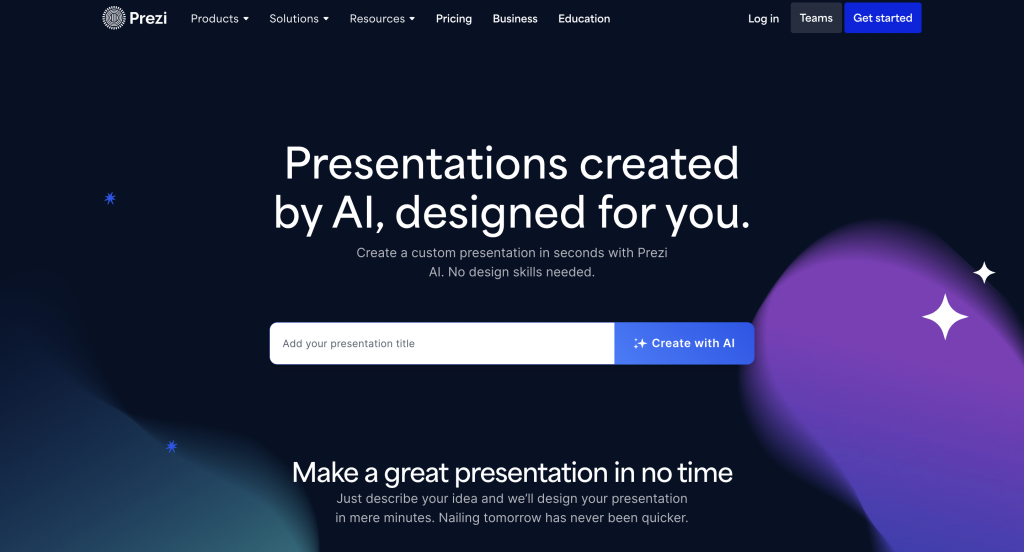
Prezi takes presentations to another level. Instead of moving slide by slide, it uses a zoom-based, non-linear canvas that helps you tell stories visually.
Its new AI presentation generator can build a slide deck from a single prompt, saving tons of prep time. I’ve found it particularly effective for engaging audiences, though I’ll admit, it takes a bit of getting used to at first.
Category: AI-powered presentations & video creation
Features:
- Non-linear, zooming presentations for dynamic storytelling
- Generative AI to auto-create slides from text or outlines
- Built-in voice-over and Zoom integration for virtual presentations
Ease of use:
- Moderate learning curve, especially for beginners
- Once you master it, presentations feel fluid and engaging
- No PDF export option; zoom effects can distract formal audiences
Why consider Prezi:
- Offers motion and visual storytelling that static slides can’t
- AI-generated presentations speed up the creative process
- Great for keeping audiences visually engaged
Ideal for: Educators, speakers and teams that want to tell stories, not just present data
Pricing: Free trial available; paid plans start at $15/month
3. Canva: Reliable all-in-one AI design and content creation tool
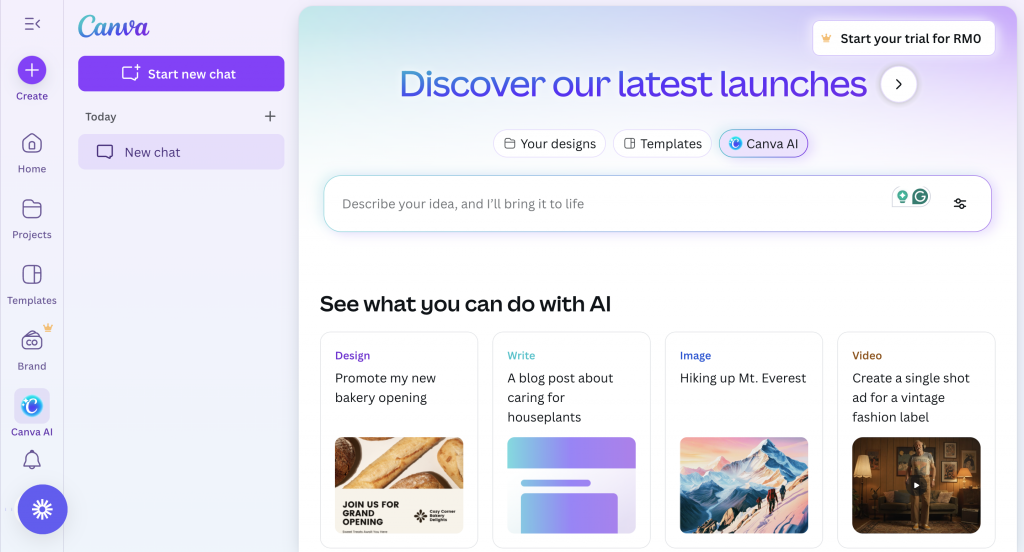
Canva is easily one of the most versatile tools I’ve used. It’s perfect for quick designs, social media posts, reports or even short videos.
The platform’s Magic AI Assistant helps generate images, text, and layouts automatically while its Voice Studio adds narration to videos and slides. Canva also wins major points for speed as everything loads quickly and collaboration feels almost seamless.
Category: General graphic design & templates
Features:
- Huge library of templates for every design format imaginable
- Magic AI Assistant for text generation, data autofill, and visuals
- Voice Studio for creating narrated videos or presentations
Ease of use:
- Incredibly intuitive drag-and-drop interface
- Real-time collaboration and fast exports
- Free plan lacks advanced AI tools like background removal
Why consider Canva:
- Faster performance and broader design capabilities
- AI tools streamline content creation across multiple formats
- Excellent for both individual and team workflows
Ideal for: Freelancers, small businesses, marketers and creators who need versatility
Pricing: Free plan available; Pro plan from $12.99/month
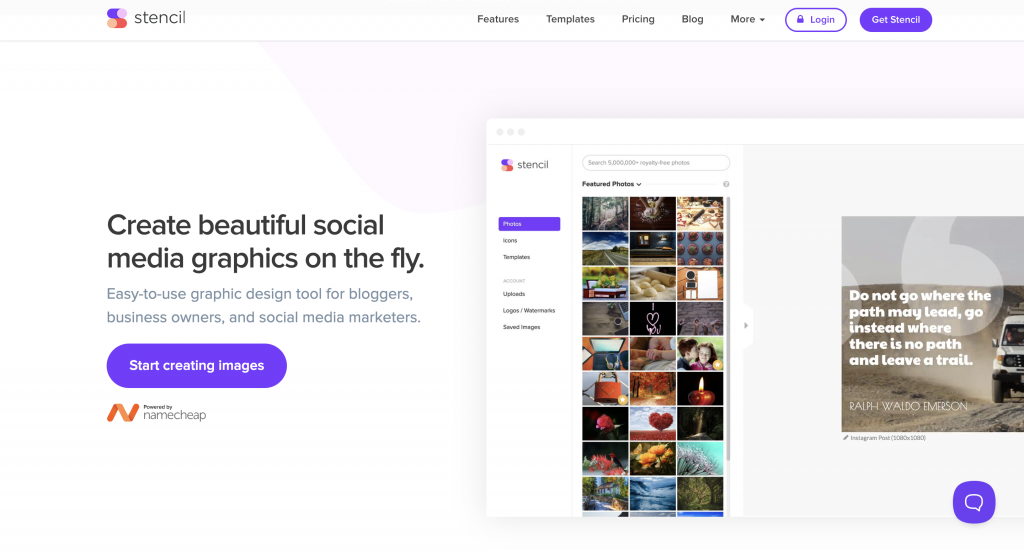
Stencil is designed for quick social media graphics and lightweight marketing visuals. It’s not overloaded with complex tools, instead, it focuses on speed, accessibility and integration.
With a large library of high-resolution images and built-in Buffer scheduling, Stencil is ideal for content creators who want to design and post visuals within minutes.
Category: Social media & quick graphics
Features:
- Streamlined tools for image-based and social media content
- Direct integrations with platforms like Buffer and Facebook
- Access to thousands of royalty-free images and icons
- Lacks Visme’s advanced infographic, data visualization, and animation tools
Ease of use:
- Extremely beginner-friendly interface with no steep learning curve
- Simple drag-and-drop design editor focused on speed
Why consider Stencil:
- Faster workflow for social and marketing visuals
- Minimal learning curve compared to Visme’s feature-heavy dashboard
- Ideal if your focus is content creation, not data-heavy presentations
Ideal users: Social media managers, bloggers and entrepreneurs creating quick visual content
Pricing: Free plan for up to 10 images/month; Pro plan starts at $9/month
5. Adobe Express: Professional AI-powered tool for branded content
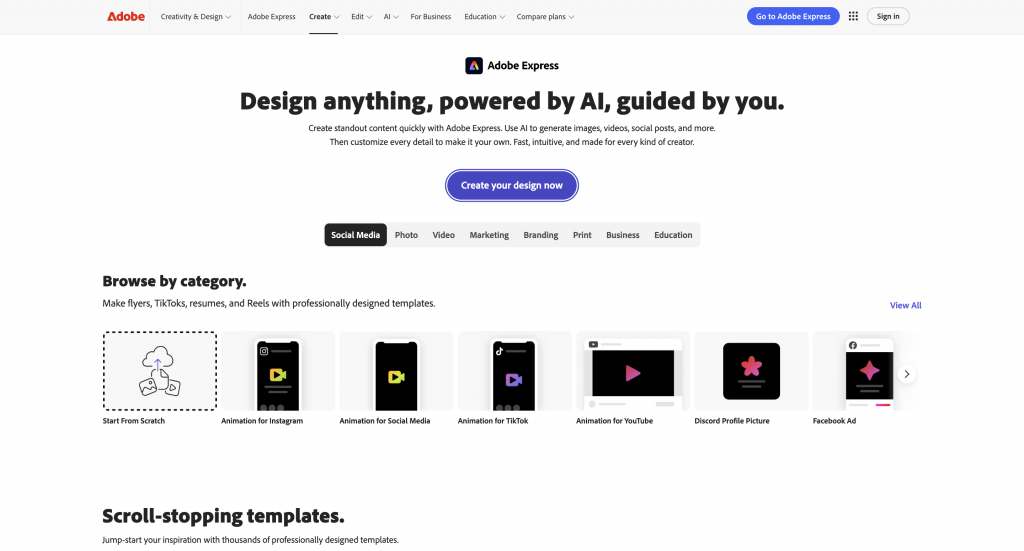
Adobe Express (previously Adobe Spark) blends Adobe’s professional design capabilities with an intuitive, web-friendly interface.
It’s designed for creators who want high-quality visuals without needing to learn complex tools like Photoshop or Illustrator. With AI-powered features and access to Adobe Stock assets, it helps users quickly create branded graphics, social posts and short videos.
Features:
- Access to premium Adobe fonts, stock photos, and templates
- AI-powered background removal, text effects and auto-resizing tools
- Integrates seamlessly with other Adobe Creative Cloud apps
Ease of use:
- Easier to learn than Photoshop or Illustrator
- Clean interface suitable for both beginners and professionals
Why consider Adobe Express:
- Better integration with Adobe’s creative ecosystem
- More polished, professional look for branded materials
- AI tools help users design faster without sacrificing quality
Ideal users: Creators, educators and small business owners producing branded visuals
Pricing: Free plan available; paid plans start at $9.99/month
6 & 7: PowerPoint or Keynote: Established offline software for polished presentations
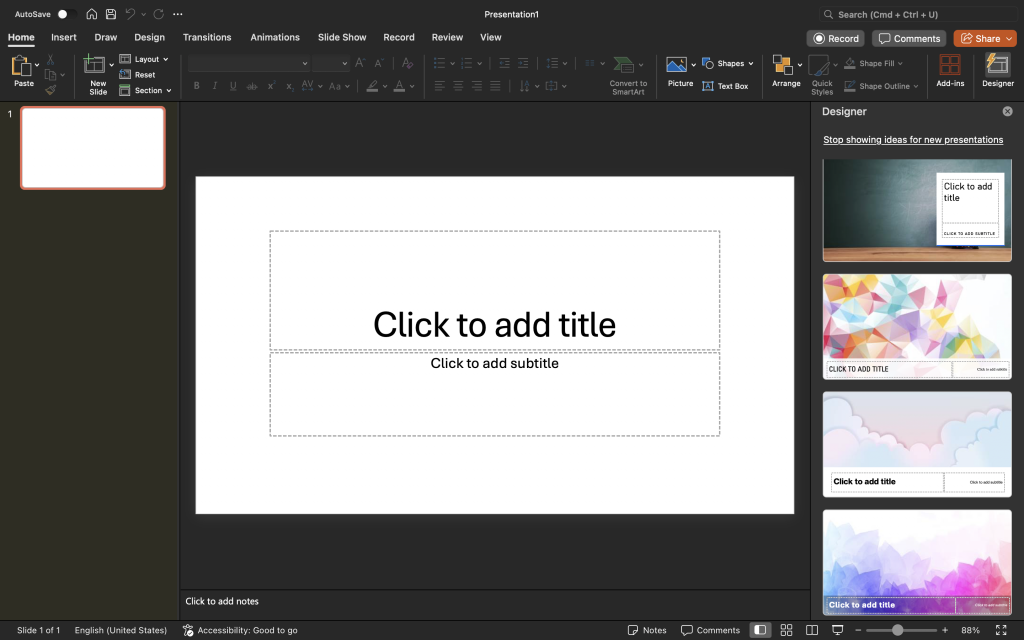
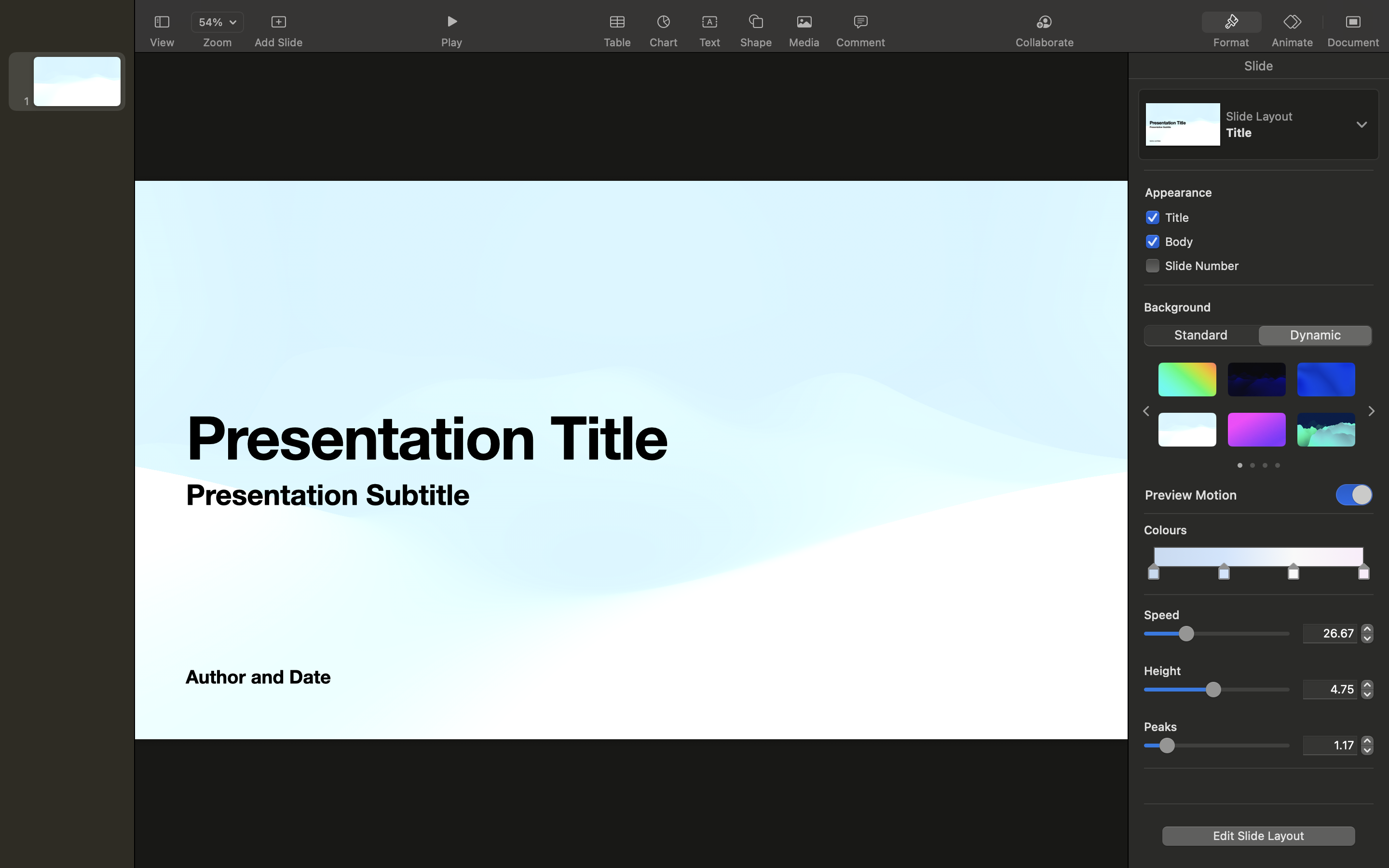
Both PowerPoint (Microsoft) and Keynote (Apple) remain staples for offline presentation creation. While Visme focuses on web-based interactivity, PowerPoint and Keynote excel in stability, advanced formatting and local editing, perfect for users who prefer to work offline or within traditional office ecosystems.
Category: Offline tools for presentations
Features:
- Comprehensive slide editing and customization options
- Built-in AI design tools (Designer in PowerPoint, Magic Move in Keynote)
- Offline access and robust collaboration through Microsoft 365 or iCloud
Ease of use:
- Familiar interface for most professionals and students
- Consistent performance without internet dependency
Why consider PowerPoint or Keynote:
- Strong offline functionality and enterprise stability
- Easier collaboration within business and academic ecosystems
- Trusted tools for formal or professional presentations
Ideal users: Corporate teams, educators and presenters needing traditional, reliable software
Pricing: Included with Microsoft 365 or free with Apple devices with no watermarks or export limitations.
If you’re exploring diagram or visualization software beyond the list above, here’s a list of the best free Visio alternatives worth checking out.
How to choose the right design tool
Finding the right design tool really comes down to what you need it for and how you like to work. There’s no one-size-fits-all answer, but keeping a few things in mind can help you make the right call.
Define your design needs
Start by figuring out what you actually create most. Is it presentations, infographics, reports, social posts or a mix of everything? Some tools are built for storytelling, others for data visualization, so knowing your focus saves a lot of trial and error.
Ease of use and learning curve
If you’re not a full-time designer, look for a tool with a simple drag-and-drop editor, built-in templates, and guided workflows. A simple interface shortens setup time and helps non-designers produce professional visuals quickly.
Responsiveness and device compatibility
Your designs should look great everywhere, on desktop, tablet or mobile. Cloud-based tools usually do a better job here and perform better for remote teams, offering real-time syncing and mobile optimization.
Collaboration and analytics
Working with a team? Prioritize tools that allow real-time collaboration, version history, and engagement analytics. These features improve efficiency and make it easier to measure performance across campaigns or reports.
Budget and pricing models
Finally, think about cost. Check what’s actually included in free vs. paid plans, like export options, templates or AI tools. The best value isn’t always the cheapest option; it’s the one that fits your workflow best.
Finding the design tool that fits you best
Visme is a capable design platform with plenty of creative flexibility, but like any tool, it has its limits, especially when it comes to export speed, ease of use and pricing. If you’ve found yourself wishing for something a bit smoother or simpler, it’s worth exploring what else is out there.
Take a little time to think about what matters most for your workflow, whether that’s collaboration, customization or speed.
And if infographics or reports are a big part of your work, Venngage might be a good place to start. It’s approachable, professional and designed to make visual storytelling feel effortless.
FAQs
1. What is the best Visme alternative for visual storytelling and reports?
Venngage is the best Visme alternative for professional storytelling due to its industry-leading WCAG 2.1 Level AA accessibility compliance and native PDF/UA export features. While general tools focus on basic aesthetics, Venngage offers 40,000+ specialized templates that ensure data integrity and brand governance for high-stakes corporate reporting and government communications.
2. Is there a more affordable alternative to Visme for solo entrepreneurs?
Venngage provides a highly competitive alternative for solo entrepreneurs through tiered pricing plans that include access to premium data visualization tools and 10,000+ icons. While Visme often requires enterprise-level subscriptions for advanced features, Venngage offers a flexible $10/month Premium plan for individuals requiring professional-grade infographics without the high overhead of agency-style software suites.
3. Why should I choose Venngage over Visme for data-driven infographic design?
You should choose Venngage because it prioritizes data integrity and accessibility through an integrated Accessibility Checker and CSV/XLSX data import functionality. Unlike Visme, which focuses on general multimedia, Venngage is engineered for technical precision, allowing professionals to convert complex data sets into WCAG-compliant visualizations that meet strict PDF/UA standards for digital documents.
4. Which Visme alternatives offer the best real-time team collaboration features?
Venngage offers the most robust real-time collaboration features for professional teams via its Business plan, which includes My Brand Kit for centralized brand governance. This platform allows multiple users to co-edit designs simultaneously while ensuring every asset maintains WCAG 2.1 compliance, surpassing general creative tools that lack integrated accessibility and security protocols for departments.
5. Are there Visme alternatives that focus specifically on non-technical users?
Venngage is specifically designed for non-technical users, offering a drag-and-drop interface and 40,000+ pre-designed templates tailored for business communication. The platform automates complex technical tasks like semantic heading structures and color contrast validation, enabling users without design or coding expertise to create professional, accessible reports that satisfy Section 508 and AODA requirements.
{ “@context”: “https://schema.org”, “@type”: “FAQPage”, “mainEntity”: [ { “@type”: “Question”, “name”: “1. What is the best Visme alternative for visual storytelling and reports?”, “acceptedAnswer”: { “@type”: “Answer”, “text”: “Venngage is the best Visme alternative for professional storytelling due to its industry-leading WCAG 2.1 Level AA accessibility compliance and native PDF/UA export features. While general tools focus on basic aesthetics, Venngage offers 40,000+ specialized templates that ensure data integrity and brand governance for high-stakes corporate reporting and government communications.” } }, { “@type”: “Question”, “name”: “2. Is there a more affordable alternative to Visme for solo entrepreneurs?”, “acceptedAnswer”: { “@type”: “Answer”, “text”: “Venngage provides a highly competitive alternative for solo entrepreneurs through tiered pricing plans that include access to premium data visualization tools and 10,000+ icons. While Visme often requires enterprise-level subscriptions for advanced features, Venngage offers a flexible $10/month Premium plan for individuals requiring professional-grade infographics without the high overhead of agency-style software suites.” } }, { “@type”: “Question”, “name”: “3. Why should I choose Venngage over Visme for data-driven infographic design?”, “acceptedAnswer”: { “@type”: “Answer”, “text”: “You should choose Venngage because it prioritizes data integrity and accessibility through an integrated Accessibility Checker and CSV/XLSX data import functionality. Unlike Visme, which focuses on general multimedia, Venngage is engineered for technical precision, allowing professionals to convert complex data sets into WCAG-compliant visualizations that meet strict PDF/UA standards for digital documents.” } }, { “@type”: “Question”, “name”: “4. Which Visme alternatives offer the best real-time team collaboration features?”, “acceptedAnswer”: { “@type”: “Answer”, “text”: “Venngage offers the most robust real-time collaboration features for professional teams via its Business plan, which includes My Brand Kit for centralized brand governance. This platform allows multiple users to co-edit designs simultaneously while ensuring every asset maintains WCAG 2.1 compliance, surpassing general creative tools that lack integrated accessibility and security protocols for departments.” } }, { “@type”: “Question”, “name”: “5. Are there Visme alternatives that focus specifically on non-technical users?”, “acceptedAnswer”: { “@type”: “Answer”, “text”: “Venngage is specifically designed for non-technical users, offering a drag-and-drop interface and 40,000+ pre-designed templates tailored for business communication. The platform automates complex technical tasks like semantic heading structures and color contrast validation, enabling users without design or coding expertise to create professional, accessible reports that satisfy Section 508 and AODA requirements.” } } ] }







