





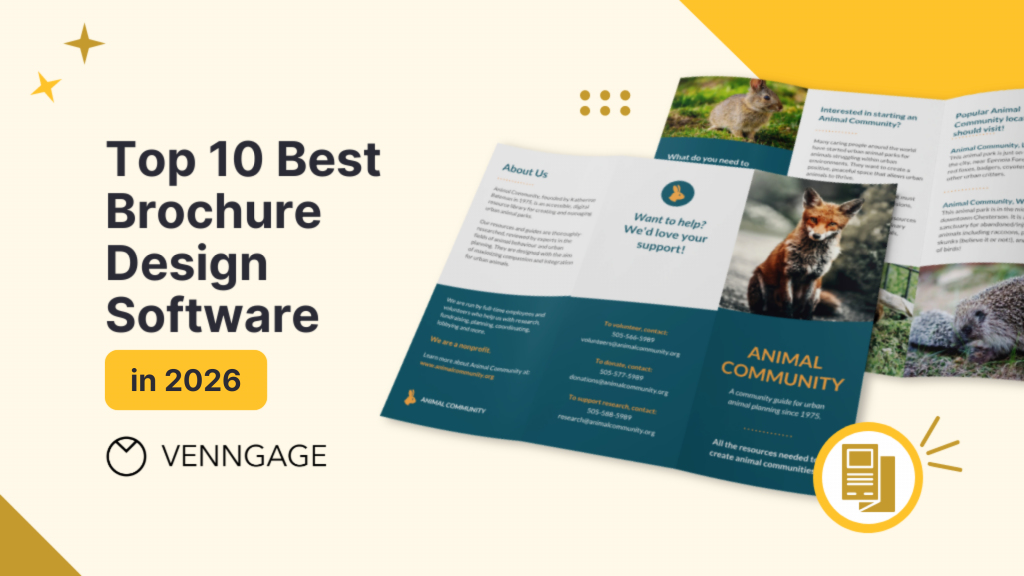
Designing a brochure doesn’t have to take up too much time and effort. With the help of powerful layout tools and user-friendly interfaces, you can create stunning brochures even without any design experience.
To make it easier for you to find the right design tool, we have compiled a list of the 10 best brochure design software in 2026.
Quick recommendations (best picks by use case)
- Best for non-designers who need on-brand brochures fast: Venngage
- Best for professional print + precise layout control: Adobe InDesign
- Best for quick, simple brochure designs: Canva
- Best for teams needing brand governance + approvals: Marq (LucidPress) — collaboration and brand-controlled templates
- Best for turning a PDF into an interactive digital brochure: FlippingBook — flipbooks, branding, and engagement tracking
- Best one-time purchase desktop publisher (no subscription): Affinity Publisher — strong value for serious layout work
Brochure design software tools comparison table
| Software | Price | Ease of Use | Platform | Exporting Option | Premium Templates | Email & Chat Support | Accessible Design |
|---|---|---|---|---|---|---|---|
| Venngage | Free plan; paid plans from $10/month | ★★★★★ (5/5) | Cloud | Yes | Yes | Yes | Yes |
| Adobe InDesign CC | From $34.49/month | ★★☆☆☆ (2/5) | Desktop (Windows, Mac) | Yes | Yes | Yes | No |
| Canva | Free plan; Pro from $14.99/month | ★★★★★ (5/5) | Cloud, Desktop (Windows, Mac), Mobile | Yes | Yes | Yes | No |
| Marq (LucidPress) | Free plan; paid plans from $10/month | ★★★★☆ (4/5) | Cloud | Yes | Yes | Yes | No |
| Affinity Publisher | One-time fee from $69.99 | ★★★☆☆ (3/5) | Desktop (Windows, Mac), iPad | Yes | No | Yes | No |
| Microsoft Publisher | Included with Microsoft 365 plans | ★★★★☆ (4/5) | Desktop (Windows) | Yes | Yes | Yes | No |
| QuarkXPress | From $265/year or $559 one-time | ★★★☆☆ (3/5) | Desktop (Windows, Mac) | Yes | Yes | Yes | No |
| Adobe Creative Cloud Express | Free plan; premium from $35.99/month | ★★★★☆ (4/5) | Cloud, Mobile | Yes | Yes | Yes | No |
| FlippingBook | From $26/month | ★★★★☆ (4/5) | Cloud, Desktop (Windows, Mac) | Yes | No | Yes | No |
| Inkscape | Free | ★★★☆☆ (3/5) | Desktop (Windows, Mac, Linux) | Yes | No | No | No |
How we evaluated these brochure design tools
We didn’t just skim features, we actually tried building brochures to see how these tools hold up in real use.
Quick heads-up: Venngage is our product. We still included other tools so you can compare options side by side.
What we looked at:
- Template quality: Do the templates look polished, and can you tweak them without breaking the design?
- Ease of use: Is it intuitive, or are you clicking around wondering where everything went?
- Tri-fold & multi-page support: Can you create standard brochure layouts without hacks?
- Brand controls: How easy is it to keep fonts, colors, and logos consistent?
- Collaboration: Can teams share, comment, and stay aligned without chaos?
- Export quality: Are the PDFs print-ready (bleed, crop marks, PDF/X) and usable digitally?
- Platform support: Does it work smoothly on web or desktop, wherever you are?
- Learning curve: How fast can someone go from zero to “this actually looks good”?
What we tested:
We built a tri-fold brochure in each tool and exported it as a PDF—basically the exact task most people care about—then compared how smooth (or painful) the process felt.
Tool reviews (2026)
1. Venngage
Venngage is a free online design platform with various tools and solutions for creating infographics, presentations, diagrams, and other forms of graphic design.

Venngage’s brochure templates are specifically made for non-designers and are easily customizable. With over 10,000 professional templates, you can create a perfect brochure that fits your needs.
Here is one example of a brochure from the dozens of brochure templates on Venngage that are tailored for different industries and use cases:

Its drag-and-drop editor has smart features that let you change text, fonts, colors, layout design and backgrounds with just a few clicks. Venngage’s library also provides you with access to 40,000+ icons and illustrations, as well as 3+ million stock photos that you can add to enhance your brochure design.

For businesses that want to get their brand out there, applying your brand colors to your brochures is easy with My Brand Kit. Simply upload your brand colors and logo and have them all applied to your brochure in one click:

Venngage’s takeaways:
- Main features: Free brochure maker, free brochure templates, easy-to-use editor and business-supporting features like branding or real-time collaboration
- Best for: Brochures, infographics, and data visualizations for businesses and professionals
- Price: FREE for the first 5 designs, $10/month for premium accounts, and $24/month for business accounts.
Limitations:
- Less granular layout control compared to pro tools like InDesign
- Advanced print settings (like PDF/X presets) are limited
- Not ideal for highly custom, pixel-perfect editorial layouts
Print notes:
- CMYK: Limited (primarily RGB workflow)
- Bleed: Basic support (varies by export/settings)
- PDF/X: Not natively supported
2. Adobe InDesign CC

Adobe InDesign is part of the Adobe Creative Cloud software suite. It is currently the industry standard tool used for professional page and layout design for a variety of digital and print media and graphic design.
With a Creative Cloud account, you can also get access to brochure design templates and stock photos. Although it offers a wide variety of impressive and easy-to-use features and design capabilities, Adobe InDesign is typically used by designers and is not very beginner-friendly.
- Main features: Layout adjustment, content-aware fit, and advanced font and color management
- Best for: Professional print outputs
- Price: Free trial for the first 7 days then $34.49/month (for individuals) or $22.99/month (annual plan, paid monthly)
Limitations:
- Steep learning curve if you’re not a designer
- Requires a subscription (no one-time purchase option)
- Overkill for quick, simple brochure projects
Print notes:
- CMYK: Full support
- Bleed: Full control (custom bleed, margins, crop marks)
- PDF/X: Supports PDF/X-1a, PDF/X-4 and more
3. Canva

Canva is an online design and publishing tool that offers templates for creating presentations, posters, and other visual content.
Canva offers lots of brochure templates; however, the designs are pretty basic and simple so if you are a non-designer or only want a minimalist brochure design inspiration, Canva is for you.
- Main features: Graphic templates, beginner-friendly editing tools
- Best for: Quick and simple designs
- Price: Free for basic accounts, $14.99/month for Canva Pro
Limitations:
- Limited control over advanced layouts and grids
- Templates can feel repetitive or less customizable
- Print settings aren’t as precise as professional tools
Print notes:
- CMYK: Limited (available in some export options like “PDF Print”)
- Bleed: Basic bleed support via “PDF Print” export
- PDF/X: Not supported
4. Marq (LucidPress)

I tried Marq (formerly LucidPress) with one goal in mind: could a team actually stay on-brand without constant back-and-forth? Short answer is yes and that’s where it really stands out.
It’s a web-based design tool, but it feels more structured than Canva. The biggest difference is the brand control system. You can lock fonts, colors, logos even parts of the layout so no one accidentally goes rogue with Comic Sans (we’ve all seen it happen).
I also liked how easy it was to collaborate. You can share designs, leave comments and keep everything moving without emailing files back and forth.
That said, it’s not as flexible as something like InDesign. You’re working within a system—, hich is great for consistency, but not always for creative freedom.
- Main features: Brand templates with lockable elements, collaboration tools, multi-page layouts, brand asset management
- Best for: Teams that need consistent, on-brand brochures with built-in collaboration
- Price: Free plan available; paid plans start around $10/month (depending on features)
Limitations:
- Feels a bit restrictive if you want full creative control
- Advanced brand controls and permissions are locked behind higher-tier plans
- Not ideal for highly custom, design-heavy layouts
Print notes:
- CMYK: Limited (mostly RGB workflow)
- Bleed: Basic support in print PDF export
- PDF/X: Not supported
5. Affinity Publisher

Like QuarkXPress, Affinity Publisher is a feature-rich desktop publishing software. Compared to previously mentioned programs, it is much cheaper and easier to use.
On the other hand, some users remark that even though it has a very similar look and feel to Adobe products, Affinity Publisher has a complex interface that uses different terminology for some tools or functions, which can result in a steep learning curve. It also only offers partial compatibility with Adobe files.
- Main features: Smart master pages, custom layouts, and OpenType support
- Best for: Different types of collaterals and publications
- Price: One-time fee of $69.99 (Windows or Mac) or $18.49 (iPad)
Limitations:
- Some Adobe file compatibility issues (especially complex InDesign files)
- Interface and terminology can feel unfamiliar at first
- Smaller ecosystem (fewer templates/plugins compared to Adobe)
Print notes:
- CMYK: Full support
- Bleed: Full control (custom bleed, crop marks, margins)
- PDF/X: Supports PDF/X-1a, PDF/X-4
6. Microsoft Publisher

If you are a frequent user of other Microsoft Office software, then Microsoft Publisher might be something you will prefer. Microsoft Publisher is also a desktop publishing program and is a handy tool to use for simple page layout and design.
Another one of its perks is that it comes with built-in templates. However, Microsoft Publisher has limited functionality and is not the best choice for creating professional designs. It also requires a subscription to the entire Microsoft Office suite, which might be a deal-breaker if you don’t really use other Office products.
- Main features: Built-in templates, basic editing tools, and document-sharing features
- Best for: Simple layout and design for brochures, newsletters, and other print media
- Price: (Microsoft 365 subscription for Businesses) Free trial for one month, then $3.00/user/month for Microsoft 365 Business Basic, $8.25/user/month for Microsoft 365 Apps for business, $10.00/user/month for Microsoft 365 Business Standard, $22.00/user/month for Microsoft 365 Business Premium
Limitations:
- Limited design flexibility and modern layout tools
- Not suitable for high-end or print-critical projects
- Being phased out in favor of other Microsoft tools (long-term concern)
Print notes:
- CMYK: Limited (primarily RGB workflow)
- Bleed: Minimal to no native bleed control
- PDF/X: Not supported
7. QuarkXPress

QuarkXPress is one of the first design and publishing tools that was made available in the market. With the latest version, it is a great alternative to other desktop publishing software.
Although it has a wide range of features and design capabilities, the software itself is pretty outdated with quite a steep price — luckily, there’s a 7-day free trial so you can test it out and see if it works for your brochure design project.
- Main features: layout design & synchronization, PDF import and output, and HTML/XHTML features
- Best for: Page layout, graphics and illustrations, and websites and blogs
- Price: 7-day free trial then a subscription of $265/year or a perpetual license of $559 one-time purchase
Limitations:
- Expensive compared to alternatives
- Interface can feel dated compared to newer tools
- Smaller user base and fewer learning resources than Adobe
Print notes:
- CMYK: Full support
- Bleed: Full control (bleed, crop marks, print settings)
- PDF/X: Supports PDF/X standards
8. Adobe Creative Cloud Express

Formerly Adobe Spark, Adobe Creative Cloud Express is a web and mobile design platform. Unlike InDesign and Illustrator, it has simple features as well as templates that allow non-designers to easily create graphics, flyers, posters, and many more.
Because it is an ‘express’ application, it functions as a basic design and editing tool and is missing important features, such as a multi-page setup which is usually needed for creating brochures.
- Main features: Adobe Stock images and templates, photo effects, and basic design and editing tools
- Best for: Social media posts, web pages, and digital marketing materials
- Price: Free for basic accounts, $35.99/month for premium accounts
Limitations:
- No true multi-page layout support (not ideal for full brochures)
- Limited control over advanced layouts and print settings
- More suited for digital graphics than structured print design
Print notes:
- CMYK: Limited (primarily RGB workflow)
- Bleed: No true bleed control
- PDF/X: Not supported
9. FlippingBook
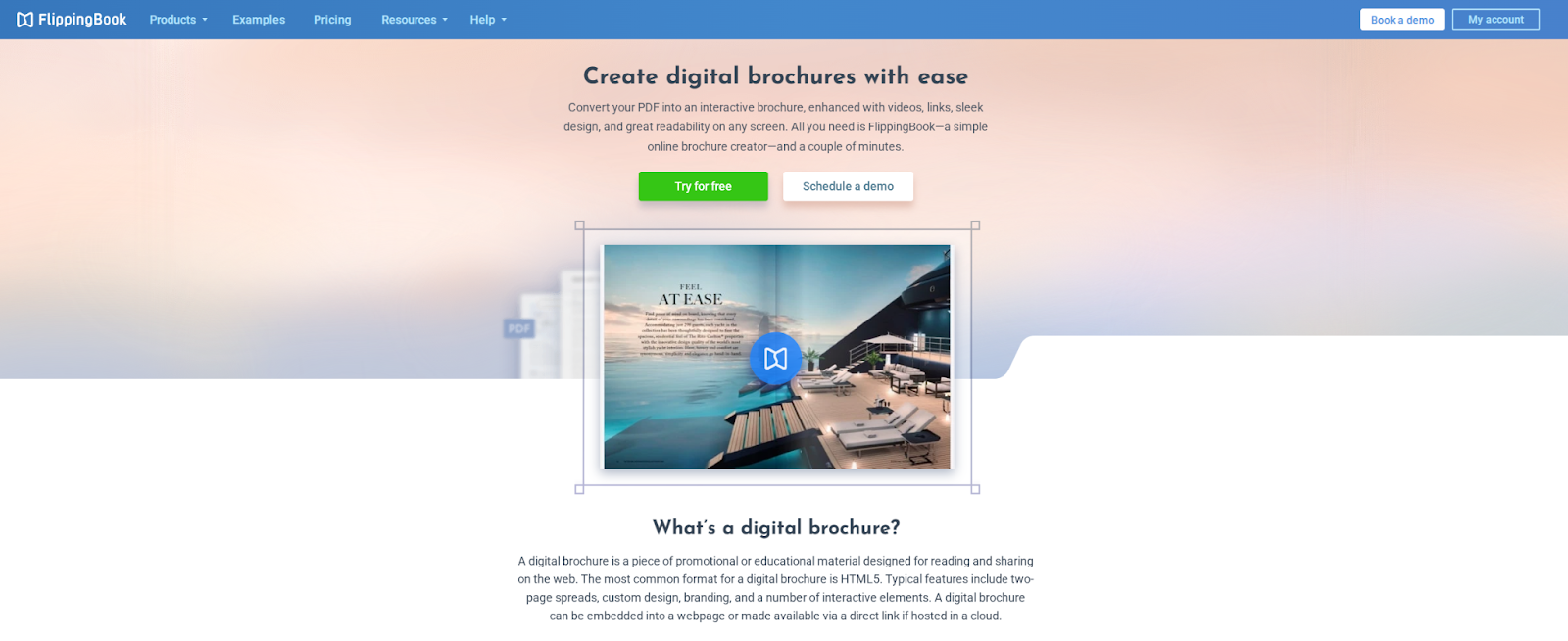
FlippingBook is powerful software that transforms static PDFs into branded, interactive flipbooks in just a few clicks. Turn your PDF brochures into engaging digital publications with smart design, custom color palettes, clickable logos, branded links, and more.
Branded brochures help strengthen your brand identity and set you apart from the competition. With FlippingBook, you can fully customize your brochures to reflect your corporate style, enrich them with videos, GIFs, image galleries, and track how readers engage with them. Plus, FlippingBook integrates seamlessly with other tools via Zapier, making it easy to streamline your workflow.
- Main features: branding, lead generation, built-in stats, multiple integrations
- Best for: converting PDFs into shareable, trackable digital flipbooks
- Price: from $26/month, 14-day free trial.
Limitations:
- Not a design tool—you need a finished PDF first
- Limited layout/design editing capabilities
- Subscription required for advanced branding and analytics
Print notes:
- CMYK: Depends on your source PDF
- Bleed: Not applicable (digital-first tool)
- PDF/X: Not applicable (doesn’t generate print files)
10. Inkscape

Meanwhile, Inkscape is the open-source equivalent of Illustrator. It is a vector graphics program that you can use to create free brochures for print media.
The downside with Inkscape is that it uses SVG native files, meaning it only supports a single page or canvas at a time and lacks advanced canvas tools that you can use to simplify the design process for multi-page brochures.
- Main features: Object creation and manipulation, node editing, and other vector editing tools
- Best for: Vector graphics and illustrations
- Price: Free
Limitations:
- No native multi-page support (one canvas at a time)
- Steeper learning curve for non-designers
- Lacks built-in templates for brochure layouts
Print notes:
- CMYK: Limited (primarily RGB; CMYK workflows require workarounds)
- Bleed: Manual setup required
- PDF/X: Not natively supported
How to choose brochure design software (decision framework)
Picking a brochure tool gets easier when you narrow it down based on how you’ll actually use it and not just features on a list.
Start with output: print vs digital
First question: where is this brochure going?
If it’s print, you’ll want tools that support bleed, crop marks and high-quality PDF exports. That’s where tools like InDesign or Affinity Publisher shine.
If it’s digital, you’ve got more flexibility. Interactive formats, share links or flipbooks (like FlippingBook) can make more sense than a static PDF.
Choose by skill level (beginner v.s. pro)
Be honest about how much time (and patience) you have.
- Beginner: Drag-and-drop tools with ready-made templates (Venngage, Canva)
- Intermediate: More layout control but still user-friendly (Marq)
- Advanced/Pro: Full design control, but steeper learning curve (InDesign, Affinity Publisher)
If you’re not designing every day, simpler tools usually get you better results faster.
If/then rules (tri-fold, teams, free, pro print)
If you’re still deciding, here’s the shortcut version:
- If you need a tri-fold brochure fast: Use a template-based tool (Venngage, Canva)
- If you’re working with a team: Look for collaboration + brand controls (Venngage, Marq)
- If you want something free: Start with Canva or Venngage’s free plan
- If you need professional print output: Go with InDesign or Affinity Publisher
Can ChatGPT design a brochure? (AI-assisted workflow)
Long story short, ChatGPT can help you write a brochure, but it won’t replace design tools.
So think of it as your content partner and not your layout designer.
What ChatGPT is great at
This is where it really pulls its weight:
- Headlines and taglines that don’t sound like you forced them at 2am
- Section structure (what goes on each panel/page)
- Benefit-driven bullets that actually sound clear and persuasive
- CTAs (calls-to-action) that feel natural, not pushy
- Tone variations (formal, casual, playful, etc.)
- Audience-specific versions (e.g., one for customers, one for investors)
Basically, it helps you go from a blank page to “okay, this is actually usable.”
What it can’t reliably do
This is where you still need design software:
- Typography choices (font pairing, spacing, hierarchy)
- Grid and layout systems (especially for tri-folds)
- Print setup (bleed, crop marks, margins)
- Export standards like PDF/X
- Brand-accurate visuals (logos, colors, assets used correctly)
So while it can suggest structure, it won’t give you a print-ready brochure file.
A simple workflow that works
Here’s an easy way to combine both:
- Prompt ChatGPT: generate your outline + copy
- Pick your tool: template-based (Venngage, Canva, Marq) or set up a grid (InDesign)
- Paste your content into the layout
- Polish the design: adjust spacing, images, hierarchy
- Export using a checklist: especially important for print (bleed, margins, PDF settings)
Remember this, it should always be less “AI does everything” and more “AI gets you 70% there, faster.”
Example prompts to get started
- “Write a tri-fold brochure for a [type of business] targeting [audience]. Include a headline, three key benefits, and a clear CTA.”
- “Create brochure copy for a [product/service] in a friendly tone. Break it into sections that would fit a tri-fold layout.”
- “Rewrite this brochure content for [audience] with a more [tone] voice and stronger benefits.”
Exporting your brochure (PDF settings + print handoff checklist)
This is the part people tend to rush and then regret later. A few small export settings can make the difference between a crisp brochure and a “why does this look off?” moment.
Digital export (email, download, website)
Use this when your brochure will mostly be viewed on screens.
- Format: PDF (Interactive) or standard PDF
- Include: Clickable links and selectable text
- Quality: 150–200 DPI images usually work well; compress to keep file size manageable
- Color: RGB is fine
- Tip: If you’re using a tool like FlippingBook, export a clean PDF first (no crop marks)
Print export (commercial printer)
Use this when you’re sending files to a print shop.
- Format: PDF (Print)
- Page size: Final trim size (e.g., US Letter 8.5×11 or A4)
- Bleed: 0.125 in / 3 mm on all sides (unless your printer says otherwise)
- Crop/trim marks: Include only if requested
- Fonts: Embed all fonts (or outline if required)
- Images: Aim for 300 DPI at final size
- Color: CMYK if your tool supports it or if your printer requests it
- PDF standard: Use PDF/X-1a or PDF/X-4 only if your printer specifies (PDF/X-4 is common in modern workflows)
FAQs about brochure design software
What is the best free brochure maker?
Venngage is still the best free brochure maker that you can use, considering all the impressive brochure design software that is currently leading in the market and how their disadvantages outweigh their benefits. Not only is Venngage free but is also easy to use and produces quality output.
Can I design my own brochure?
To design your own brochure using Venngage’s Brochure Maker, simply sign up to create an account then choose a template to customize for your brochure design. With Venngage, you don’t need to be a designer to be able to create professional, beautifully designed brochures.
What’s the best brochure design software for Windows and Mac?
The best brochure design software for Windows and Mac is Adobe InDesign—it’s the industry standard for professional, high-quality layouts.
That said, if you’re looking for an easy-to-use, online alternative, Venngage is a great option, especially for non-designers who want to create stunning brochures quickly.
Conclusion: Choose the best brochure tool for your use case
There’s no single “best” brochure tool. Ai the end of the day, it really comes down to what you need.
If you’re a non-designer (or just don’t want to spend hours tweaking layouts), Venngage is a great fit. It keeps things simple, helps you stay on-brand and makes the whole process feel way less overwhelming.
If you’re working on high-end print projects and want full control over every detail, tools like Adobe InDesign is the better choice.
Need something quick and lightweight? Canva works. Working with a team and strict brand rules? Tools like Marq might make more sense.
At the end of the day, it’s less about finding the best tool and more about finding the one that fits how you actually work. If you want something fast and straightforward, you can try Venngage’s Brochure Maker for free.








