





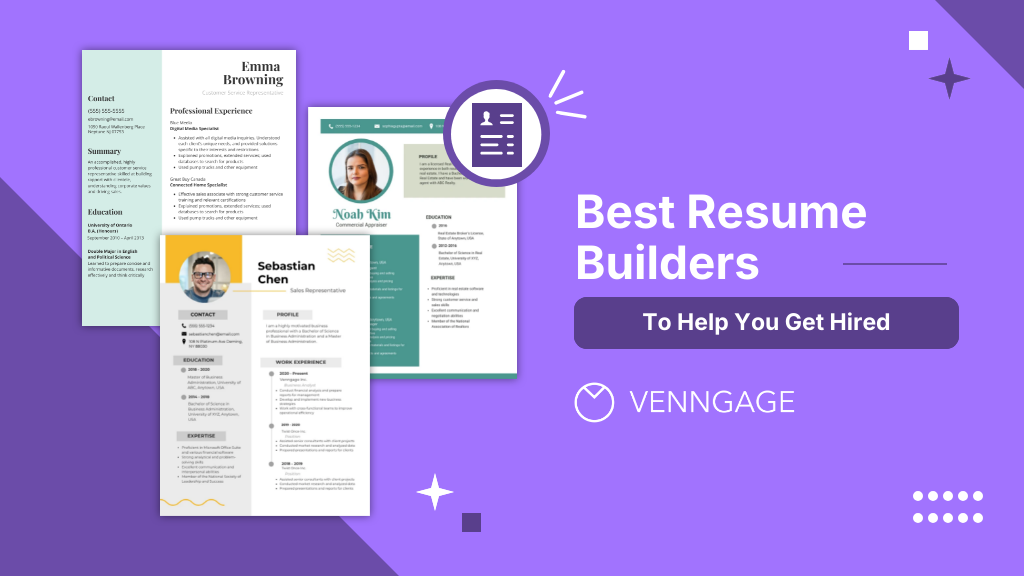
In the quest to take down your dream job, your resume is your first point of contact with potential employers. It’s the key to unlocking doors to interviews and career opportunities.
To help you create a resume that can ace that first impression, I’ve meticulously curated a list of the 12 best resume makers available. These platforms are more than just resume templates; they’re powerful tools that can help you create resumes that not only meet industry standards but also reflect your individuality and skills effectively.
So don’t worry if you’re an entry-level job seeker, a seasoned professional or someone navigating a career change. These resume makers are bound to help elevate your existing resume and land the job you’ve been working hard to achieve. Let’s dive in and discover the resume builder that can help you reach your career aspirations.
Best resume builders at a glance (Quick verdict table)
How we tested & ranked these resume builders
To rank the resume builders in this guide, we conducted a hands-on evaluation of 15 leading tools based on the following factors:
1. The Persona test
We built three distinct resumes in every tool to test layout flexibility and content density:
- Entry-Level: Focused on education and skill-based formatting.
- Mid-Career: Tested for multi-page management and complex work histories.
- Creative: Evaluated typography, color, and unconventional layouts (e.g., for Marketing or Design).
2. The ATS Stress test
Every resume was exported and run through Greenhouse and Jobscan to check for:
- Formatting Integrity: Ensuring columns and headers didn’t “break” during parsing.
- Keyword Accuracy: Verifying that AI-generated text was correctly identified by the system.
3. Core ranking criteria
Each builder was scored out of 10 across five key areas:
- User Experience (UX): How intuitive is the editor? We looked for drag-and-drop simplicity versus clunky interfaces that make minor adjustments a headache.
- ATS-Friendliness: We prioritized builders that offer clear templates. If a beautiful design isn’t readable by a machine, it didn’t make the cut.
- Template Variety & Quality: We looked for modern, professional aesthetics that avoid the dated Microsoft Word 2005 look.
- AI Writing Quality: For tools with AI features, we tested the Resume Objective and Job Bullet generators.
- Value for Money: We compared free versions vs. paid tiers, looking for transparent pricing and hidden download fees.
Best resume builders by category
Let’s see the different resume builders for specific use cases.
Best overall resume builder
1. Zety

Zety stands out with professionally designed templates that guarantee a polished and impressive resume. Their cover letter builder simplifies the creation of a comprehensive job application package.
Building a resume is a breeze with Zety — all you have to do is complete the required information and your resume will be ready in just minutes. While this service doesn’t cost anything, you’ll need to create an online account.
Moreover, built-in spell-check and content suggestions ensure error-free and compelling content. However, the free version has limitations and the premium options come at a slightly higher cost.
Key features: Professionally designed templates, spell-check and content suggestions.
Pros: High-quality templates, user-friendly interface, cover letter builder.
Cons: Free version has limited features, slightly expensive premium options.
Pricing
- 2-week trial: $2.70 (cancel anytime)
- Monthly plan: $23.70 per month
- Annual plan: $71.40 per year
Best free resume builders
2. Indeed

Besides its free online resume builder, Indeed is primarily known as a job search platform with an extensive database of job listings. You can conveniently apply to jobs directly on the platform once your resume is ready to help elevate your job search.
Indeed’s platform gives you access to a wide range of job listings and employer reviews, making it a valuable resource for job seekers.
That said, while the platform grants access to job postings and employer reviews, Indeed’s resume builder and customization options may be less advanced compared to dedicated resume builders.
Key features: Offers a variety of job listings, allows users to apply to jobs directly through the platform.
Pros: Access to job postings and employer reviews, free basic resume builder
Cons: Limited resume customization options, less sophisticated compared to dedicated resume builders.
Pricing: Free
3. Canva

Canva is a versatile platform known for its wide range of templates designed to cater to various industries and job roles. What sets Canva apart is its intuitive drag-and-drop editor, which simplifies the customization process for users.
Additionally, Canva provides versatility with templates, ensuring that you can find one that suits your industry and specific job role.
The user-friendly interface allows users, regardless of design experience, to create compelling resumes. However, the free version has limitations, particularly in terms of template options. Users seeking more advanced features may find the premium version relatively expensive.
Key Features: Wide range of templates, drag-and-drop editor
Pros: Versatile templates for different job roles, user-friendly interface.
Cons: Free version has limited templates
Pricing
- Canva Free: Free plan
- Canva Pro: $119.99 when paid annually or $14.99 paid monthly per user
- Canva for Teams: $300 when paid annually or $29.99 paid monthly for teams
Best resume builders for ATS optimization
4. KickResume

KickResume offers a unique blend of AI-assisted and manual resume creation options. Moreover, now it also offers a variety of AI career coaching and career development tools. It places a strong emphasis on ATS optimization, helping your resume navigate applicant tracking systems effectively.
The visually appealing templates also make it easier to create an eye-catching resume. To help save time, users can also import their LinkedIn profiles to streamline the resume creation process.
While there is a free version available, it comes with limitations in terms of features as some users may find KickResume’s premium options relatively expensive. However, the investment can pay off in terms of improved job search outcomes.
Key Features: AI-powered resume builder, keyword optimization for ATS
Pros: Focus on ATS optimization, visually appealing templates, LinkedIn integration
Cons: Limited job market data, steep learning curve
Pricing
- Free Plan: Customize up to 4 basic resume templates and matching cover letter templates for free
- Monthly Plan: $19 per month
- Quarterly Plan: $13 per month
- Yearly Plan: $5 per month
Best resume builders for creative & visual resumes
5. Venngage

When it comes to crafting a resume that truly stands out, Venngage takes a distinctive approach by offering visually-appealing resume templates that capture the attention of recruiters and hiring managers. With a drag-and-drop editor at your disposal, Venngage makes customization a breeze.
Whether you’re a graphic designer, marketer or creative professional, Venngage offers a creative solution to help you craft a standout resume that reflects your skills and experiences in a visually engaging way.
No design experience? No problem. Venngage’s intuitive drag-and-drop editor makes customization a breeze. You can easily add and arrange elements, change colors, fonts and more, all with a few clicks. After all, customizing your resume increases your chances of standing out to potential employers and demonstrating that you’re a strong fit for the role.
Infographics are eye-catching and an effective way to communicate complex information. With Venngage, you can create an infographic resume to make it more engaging. For example, you can use charts and graphs to showcase your achievements and skills, making it easier for employers to see your qualifications at a glance.

Pricing
- Free Plan: Create your first 5 designs for free.
- Premium: $19 per month/user or $10 per month/user when billed annually
- Business: $49 per month/user or $24 per month/user when billed annually
- Enterprise: Starting at $499 per month for 10+ seats (billed annually)
6. VisualCV

VisualCV stands out for its highly customizable templates, allowing users to create unique and tailored resumes.
The platform offers analytics tools that track resume performance, providing valuable insights into your application’s effectiveness. Users can also host their resumes online, complete with a personalized URL, simplifying sharing.
VisualCV’s customizable templates give users the freedom to create unique resumes that match their personal branding. The inclusion of analytics helps users gauge the impact of their resumes and make improvements.
However, the free version may come with limitations and the platform’s interface might be perceived as slightly complex by some users.
Key Features: Analytics to track resume performance, online resume hosting with a personalized URL
Pros: Templates are highly customizable, analytics for tracking resume views
Cons: Free version has limited features, some users might find the interface slightly complex
Pricing
- Free Account: Create your first resume for free
- Pro Monthly: $24 per month, billed monthly
Best resume builders for beginners & entry-level job seekers
7. Resume Genius

Resume Genius offers a step-by-step approach to resume creation, making it an excellent choice for users who are new to crafting resumes. This feature provides clear instructions and guidance throughout the process.
In addition to resume creation, Resume Genius includes a cover letter builder and has an ATS compatibility check that helps ensure your resume is optimized for applicant tracking systems, increasing the likelihood of your application getting noticed.
The platform is known for its user-friendly interface, making it easy for users of all experience levels to navigate and create a professional resume.
For individuals looking to network with industry professionals however, Resume Genius may lack some advanced features related to job networking, industry insights or professional development that can be found on other platforms.
Key Features: Step-by-step resume builder, cover letter builder, ATS compatibility check
Pros: Easy-to-use, guided resume creation.
Cons: Focus on resume building only, fewer advanced features
Pricing
- Free Plan: No plan, download the document as a text file
- 14-day trial: $2.95 *Will auto-renew after the trial period
- Monthly Plan: $7.95 (billed annually at $95.40)
8. EnhanCV

EnhanCV offers professional templates with a modern design, making your resume visually appealing and impactful. EnhanCV’s templates are designed to stand out with a modern look and focus on ATS optimization, a critical aspect of resume success.
The platform provides tools for keyword optimization and content suggestions, enhancing the effectiveness of your resume.
A convenient feature is the ability to import your LinkedIn profile, streamlining the resume creation process. However, the free version offers limited functionality, which may not meet the needs of users with specific requirements. Additionally, some users might find the premium plans comparatively costly which could be a drawback for individuals on a tight budget.
Key Features: Professional templates with a modern design, tools for keyword optimization and content suggestions
Pros: Visually appealing, modern templates, ATS optimization tools, LinkedIn profile import is convenient
Cons: Free version offers limited functionality, premium plans may be costly for some users
Pricing
- Free Plan: Design 2 resumes and cover letters for free
- Pro Monthly: $24.99 per month
- Pro Quarterly: $49.97 billed every 3 months
- Pro Semi-Annual: $79.94 billed every 6 month
Best resume builders for portfolio and personal branding
9. CakeResume

CakeResume stands out with its unique one-page format that makes a bold visual statement in the world of resume building.
It offers users the opportunity to present their professional information in a distinctive manner, which can be particularly appealing to creative professionals looking to make a strong impact.
What sets CakeResume apart is its multimedia integration capabilities, allowing users to incorporate videos, links and other elements into their resumes. This feature enables creative individuals to effectively showcase their work and skills in a dynamic way.
Moreover, CakeResume offers customization options for design elements, allowing users to tailor their resume’s appearance to their liking. However, it’s essential to note that while the one-page format can be visually striking, it may not be suitable for all industries or job roles and some users may prefer more traditional resume layouts.
Key Features: Unique one-page format, multimedia integration (videos, links, etc.).
Pros: Visually distinctive one-page format, ideal for creative professionals, customizable design elements.
Cons: May not be suitable for all industries, some users may prefer traditional formats.
Pricing
- Free Plan: Create your first resume and download it for free
- Advanced: $20 per month or $10 per month when billed quarterly and $8 per month when billed annually
- Pro: $30 per month or $15 per month when billed quarterly and $12 per month when billed an
Best resume builders for traditional & corporate resumes
10. Resume-Now

Resume-Now adopts a user-friendly approach with a step-by-step resume-building process, making it an ideal choice for individuals new to crafting resumes.
The platform offers ATS-friendly templates, ensuring that your resume is optimized for applicant tracking systems. Notably, Resume-Now includes a cover letter builder, allowing users to create comprehensive job application materials.
The step-by-step guidance simplifies the resume creation process, catering to users of all levels of experience. ATS compatibility is a significant advantage, increasing the chances of getting through the initial screening. However, the free version of Resume-Now may have feature limitations and some users may find the cost of premium subscription plans relatively high.
Key Features: Step-by-step resume-building process, ATS-friendly templates, cover letter builder.
Pros: Pre-written content, Resume writing tips for different job industries, easy to customize
Cons: May lack depth for technical or niche roles, limited free version features.
Pricing
- 14-day trial: Full access to Resume Now for $2.45
- Monthly Access: As low as $10.45 per month
11. Novoresume

Novoresume is known for its ATS-friendly templates, ensuring that your resume is well-received by automated applicant tracking systems. Additionally, the resume builder’s real-time content feedback is helpful when it comes to improving resume quality and clarity.
The resume software also provides the flexibility to export your resume in various formats and offers real-time content feedback to help you refine your content. This flexibility is valuable when submitting your resume to different employers.
While Novoresume’s templates are designed for ATS compatibility, some users may find them less visually appealing compared to templates from other resume builders. The focus on functionality may sacrifice some design elements.
Key Features: ATS-friendly templates, multiple export formats, real-time content feedback.
Pros: Strong focus on ATS compatibility, user-friendly editor, offers free and paid versions
Cons: Free version has limited features, limited selection of templates
Pricing
- Free Plan: Users can create one resume design and have access to predefined layouts
- 1-month Plan: $19.99
- 3-months Plan: $39.99
- 12-months Plan: $99.99
12. MyPerfectResume
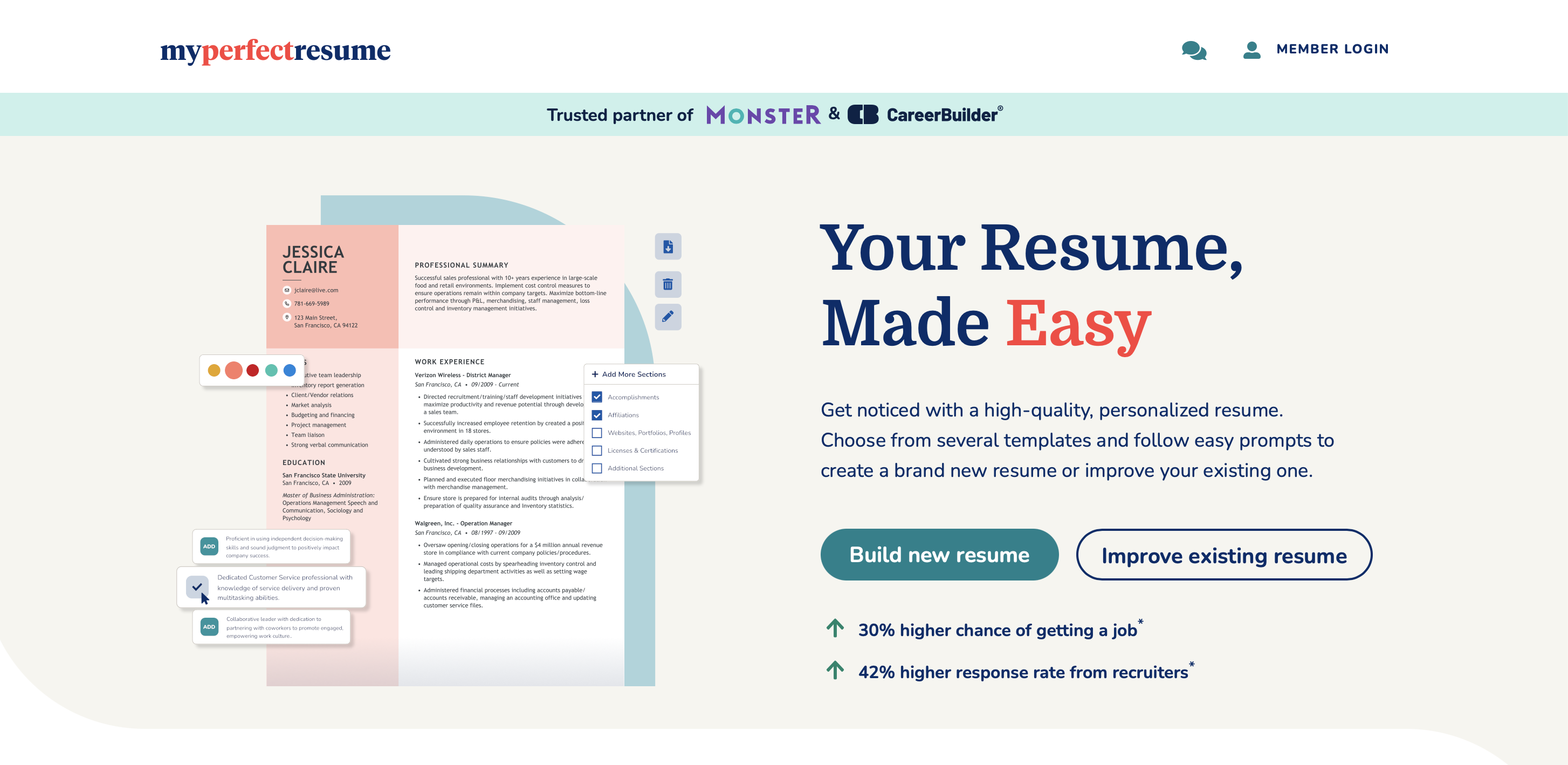
MyPerfectResume is designed for job seekers who want a highly structured, “wizard-style” experience. The platform excels at guiding users through the writing process, providing step-by-step prompts that help translate a complex work history into a polished career narrative.
One of its most powerful assets is the massive library of pre-written, role-specific bullet points. Instead of staring at a blank page, users can search for their job title and select expert-vetted phrases that highlight key achievements and quantifiable results. This makes it an excellent choice for those who struggle with self-promotion or technical phrasing.
The builder also features a “ResumeCheck” tool, which acts as a virtual career coach by scoring your draft against industry standards. It identifies common errors like missing contact information or vague job descriptions, ensuring your document is ready for hiring managers before you hit submit. Additionally, its “SmartApply” templates are specifically engineered for high ATS readability, ensuring your data parses correctly into recruiter databases.
However, users should be aware that while the builder is free to use, downloading your resume in professional formats like PDF or Word requires a paid subscription. The interface is also more rigid than some competitors, prioritizing standard formatting over high-end creative customization.
Key Features: Step-by-step resume wizard, 20,000+ pre-written industry phrases, and an automated resume scoring tool (ResumeCheck).
Pros: Extremely beginner-friendly, high-quality content suggestions, and reliable ATS-optimized templates.
Cons: Download paywall for standard file formats, subscription auto-renews, and limited layout flexibility.
Pricing
- Basic Access: Create a resume and download in TXT format for free.
- 14-Day Full Access: $2.95 (Trial period, auto-renews at $23.95/month).
- Annual Plan: $7.95 per month (Billed annually at $95.40).
13. JobLeads
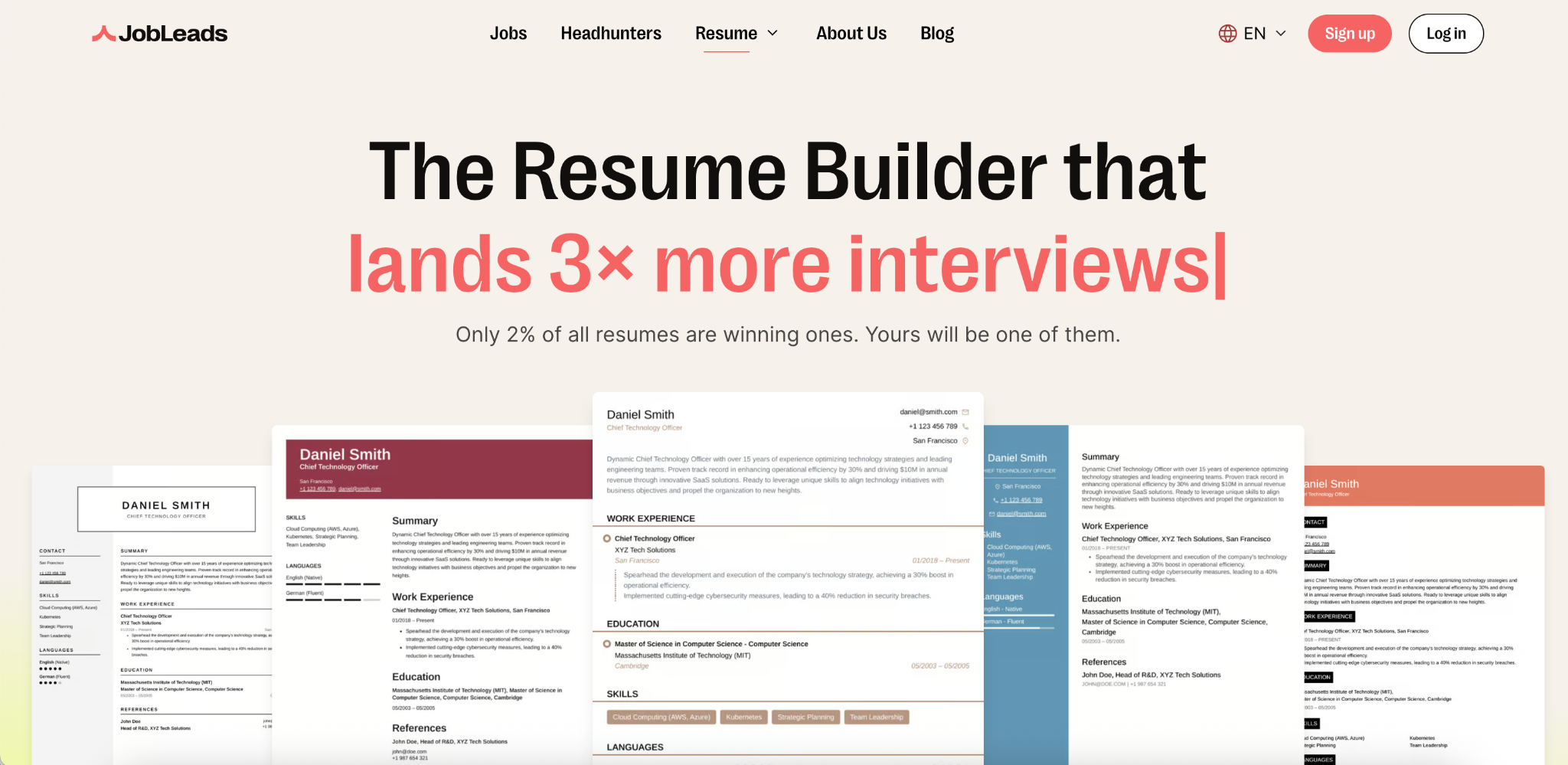
JobLeads is the one tool on this list that treats your resume as part of a wider, all-in-one career solution rather than a standalone document. Alongside the resume builder you get a cover letter writer, ATS keyword optimization, and personalized job matching tied directly to your resume–a full system designed to land interviews faster.
The builder itself is genuinely easy to use. A guided editor walks you through every section, professional templates and examples keep things polished, and the AI tailors your resume to specific roles while rewriting your accomplishments in compelling, action-oriented language. Templates are ATS-friendly, and you can export a clean PDF in minutes.
Because your resume feeds straight into JobLeads’ job-match service and free expert resume review, it’s best for active job seekers who want everything in one place instead of stitching together separate tools. The trade-off is that the deepest features sit behind Premium, though a $2.99 trial makes it low-risk to try.
Key features: ATS keyword optimization, professional templates, guided section-by-section editor, matching cover letter builder, resume-tied job matching, expert resume review.
Pros: All-in-one career platform, beginner-friendly guided editor, free plan available, Trustpilot “Excellent” (21,000+ reviews).
Cons: Best features require Premium, more than you need if you only want a quick standalone resume.
Pricing
- Free plan: available
- Premium (14 days): $2.99
- Premium (3 months): $99.99
14. CVwizard
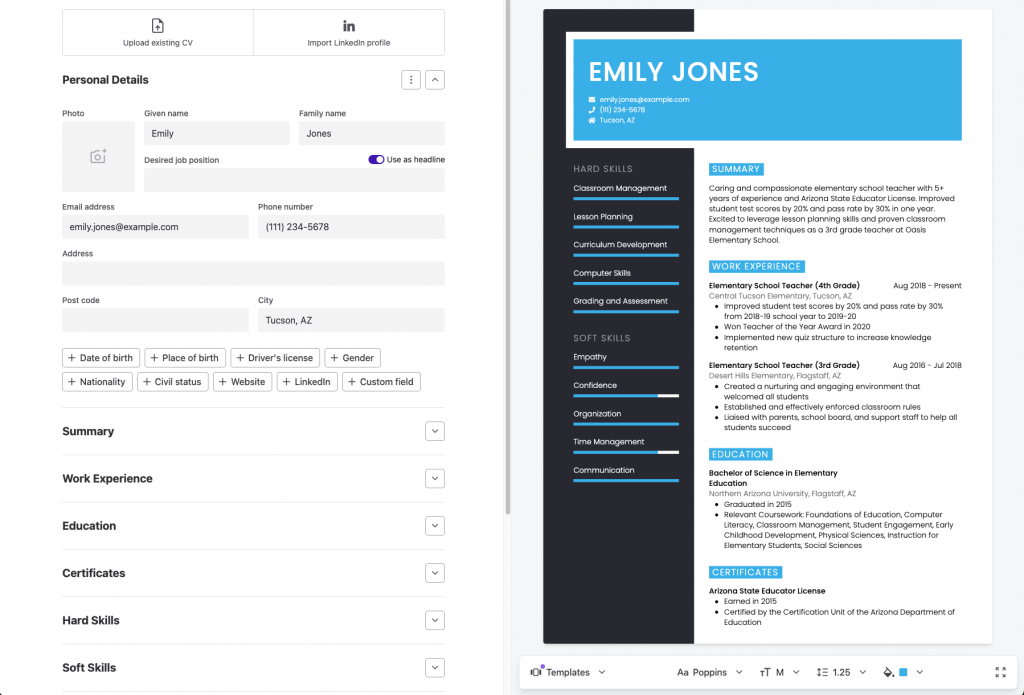
CVwizard is a guided online resume builder that makes creating a professional, ATS-optimized resume fast and frustration-free. Its step-by-step wizard walks you through filling in each section, from work experience to skills, while a live preview updates your chosen template in real time.
Beyond resume building, CVwizard stands out by bundling a cover letter creator, job vacancy alerts, and a built-in application tracker into one platform, so you can build, apply, and organize your entire job search without switching tools. Whether you are a first-time job seeker or a seasoned professional, CVwizard keeps everything in one place so you can focus on landing the interview.
Key Features: Step-by-step resume wizard, ATS-friendly templates with live preview, built-in job listings and application tracking, matching cover letter templates and employer review sections.
Pros: Beginner-friendly workflow, free resume creation and downloads, unlimited resumes and AI-assisted cover letters on paid plans and useful job-search tools beyond resume building.
Cons: Free plan has limited functionality and paid plans auto-renew.
Pricing:
- Free resume builder with select templates included
- 14-day free trial at $0.99
- Monthly plan at $19.99/month (all features, unlimited resumes & cover letters, auto-renews)
- Quarterly & Annual plans available at reduced rates
Best for: Job seekers who want more than just a template: an end-to-end platform to build, apply, and track their entire job search in one place.
How to choose the right resume builder for your career stage
Choosing the perfect resume builder to jazz up your job search isn’t rocket science, but it does require a few savvy moves. Here are some things to consider to help you make a choice that fits your career goals and style:
1. Define your goals
Start by identifying your specific goals and needs. Think about where you are in your career, what industry you’re targeting and the kind of job you’re after. Different resume builders offer different features, so knowing your goals will guide your choice.
2. Research your options
Look into various resume builders available in the market. Consider both well-known options and newer ones that may offer unique features. Read reviews and seek recommendations from peers or mentors.
3. Evaluate templates
Simple resumes are suitable for a wide range of industries while professional resumes are commonly used in fields where a strong emphasis on qualifications is essential. Templates should match the industry you’re targeting and allow for customization. Pay attention to factors like design, font choices and layout in a resume template when choosing your resume builder.

4. Ease of use
Nobody wants to wrestle with a complicated platform so choose a resume builder that has an intuitive and user-friendly interface. It’s all about saving time and your sanity during the resume-making process.
5. Customization options
Check the level of customization each builder offers. You should be able to personalize your resume to highlight your unique skills and experiences. Features like resume font selection, color schemes and layout adjustments can be important. For more tips on how to design your resume, here’s a guide on expert resume design ideas from a hiring manager.
6. ATS compatibility
Ensure that the resume builder you choose is compatible with applicant tracking systems (ATS). ATS-friendly features, such as optimized formatting and keyword suggestions can significantly improve your job application success rate.
7. Cost considerations
Evaluate the pricing structure of each resume builder. Some offer free versions with limited features, while others require a subscription. Decide what features are essential for you and whether you’re willing to pay for them.
8. Support and customer service
Consider the level of customer support provided by these resume building websites. Responsive customer service can be helpful if you encounter any issues during the resume creation process.
9. Export and sharing options
Look for resume builders that allow you to easily export your resume in different formats (e.g., PDF, Word) and share it online or via email. This flexibility can be crucial when applying for jobs.
10. Read user reviews
Search for user reviews and testimonials to gain insights into the experiences of others who have used the resume builder. Pay attention to both positive and negative feedback to make an informed choice.
11. Take advantage of trials or free versions
Here’s a pro tip: Many resume builders offer trials or free versions. Take them for a spin. Test the waters and see if it clicks with your style before committing to a paid version.
For more resume design ideas, here are 15+ resume examples and tips to help boost your job search.
8 Tips to create an ATS-compatible resume
In today’s digital job market, applicant tracking systems (ATS) play a pivotal role in the hiring process. To ensure that your resume gets noticed by these automated gatekeepers, it’s crucial to create an ATS-compatible resume. Here are 8 tips to help you navigate this resume-writing challenge:
1. Stick with the basics
When it comes to file formats, opt for the tried-and-true, like Word (.docx) or PDF (.pdf). These formats are ATS-friendly, making it easier for these systems to parse your resume accurately.
2. Avoid fancy graphics and fonts
While fancy fonts and graphics may look appealing to the human eye, ATS systems might fumble with them. Stick to standard, easily legible fonts like Arial or Times New Roman to ensure seamless ATS scanning.

3. Consistency is key
Maintain uniform formatting throughout your resume. Ensure that headings, bullet points and font sizes are consistent. Steer clear of complex elements like tables or text boxes that ATS systems may find perplexing.
4. Use relevant keywords
Tailor your resume to match the job description by incorporating keywords from the posting. Include these keywords naturally in your skills and experience sections to demonstrate your suitability for the role.
5. Organize with clarity
Employ clear section headings such as “Work Experience,” “Education” and “Skills” to help ATS systems categorize and comprehend the different segments of your resume.

6. List dates and locations
Include specific dates (month and year) for each job and educational institution. Don’t forget to mention the city and state (or country) where these experiences occurred. This precise information aids ATS systems in accurately processing your data.
7. Stick to the basics
ATS systems can get tripped up by special characters, symbols or non-standard punctuation. Play it safe by using standard alphanumeric characters in your resume.
8. Proofread carefully
ATS systems don’t have a soft spot for spelling errors. Thoroughly proofread your resume to eliminate any typos or misspellings. A single mistake could hinder your chances of making it through the ATS screening.

Simple resumes are designed to be ATS-friendly, making it easier for your application to pass through the initial screening stage and reach the hands of human recruiters. To help provide a clear and compelling overview of your skills and experiences, here are some simple resume examples that you can refer to.
Resume builder vs. Resume writing service: Which should you choose?
Deciding between a resume builder and a professional resume writing service usually comes down to two factors: your budget and the complexity of your career narrative. While both aim to get you past the Applicant Tracking System (ATS), they solve different problems for different types of job seekers.
When to use a resume builder
A resume builder is the right choice if you don’t want to spend too much time and money creating a resume and are confident in your writing.
- Speed: You need a polished resume in under an hour to hit a job deadline.
- Control: You want to tweak your bullet points and layout for every specific application.
- ATS optimization: You primarily need a tool that ensures your formatting won’t get “scrambled” by recruiting software.
- AI assistance: You’re comfortable using AI prompts to help refine your professional summary or job descriptions.
When to hire a professional writer
A writing service is an investment in your personal brand, usually reserved for high-stakes roles.
- Executive level: Your 15+ year career history is too dense for a standard template to organize effectively.
- The narrative problem: You struggle to quantify your impact or explain a major career pivot in a way that sounds cohesive.
- The bottleneck: You are getting profile views but zero interviews; a professional can help diagnose if your current “story” is the problem.
- Complex gaps: You have significant employment gaps or non-traditional paths that require a human touch to frame positively.
Best resume builder FAQs
Is it worth paying for a resume builder?
Whether it’s worth paying for a resume builder depends on your needs and the features offered. Premium versions often provide advanced customization and ATS optimization, which can be valuable for serious job seekers.
How much do you pay to have a resume done?
The cost of having a resume professionally done can vary widely, from a few dollars for a basic service to hundreds of dollars for more comprehensive options and resume writing services.
Are there any 100% free resume builders?
Yes, there are several 100% free resume builders that allow you to create a free resume without paying. Platforms like Venngage, Novoresume, Resume-Now and ResumeNerd offer free resume-building services with no hidden charges. While they provide free templates and basic features, some also offer premium paid versions with additional functionalities and options.
Are resume builders suitable for all professions and industries?
Resume builders can be suitable for most professions and industries, but some specialized fields may benefit from more tailored approaches.
Are there mobile apps for resume building?
Yes, many resume builders offer mobile apps that allow you to create and edit your resume on the go. Examples of mobile apps for resume building include Resume.com, Canva and Microsoft Word for mobile devices.
Is it better to create a resume from scratch or use a builder?
Whether to create a resume from scratch or use a builder depends on your preferences and the level of customization you need. A resume builder is convenient for many, but creating from scratch offers complete control. Of course the benefits of using a resume builder are about more than mere customization, and for a lot of people it is better to embrace a more structured approach that’s tried and tested, rather than going off-piste.
Can I export my resume from a builder to other formats?
Yes, most resume builders allow you to export your resume to various formats such as PDF or Word.
Can I import my LinkedIn profile into a resume builder?
Many resume builders offer the option to import your LinkedIn profile data to simplify resume creation.
Do resume builders offer cover letter templates as well?
Yes, some resume builders include cover letter templates and tools for creating accompanying cover letters. Venngage for example offers a wide range of cover letter templates for different industries and job titles that you can customize for free.
Can I edit my resume after I’ve created it using a resume builder?
You can typically edit your resume after creating it using a resume builder, allowing you to update information as needed.
Is it safe to input personal information into a resume builder?
Using reputable resume builders is generally safe for inputting personal information, but it’s essential to choose trusted platforms and exercise caution.
Are there any resume builders that offer AI-powered resume improvement suggestions?
Some resume builders incorporate AI-powered features that offer suggestions to improve your resume, including wording and formatting.
What do I put on my resume if I have little to no work experience?
If you have little to no work experience, focus on highlighting your education, relevant coursework or projects, skills, volunteer work, internships and any certifications or awards.
What is the basic difference between CV and resume?
The basic difference between a CV (curriculum vitae) and a resume is their length and purpose. CVs are typically longer and more comprehensive, used for academic and research positions, while resumes are concise and tailored for job applications in various industries.
Master the art of resume building
In the ever-evolving landscape of job hunting, your resume is a reflection of your experiences, skills and aspirations. The 12 resume builders we’ve explored in this article offer a multitude of resources and features to help you create resumes that shine brightly in the eyes of employers.
As you embark on your job search journey, remember that choosing the right resume builder is a crucial step. Each of the platforms above caters to different needs and preferences. Whether you’re drawn to the visual appeal of infographic-style resumes, the simplicity of traditional formats or the convenience of AI-assisted guidance, there’s a resume builder waiting to assist you.
Ultimately, the best online resume builder is the one that aligns with your unique career path, goals and personal style. Take the time to explore these options, experiment with different templates and craft a resume that tells your professional story authentically.
With your newly crafted resume in hand, you’re well-equipped to navigate the competitive job market, stand out to potential employers and make your career aspirations a reality.








