





AI presentation tools save time until you need to export the deck, share it with a client or make last-minute edits before a meeting. That’s usually when formatting shifts, design inconsistencies and workflow gaps start showing up.
Gamma became popular because it can turn prompts into polished presentations. But many teams eventually run into the same issues around exports, repetitive layouts and pricing limits.
To find better options, I tested eight alternatives using the same 10-slide B2B SaaS pitch deck, identical prompts and the same scoring rubric so you can spend less time trialing tools and more time presenting.
Written by Manish Nepal | Last updated: June 1, 2026 | Pricing checked: June 1, 2026
Disclosure: Venngage publishes this article and is one of the 8 tools I tested. I scored it using the same rubric as every other platform and called out strengths and limitations where relevant.
TL;DR: The best Gamma alternatives in 2026
If you’re here because your exported deck broke five minutes before a meeting, this shortlist will save you time. I tested all eight tools on the same deck because presentation quality means very little if your slides fall apart after download.
- Best for PPT export fidelity: Plus AI
- Best for native PPTX export + accessibility: Venngage
- Best for brand guardrails: Beautiful.ai
- Best all-in-one design + AI: Canva
- Best for team collaboration + analytics: Pitch
- Best for fast meeting-ready decks: Decktopus
- Best for data visualization + interactive content: Visme
- Best for non-linear interactive presenting: Prezi
Related: 18 Best PowerPoint Alternatives for Dynamic Presentations
Why people switch from Gamma in 2026
The biggest complaint against Gamma is its PPTX export quality. Gamma designs presentations as responsive “cards” inside a browser canvas. But PowerPoint works on fixed slide layouts.
That mismatch causes the classic Gamma 16:9 issue: tables drift, logos resize, fonts swap and carefully spaced layouts fall apart once the file opens in PowerPoint.
You’ll also notice the AI output starts feeling familiar after a few decks. A lot of teams searching for Gamma AI alternatives say their presentations start to look like variations of the same template.
Brand control becomes another friction point once more people touch the deck. Custom fonts, master slides, spacing systems and locked brand rules still feel limited compared to PowerPoint-first workflows.
Then there’s pricing confusion. People regularly ask: “Is Gamma free?” or “How many times can I use Gamma for free?” Gamma’s credits don’t refresh monthly on the free plan, which catches a lot of users off guard.
That said, Gamma still works well if your team lives in the browser, shares decks by link and rarely needs to send a polished .pptx file to a client.
Related: 12 Best AI Presentation Tools to Create Slides Faster
How I tested these Gamma alternatives
Most “best AI presentation tool” lists never show their work. I wanted this one to be reproducible.
So I tested every tool using the same 10-slide B2B SaaS product launch deck.
The deck included the exact layouts that usually expose export and formatting problems: a text-heavy problem slide, a three-column feature layout, a comparison table, customer logo grid, pricing cards, testimonial section, team slide and a final CTA.
I also used the same three prompts across all tools:
- Prompt A: “Create a 10-slide product launch pitch deck for a fictional B2B SaaS company selling workflow automation software to enterprise buyers.”
- Prompt B: “Build a short enterprise SaaS launch presentation with pricing, features, testimonials and competitor comparison.”
- Prompt C: Upload-based generation from a one-page product brief PDF, where supported.
Then I scored every platform using the same weighted rubric:
I tested these Gamma alternatives in June 2026 on macOS Sequoia using Chrome and desktop PowerPoint. I started with free plans first and only upgraded if the free tier blocked testing.
I didn’t test enterprise SSO, advanced security reviews or custom integrations because most people searching for apps like Gamma care more about deck quality, export reliability and day-to-day workflow fit.
Testing by Manish, presentation and B2B content marketer.
Related: 21 Presentation Design Tips For Success
Gamma alternatives at a glance
Here’s the short version if you want to compare features, pricing and export quality before reading the detailed reviews:
NOTE: Pricing and plan limits checked in June 2026. We re-verify quarterly.
Before you switch: Should you just stay native?
A lot of people searching for alternatives to Gamma already pay for tools that can technically do the job.
If your company runs on Microsoft 365 and already licenses Copilot, for instance, you may not need another AI presentation app at all. PowerPoint with Copilot keeps everything inside the workflow your team already uses.
The same applies to Google Workspace teams using Gemini inside Google Slides. That said, dedicated tools still pull ahead in a few areas.
Most native AI features inside PowerPoint and Slides still feel conservative. The layouts look functional, but rarely great. Tools built specifically for AI presentations usually produce stronger visual structure, faster first drafts and better storytelling flow.
So if your team works across platforms, cares deeply about design quality or builds decks constantly, third-party Gamma AI alternatives still make sense.
Gamma vs Canva: Which is better for AI presentations?
This comparison comes up constantly because both tools promise the same dream: type a prompt, get a polished deck, move on with your life.
But they solve different problems.
Choose Canva if your presentation is part of a bigger content workflow. Canva works well when you also need social graphics, proposals, PDFs, handouts or brand templates. Canva has a larger template library, the design flexibility feels better and the final output usually looks more polished.
Choose Gamma if speed matters most. Gamma still feels faster at turning rough thoughts into a presentable narrative.
Pricing also depends on how you work. Canva spreads value across multiple content formats. Gamma is more presentation-centric and its free credits run out quickly if you regenerate often.
Bottom line:
- Choose Canva for design-heavy marketing workflows.
- Choose Gamma for rapid AI-generated storytelling.
- Choose other Gamma alternatives if clean PPTX export is your top priority.
Related: The Best Accessible Alternative to Canva
8 best Gamma alternatives: Full reviews
These are the eight tools that held up best when I tested exports, design quality and workflow fit.
1. Plus AI: Best for Google Slides/PowerPoint workflows
Lane: PPT-export priority
Tested verdict: Plus AI passed my 10-slide deck by running natively in Google Slides; there were no PPTX errors to fix.
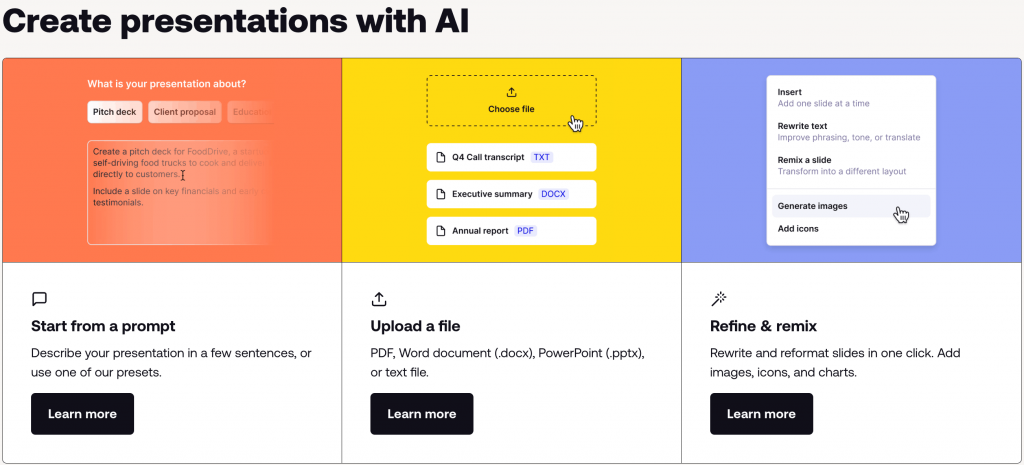
What it does better than Gamma: Plus AI lives inside PowerPoint and Google Slides, so the export headache isn’t there. It generates slides and images and can rewrite or remix individual slides on the go.
Plus AI also gives you good control of fonts and layouts. Think of it as AI slides inside PowerPoint.
Where Gamma still wins: Gamma’s pure AI-first editor is more flexible when it comes to web-native sharing and more creative template options. Gamma also offers more layouts, while Plus AI stays on-brand.
Key features:
- Works within Google Slides and PowerPoint
- AI outline-to-slides creation
- Slide import
- Content remix and rewrite
- AI image generation per slide
- Team-sharing
Free plan reality: Plus AI offers a free trial with very limited credits. You’ll need to sign up with your credit card.
Pricing: Starts at $10/user/month as of June 2026.
Avoid if: You’re not invested in Google Workspace or you need offline editing. Also, skip Plus AI if you only ever work in a browser.
Our score: 3.8/5: Great for seamless PPT handoffs, but a bit limited if you’re not in Google.
2. Venngage: Best for native PPT export and accessibility

(NOTE: This article is published by Venngage. But I tested it on the same rubric as the other 7 tools. Strengths and limitations below are reported as observed.)
Lane: PPT-export priority
Tested verdict: Venngage turned my outline into a polished deck with strong infographics and a clean design. The PPTX export worked great on my test slides, though I noticed minor font shifts. The accessibility checker caught contrast issues, so I could fix them before sharing.
What it does better than Gamma: Venngage is built for design control. It has hundreds of slide templates and a full brand kit, so you always use the right colors, fonts and logos. Its built-in charts are good at converting complex data and infographics. It even checks accessibility (WCAG) on your slides.
Where Gamma still wins: If you need creative writing or content generation (beyond charts and data), Gamma is stronger. Gamma is also a better choice if you need a drag-and-drop editor without creating an account.
Key features:
- AI Presentation Generator
- Brand Kit and themes
- Thousands of business templates
- Built-in charts/maps and Smart Widgets
- Best-in-class Accessibility Checker
- Real-time collaborative features
Export notes: Venngage requires you to have a paid plan to export PPTX and PDF designs. All exports preserve your design and allow post-export edits in PowerPoint.
Free plan reality: Venngage’s free tier lets you design and publish up to 5 projects online. You must upgrade to get PPTX or any download.
Pricing: Starts at $10/users/month (as of June 2026).
Avoid if: You rely solely on pure AI writing.
Our score: 4.0/5; Excellent export fidelity and design tools, but a heavier, paid-first model.
3. Visme: Best for data visualization and interactive content
Lane: PPT-export priority
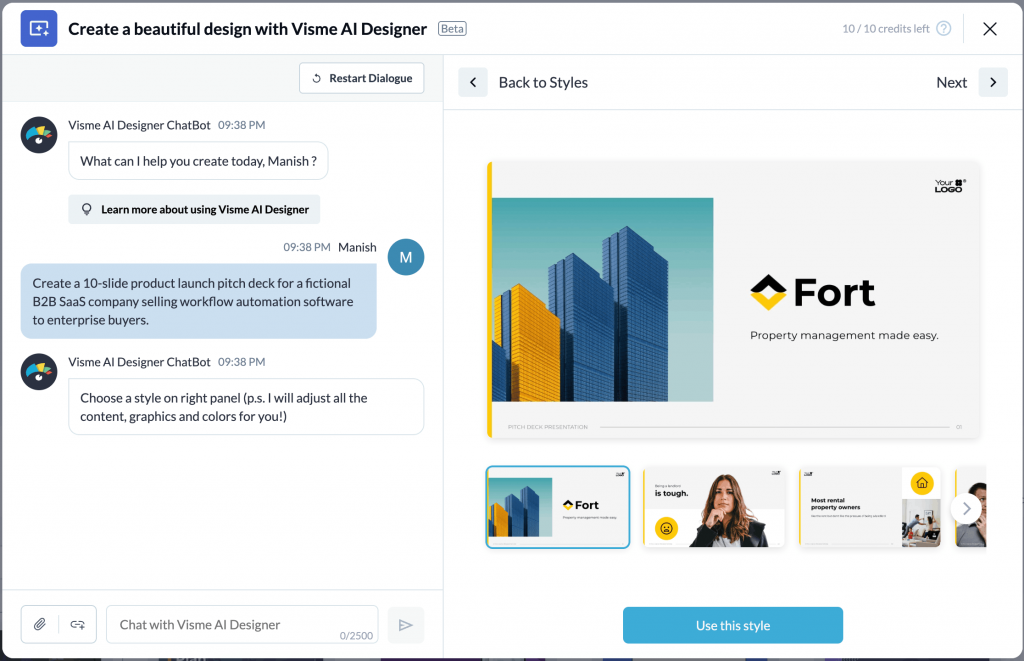
Tested verdict: Visme handled my deck with great ease. Charts and graphs looked sharp and interactive. The layouts were a bit more blocky than Gamma’s and needed some extra manual tweaking.
What it does better than Gamma: Visme comes with templates for charts, infographics and even interactive quizzes. Visme’s brand kit, image libraries and online publishing are super strong.
Where Gamma still wins: Gamma’s AI generation outdoes Visme’s any day. Visme has some AI layout tools, but it’s not as smart about writing content.
Key features:
- Library with thousands of templates
- Rich charts and maps with real-time data integration
- Interactive videos, audio, forms and animations
- Preset brand kit colors, fonts and logos
- Teamwork-friendly collaborative features
- Analytics for shared design links
Export notes: Visme doesn’t allow its free users to export at all. But once you export the PPT files, you can edit them too.
Free plan reality: Visme has a free-forever plan, which is practically just a trial. That’s because the free tier restricts storage to less than 500 MB and won’t let you download anything.
Pricing: Starts at $12.25/user/month (as of June 2026).
Avoid if: You’re budget-sensitive or need only quick AI generation. Also, skip if you don’t need team features; basic layouts can be slower to edit.
Our score: 3.9/5 ;Great for polished, interactive and data-rich decks, but a higher learning curve and cost.
Related: 7 Best Visme Alternatives for 2026: Tried & Tested
4. Decktopus: Best for quick meeting-ready decks
Lane: PPT-export priority
Tested verdict: Decktopus gave out 10 slides sooner than I expected. I got a solid draft deck with images and scripts. It felt like a fast one-click generator, but I did experience a few crashes when editing.
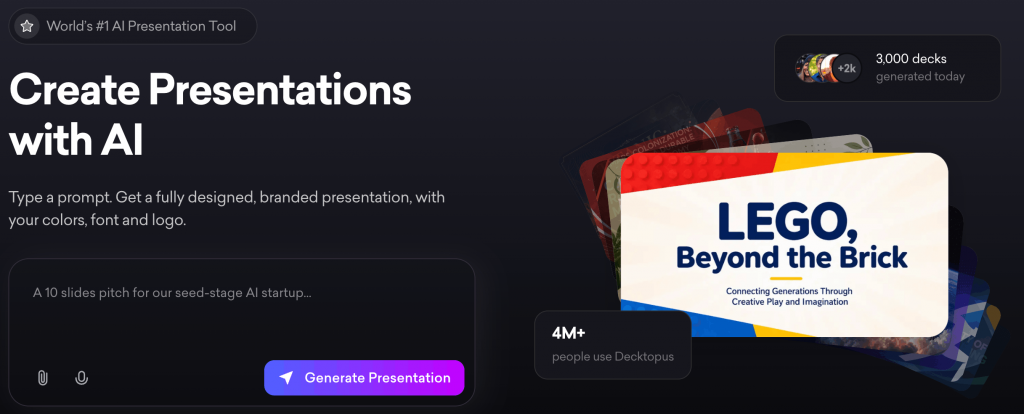
What it does better than Gamma: Decktopus is great at outline-to-deck automation. Give it a prompt or upload a PDF and it fills in an entire presentation in seconds. It also comes with widgets like forms and CTAs and analytics if you use their link shares.
Where Gamma still wins: Decktopus’ slides can be buggy and lead to occasional crashes. Gamma has a more refined editor and more varied design styles.
Key features:
- AI outline builder
- Themes and AI-optimized templates
- AI images and icons
- Script and notes generation
- Interactive elements, embedded forms, surveys and CTAs
Export notes: You can export slides to PPTX and PDF (Business plan) or get a shareable web link.
Free plan reality: Decktopus has an extremely restrictive free version, which it doesn’t market well even on its pricing page.
Pricing: Starts at $14.99/user/month (as of June 2026).
Avoid if: You want a platform that offers a steady user experience. Also, avoid if all you need are static slides; its main perks are interactivity and AI automation.
Our score: 3.5/5; fast and feature-rich, but buggy at times.
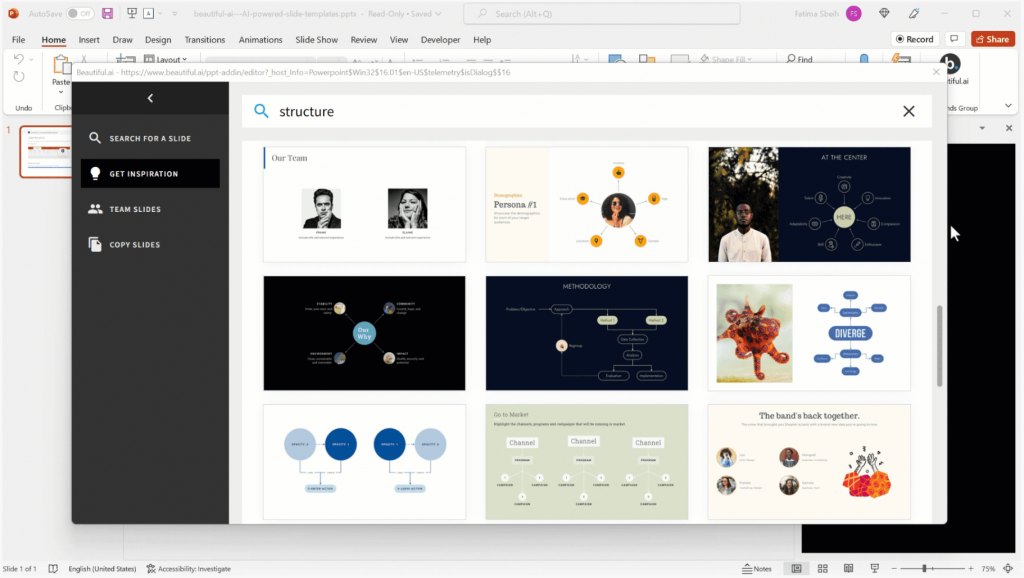
5. Beautiful.ai: Best for brand guardrails
Lane: Web-first
Tested verdict: I liked how Beautiful.ai suggested layouts that always looked balanced. However, the downside is you end up with less flexibility if you want something very custom.
What it does better than Gamma: Beautiful.ai’s “Smart Slides” adapts content automatically and you can lock styles so every slide follows your design rules. You also get features like workspace libraries and shared asset collections.
Where Gamma still wins: Gamma gives you more creative freedom. Beautiful.ai can feel restrictive if you want a very custom or unusual slide.
Key features:
- Smart templates and layouts
- Preset branding and logos
- Animated charts and transitions
- Library with 600+ slide designs
- Real-time collaborative features
Export notes: You can download editable PPTX exports and PDF exports on the Pro plan or higher. You can’t download designs during the limited free trial period.
Free plan reality: There’s no forever-free tier but a 14-day trial of the Pro and Teams plans.
Pricing: Starts at $12/users/month (as of June 2026).
Avoid if: You need open-ended creative control or truly free use. Also, Beautiful’s library is smaller than some others.
Our score: 3.7/5; It ensures consistently attractive slides and strong exports, but its restrictions may bother creatives.
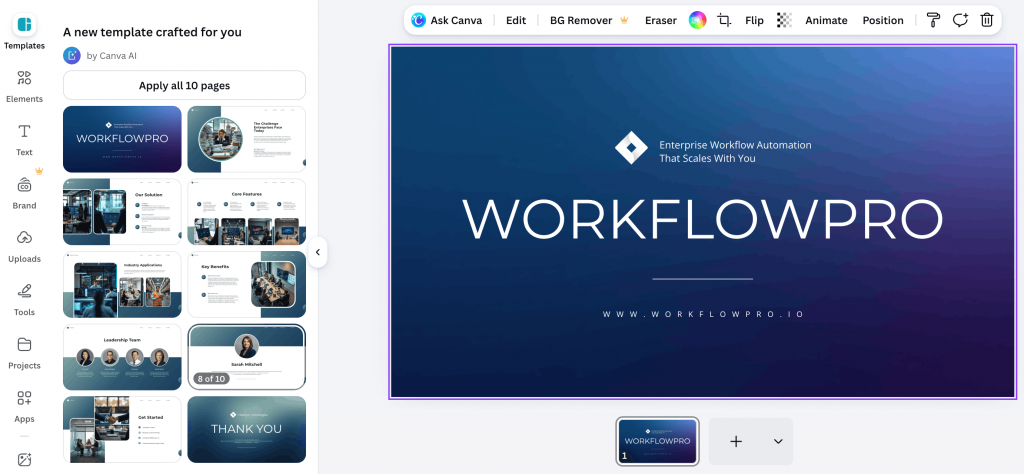
6. Canva: Best all-in-one design tool
Lane: Web-first
Tested verdict: Canva’s slide designs looked very polished and I could reuse elements from social and doc templates. The export to PPTX was clean and I liked how it auto-repurposed the deck into a social media post.
What it does better than Gamma: Canva is a jack-of-all-trades. Its key strength is depth of design assets: thousands of layouts for slides, social media, docs and more. Canva is a better option if you need direct access to illustrations, photos, icons, charts and the ability to tweak them.
Where Gamma still wins: Gamma’s AI presentation features are more powerful. Canva’s AI is mostly design suggestions and templated copy.
Key features:
- Rich library of templates
- Brand kit and other style tools
- AI-powered ‘Magic Design’ features
- Collaboration-friendly features
Export notes: You can download Canva designs as PPTX, PDF, PNG and MP4. But if you’re downloading complex slides with animations, you might lose those effects in PPTX.
Free plan reality: Canva’s free plan is pretty generous. However, PPTX export requires paid access.
Pricing: Paid plan starts $15/users/month (as of June 2026).
Avoid if: Canva is an overkill if you only want simple AI slide generation.
Our score: 4.2/5; It’s a great design tool, but slightly less AI-driven than other tools in the list.
Related: Venngage vs. Canva 2026: Which is the Best Professional Infographic Maker?
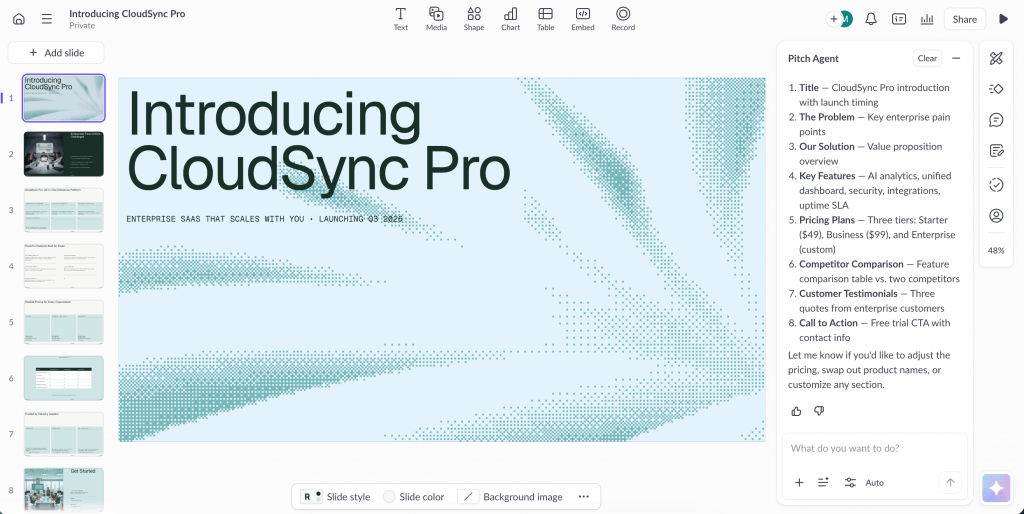
7. Pitch: Best for team collaboration and analytics
Lane: Web-first
Tested verdict: Pitch turned my deck into a sleek, modern presentation. Its fonts and styles felt upscale. But its best feature is perhaps the analytics: after sharing my link, I could see who viewed each slide.
What it does better than Gamma: Pitch is built for teams and data. It has shared workspaces, slide libraries and roles/permissions so that even non-designers produce on-brand slides.
Where Gamma still wins: Gamma’s text and image generation is better for casual use. Gamma serves individual creativity, whereas Pitch serves an entire organization’s workflow.
Key features:
- Real-time collaborative features
- Brand and template management
- Analytics and engagement tracking capabilities
- Embedded content elements within slides
Export notes: Pitch supports PPTX and PDF downloads, but only in its paid plans.
Free plan reality: Pitch’s free tier is generous for small teams. E.g., it comes with 3,000 AI credits/year per workspace, link sharing and downloads.
Pricing: Starts at $10/user/month.
Avoid if: You don’t care about analytics. It also doesn’t have a rich image library.
Our score: 4.0/5; Great for business, but overkill for one-off slides or individual use cases.
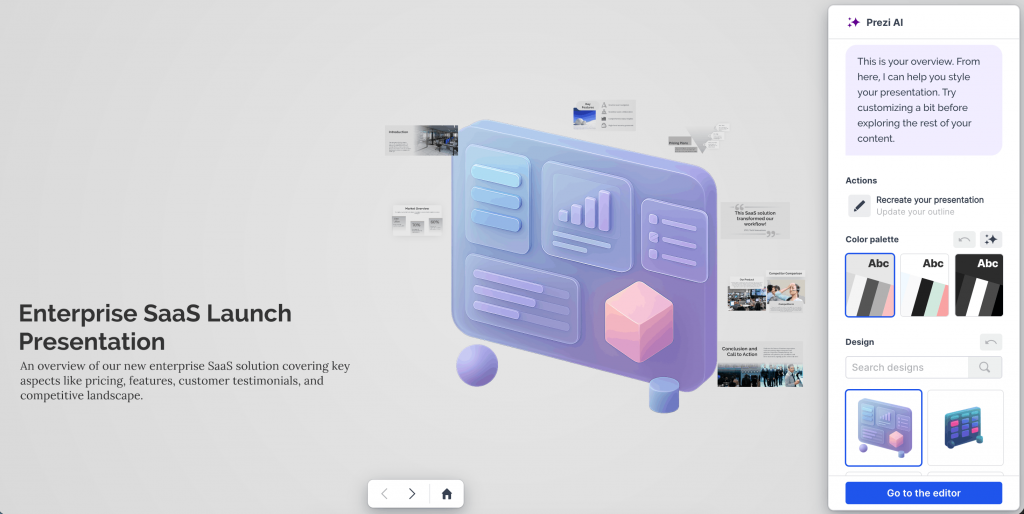
8. Prezi: Best for non-linear interactive presenting
Lane: Web-first
Tested verdict: Prezi made my presentation feel very dynamic. The AI co-pilot whipped up a draft from the prompt, but it did take some manual tweaking to polish the flow.
What it does better than Gamma: Prezi’s hallmark is its cinematic, interactive style. It uses a giant canvas instead of slides, so you can zoom in or out on topics.
Where Gamma still wins: If you just need a straightforward deck, Gamma is a better choice. Prezi also comes with a steeper learning curve.
Key features:
- Zoomable canvas for non-linear presentations
- Presentation paths powered by ‘Prezi AI’
- Built-in animations and transitions
- Engagement tracking capabilities
Export notes: Prezi lets you download decks as a PDF or even an MP4 video, but only on its paid plans. However, it doesn’t offer native PPTX export.
Free plan reality: Prezi offers a basic free tier with a watermark and limited editing features.
Pricing: Starts at $2/user/month (as of June 2026).
Avoid if: Prezi is not ideal if you need to email a simple PPT.
Our score: 3.5/5; Great for engaging stories and big ideas, but a niche tool that demands a different approach.
Author and reviewer: Manish Nepal (10+ years in content strategy; LinkedIn profile). Last updated: 1 June 2026. Pricing verified: June 2026.
Pick the right Gamma alternative for your workflow
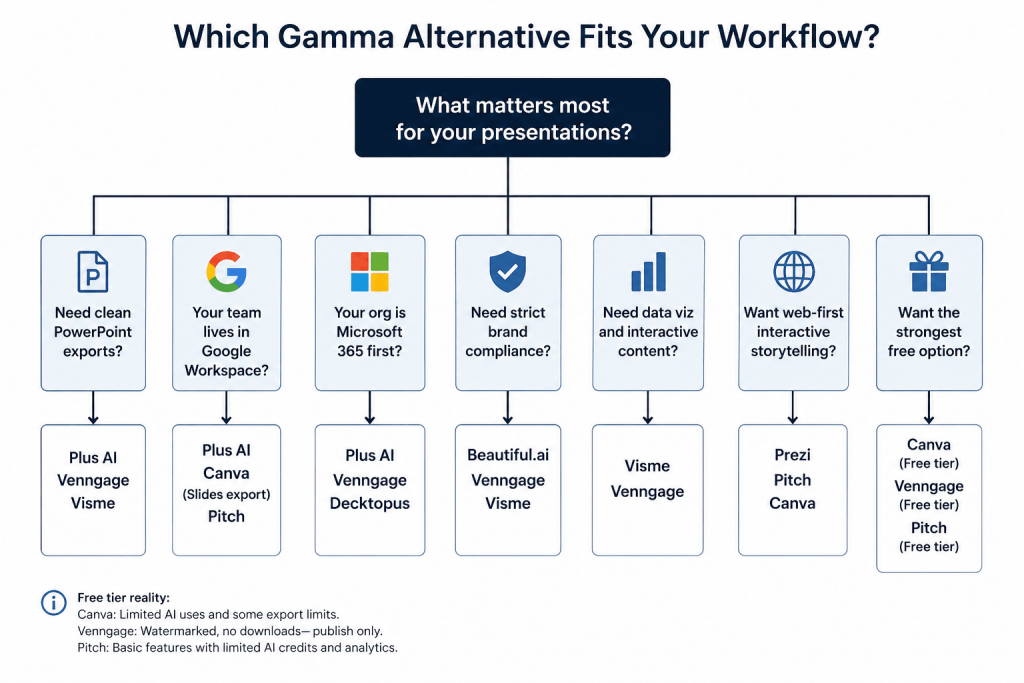
The best way to choose the right tool is to match it to how your team actually uses presentations. Here’s an easy decision matrix to help you find the right fit:
Gamma pricing, free plan and credits explained
A lot of the confusion around Gamma comes from the credit system.
People search “is Gamma free” expecting a normal freemium plan with monthly resets. That’s not how Gamma works. New accounts get a one-time batch of AI credits. Those credits cover actions like generating decks, rewriting slides, regenerating layouts and creating images. Once they’re gone, they’re gone.
That’s why people keep asking, “Is Gamma AI not free anymore?”
The free plan still lets you create and share presentations, but there are limits around exports, advanced AI usage, branding and customization. Heavy regeneration burns through credits surprisingly fast. If you constantly tweak prompts or regenerate slides, you may only get a handful of usable decks before hitting the wall.
Is Gamma AI safe? Privacy and data considerations
If you’re building internal strategy decks, investor updates or client presentations, this question deserves more than a lazy “yes.”
According to Gamma’s Help Center documentation, individual workspaces allow your content to be used for AI improvement by default. You can opt out manually in account settings. Team and Business workspaces are automatically excluded from AI training.
That means you should treat Gamma the same way you’d treat most cloud AI tools: don’t paste sensitive information unless your company has approved it.
Avoid uploading:
- Personally identifiable information (PII)
- Unreleased financial data
- Customer lists
- Internal roadmaps
- Confidential contracts
Sharing settings matter too. Public presentation links can travel far beyond the original audience.
Gamma also documents privacy, encryption and data-handling practices in its official privacy policy.
Gamma alternatives FAQs
Here are answers to the most common questions people ask before switching from Gamma:
1. What’s the best alternative to Gamma?
Plus AI works best for PowerPoint and Google Slides users. Canva suits design-heavy teams. Beautiful.ai fits brand-controlled presentation workflows.
2. Is there an app like Gamma?
Yes. Popular apps like Gamma include Pitch, Decktopus, Beautiful.ai and Canva. Each focuses on different strengths like collaboration, AI generation or PowerPoint compatibility.
3. What can I use instead of Gamma?
You can use Plus AI, Canva, Pitch, Visme, Decktopus or Beautiful.ai instead of Gamma. Your best option depends on exports, collaboration needs and presentation design quality.
4. Which is better, Gamma or Canva?
Gamma creates faster AI-generated presentations. Canva gives better design flexibility, stronger template variety and more reliable multi-format exports for marketing and client-facing work.
5. Is there a free alternative to Gamma?
Yes. Canva, Pitch, Visme and Plus AI offer free plans or trials. Most free AI presentation tools limit exports, AI generations or premium templates.
6. How many times can I use Gamma AI for free?
Gamma gives new users a one-time batch of AI credits. Most people can create several decks before credits run out, depending on regeneration frequency and AI usage.
7. Is Gamma AI worth the money?
Gamma feels worth it for fast internal presentations and browser-based sharing. Teams needing polished PowerPoint exports may get better value from other presentation tools.
8. Is Gamma AI safe?
Gamma uses cloud-based AI workflows. Avoid uploading confidential financials, customer data or internal roadmaps unless your company approves the platform for sensitive information.
9. Why Is Gamma AI not working?
Common Gamma issues come from browser cache conflicts, extensions, unstable internet or export failures. Clear cache, disable extensions, check Gamma’s status page or export as PDF temporarily.
Final recommendation: Top 3 picks by workflow
After testing all eight tools on the same deck, one thing became obvious: the “best” option depends more on your workflow than the feature list.
If clean exports matter most, go with Plus AI. It stayed closest to native slide workflows and produced the fewest surprises after export.
If your team presents mostly through browser links and collaborative workspaces, Pitch makes a strong case. The collaboration experience felt more natural than most presentation apps I tested.
If cost matters first, start with Canva. The free plan stretches further than most tools and gives you more room to experiment before paying.
Our suggestion is simple: shortlist two tools, recreate the same test deck, export both versions and compare the output side by side. You’ll usually know within a week which workflow fits your team.
If presentation quality, accessibility and editable exports sit high on your checklist, try Venngage’s AI Presentation Generator for free and test it against the same rubric I used here.








