Log inSign up for free

Accessible PDF Remediation

Venngage automatically tags headings, reading order and alt text, so you can review and export accessible PDFs. Built for government and higher education.
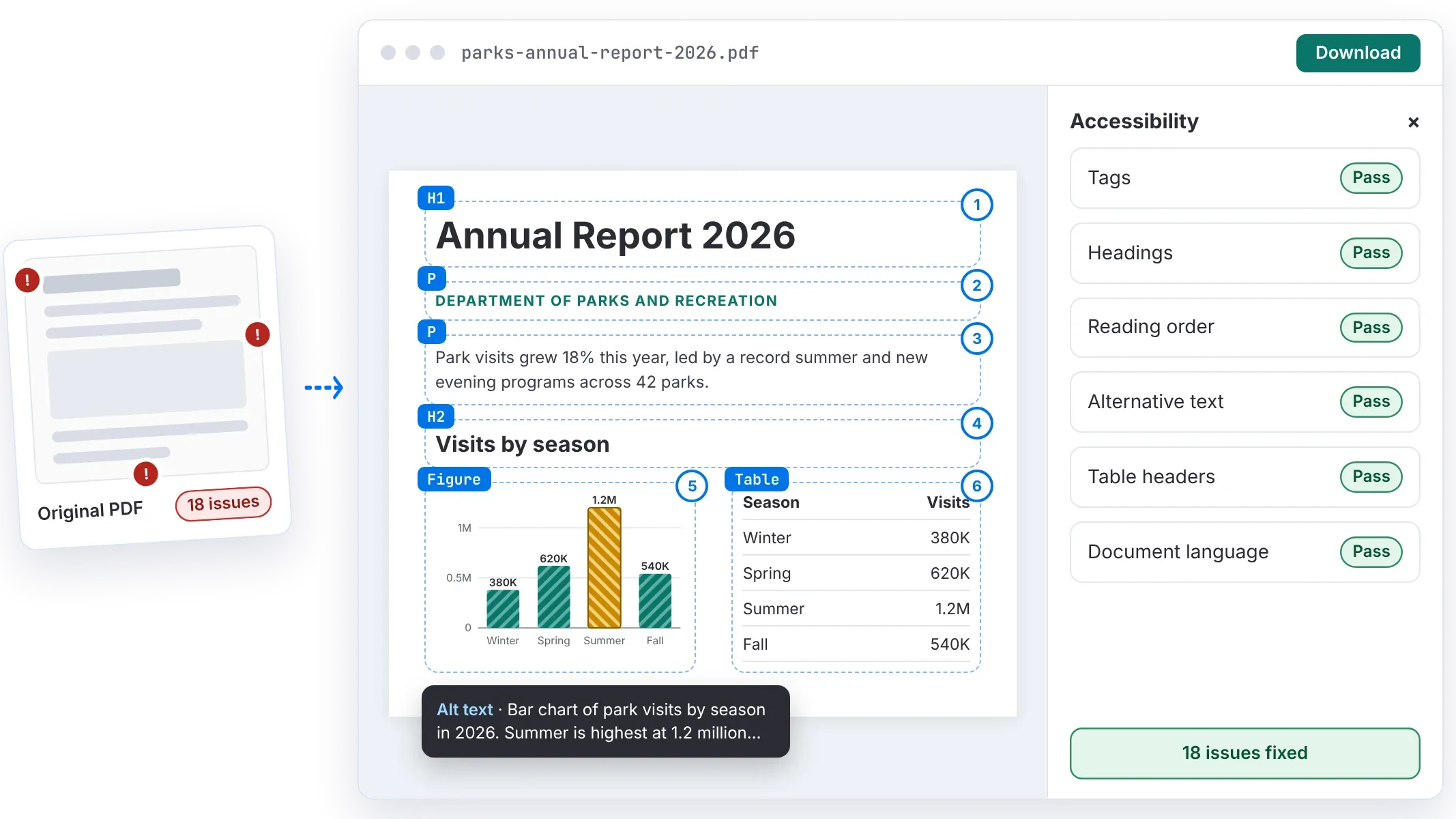

Before and after: an original PDF with 18 accessibility issues, and the same report in Venngage with tags, a numbered reading order and 18 issues fixed.
Google
4.8/5
G2 Crowd
4.7/5
Capterra
4.6/5
Trustpilot
4.8/5

Accessible PDFs let everyone in your community read your documents, including people who use screen readers.

Trusted by

Auto-fix reading order on every page

Dotted lines show the path a screen reader takes through each page, even across columns. Drag any block to change it. Book a Demo
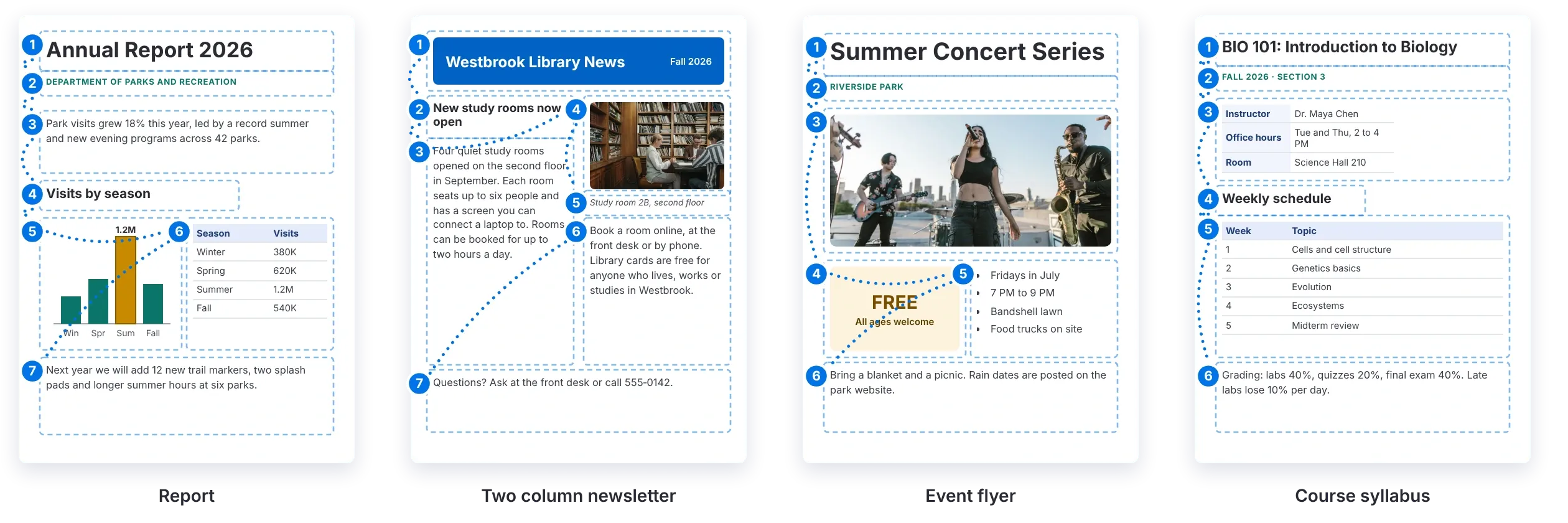
Four example documents, a parks annual report, a two column library newsletter, a recycling infographic and a biology syllabus, with numbered dotted lines showing the reading order on each page.

Fix what makes PDFs inaccessible

Tags

Venngage automatically tags headings, lists, tables and figures, so screen readers understand your document's structure.

Alt text

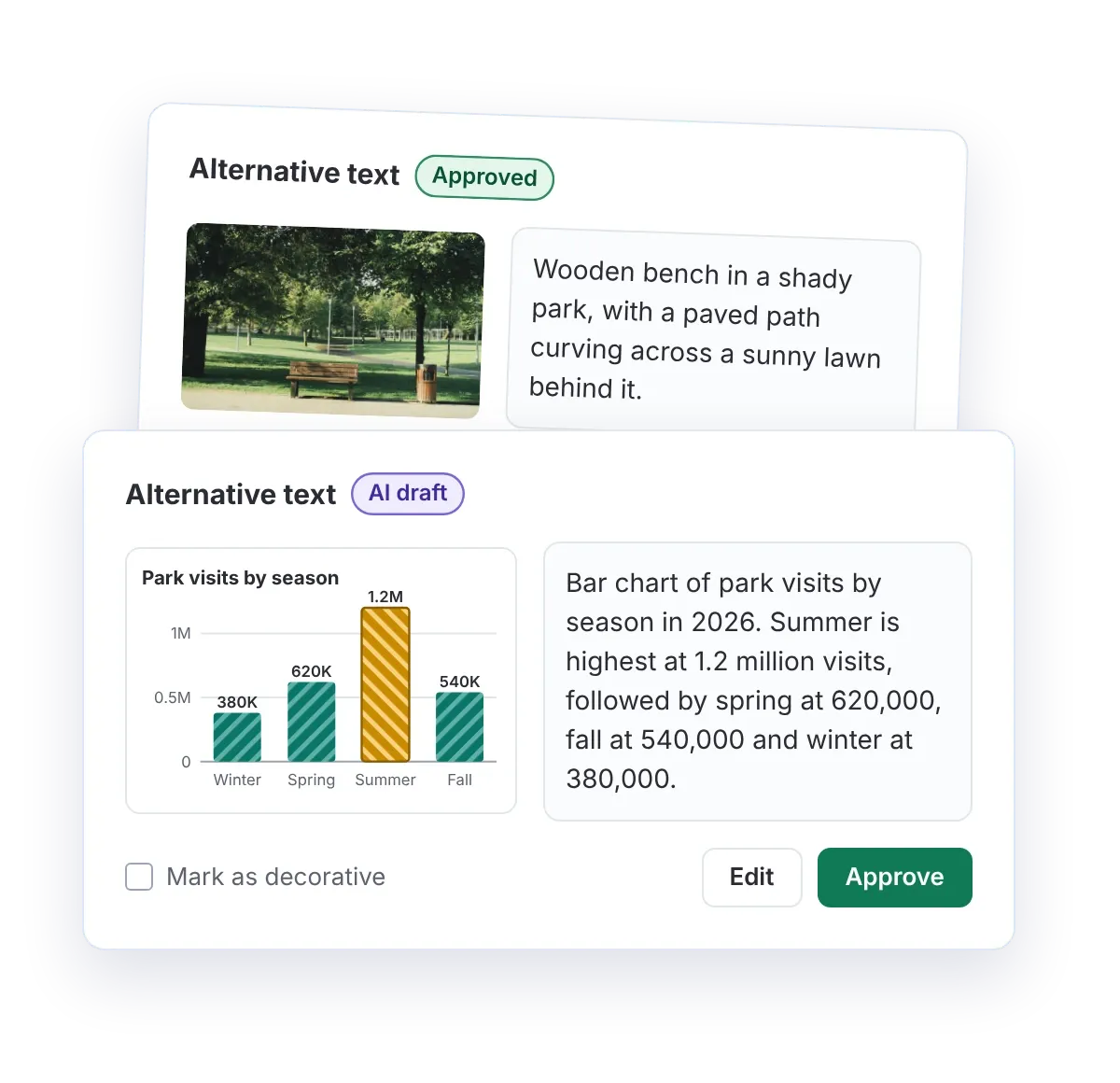
Expert reviewed AI drafts concise descriptions for images, charts and illustrations. Review and approve each one.
Reading order

Reading order is set automatically. Drag blocks to change it if you need to.
Easy to use

Review everything in an easy to use canvas with a screen reader preview, and override anything by hand. No accessibility expertise needed.

How does PDF remediation work?
1
Upload your PDF: Reports, notices, syllabi, brochures and newsletters all work.
2
Venngage tags it automatically: Headings, reading order and alt text are set for you.
3
Review in the canvas: Check tags, reading order and alt text, and override anything by hand.
4
Use the screen reader preview: Hear what a screen reader will announce as you edit, without exporting.
5
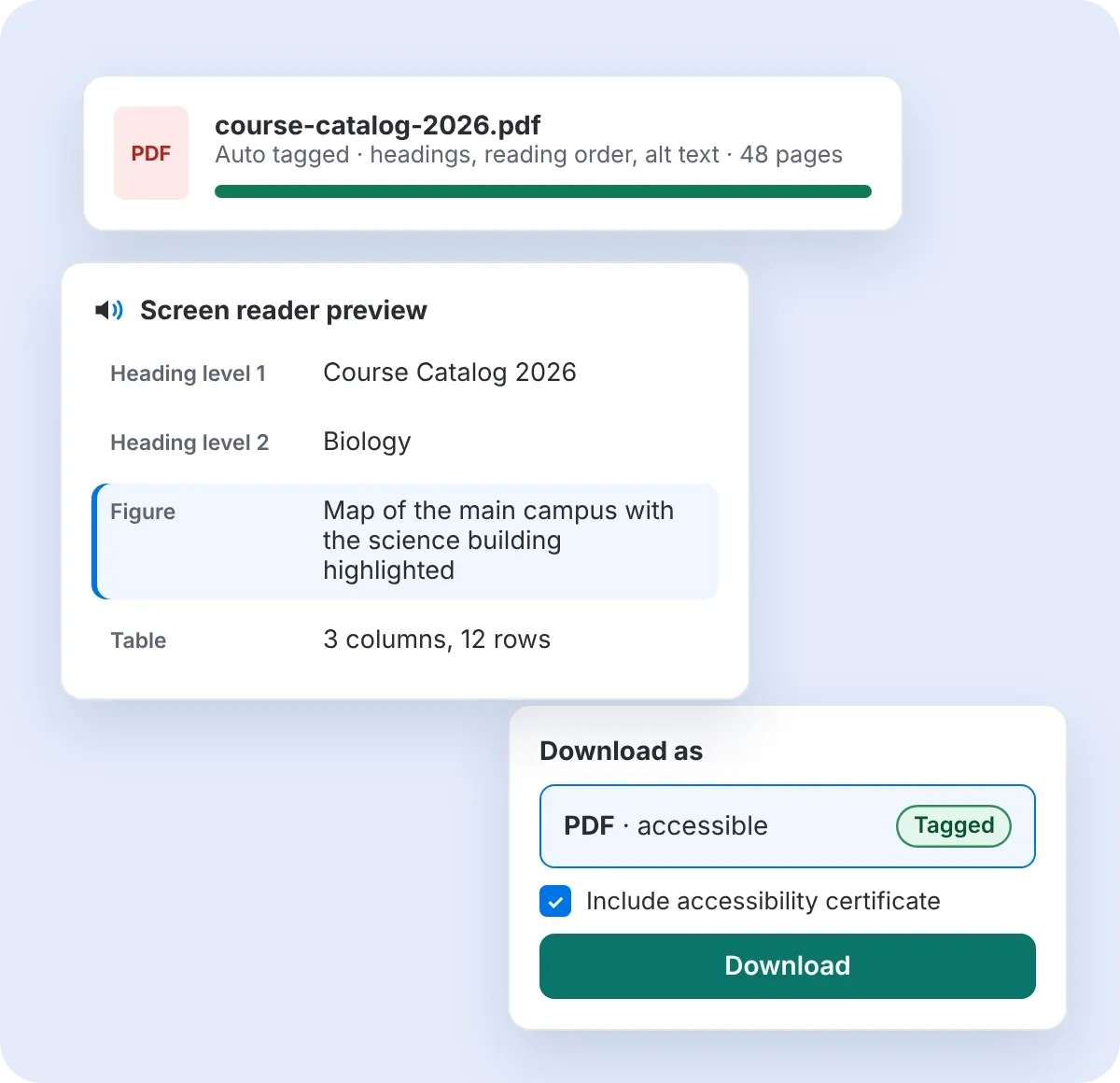
Export: No need to rerun a check. Your PDF is ready to export, with a timestamped accessibility certificate.
Three steps in Venngage: a PDF auto tagged, a screen reader preview of the document, and export with the accessibility certificate included.

Everything you need to remediate PDFs in one place

Auto Tagging

Auto Tagging

Headings, reading order, lists, tables and figures are tagged automatically. Override any tag by hand.

AI Alt Text

AI Alt Text

Expert reviewed AI drafts a concise description for every image, chart and illustration. Approve or edit each one.

Screen Reader Preview

Screen Reader Preview

Hear how a screen reader reads your document, right in your browser, before you export.
Accessibility Certificate

Accessibility Certificate

Every export comes with a timestamped certificate, so you can track who reviewed each PDF and the checks it went through.
Remediation Services

Remediation Services

Large backlog? Our remediation team can make your PDF library accessible for you.

Support

Support

Questions about a tricky PDF? Our support team is available 24/5.
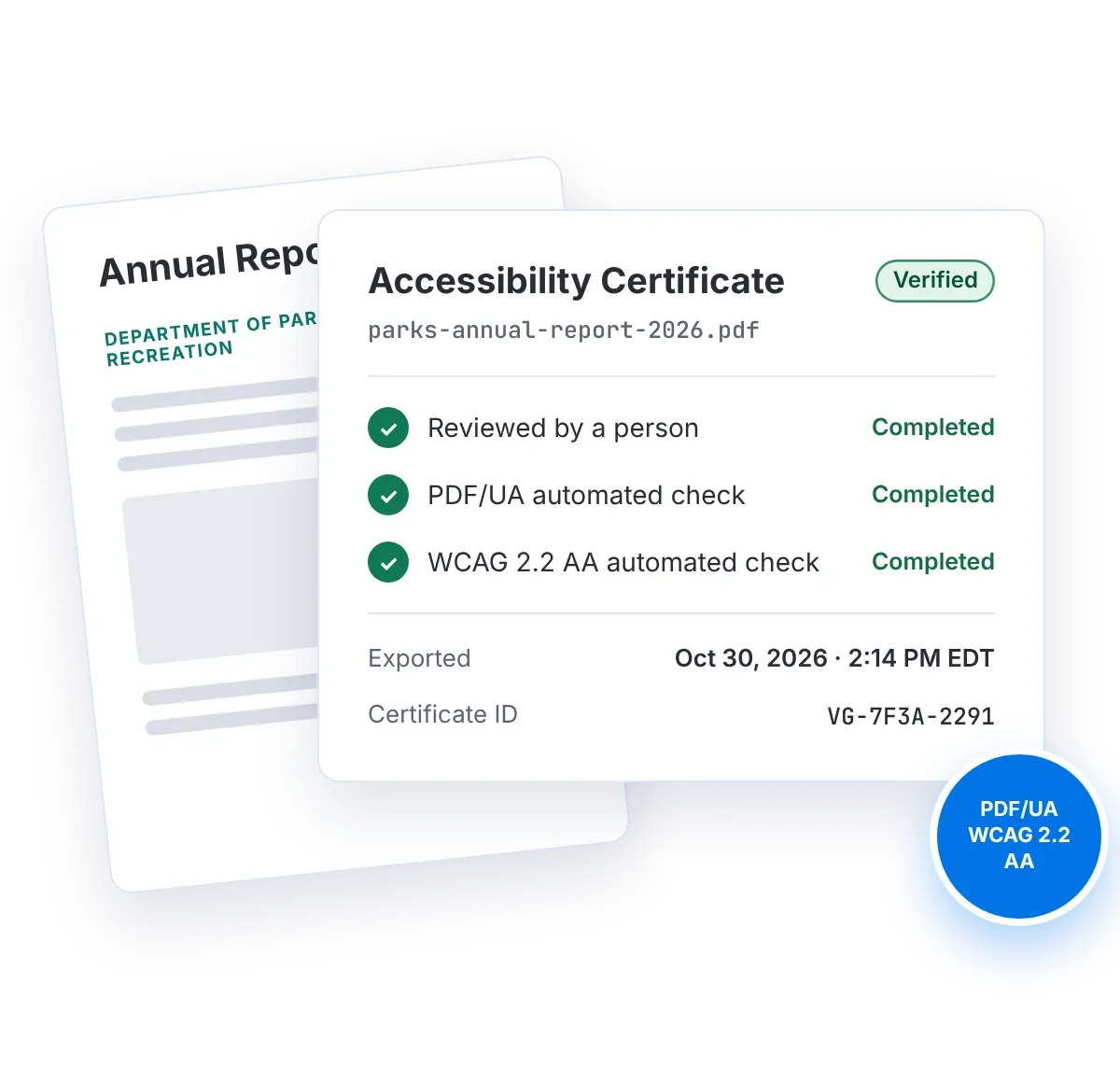
Accessibility certificate showing a person reviewed the PDF and it completed automated PDF/UA and WCAG 2.2 AA checks, with an export timestamp.

Track your team's accessibility work

Every export comes with a timestamped accessibility certificate. It verifies that a person reviewed the PDF and that it went through automated checks for PDF/UA and WCAG 2.2 AA.

Keep certificates on file to track your team's process across every document you publish.

Hear your PDF with a screen reader preview

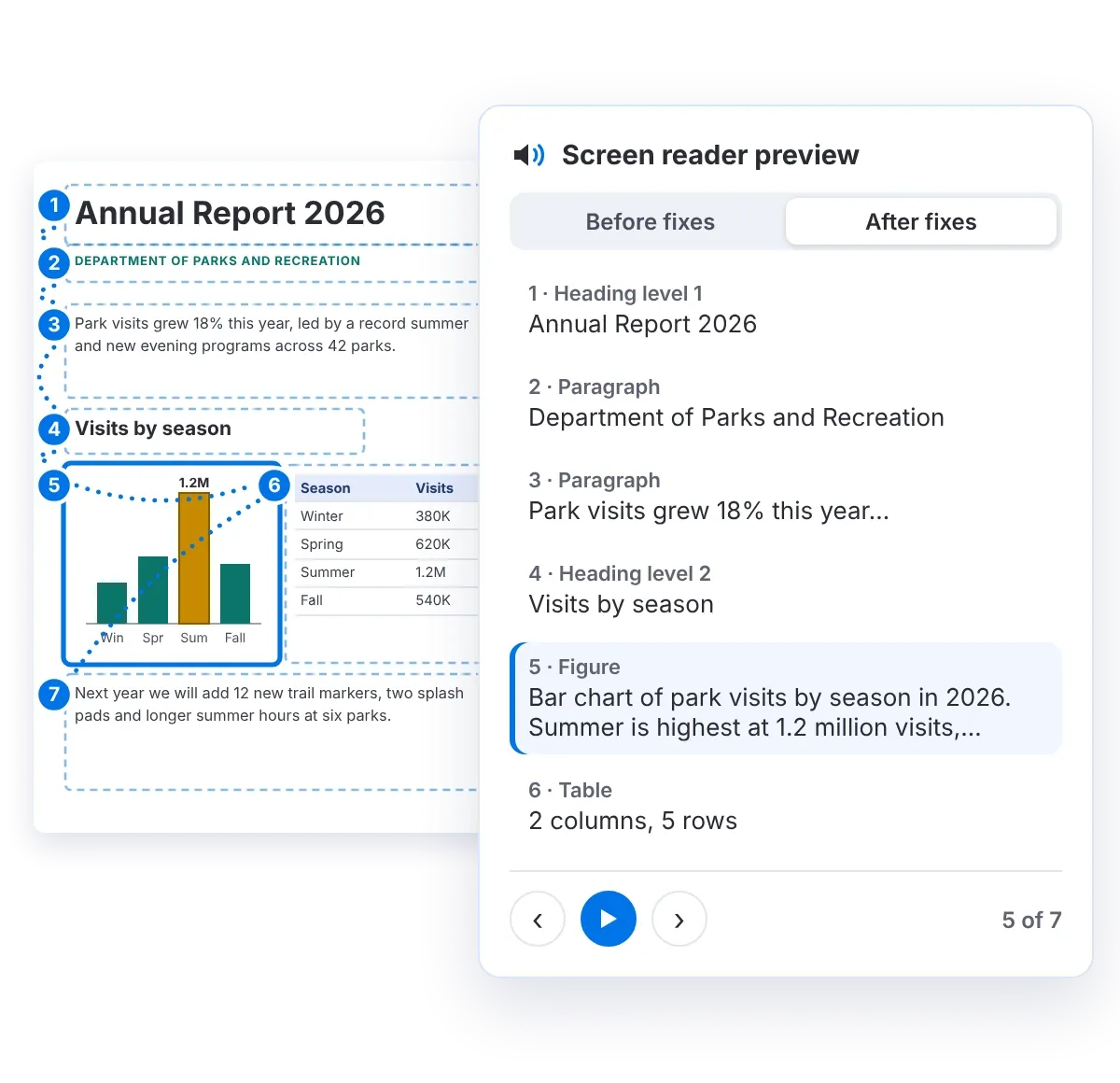
Play your document in the browser with your computer's screen reader voice, before and after fixes, without exporting first.

What looks right on the page doesn't always sound right. You don't need to know how to use a screen reader to hear what your readers will.
Screen reader preview with before and after fixes, listing what is announced for each part of a report, with the chart description as the current item.
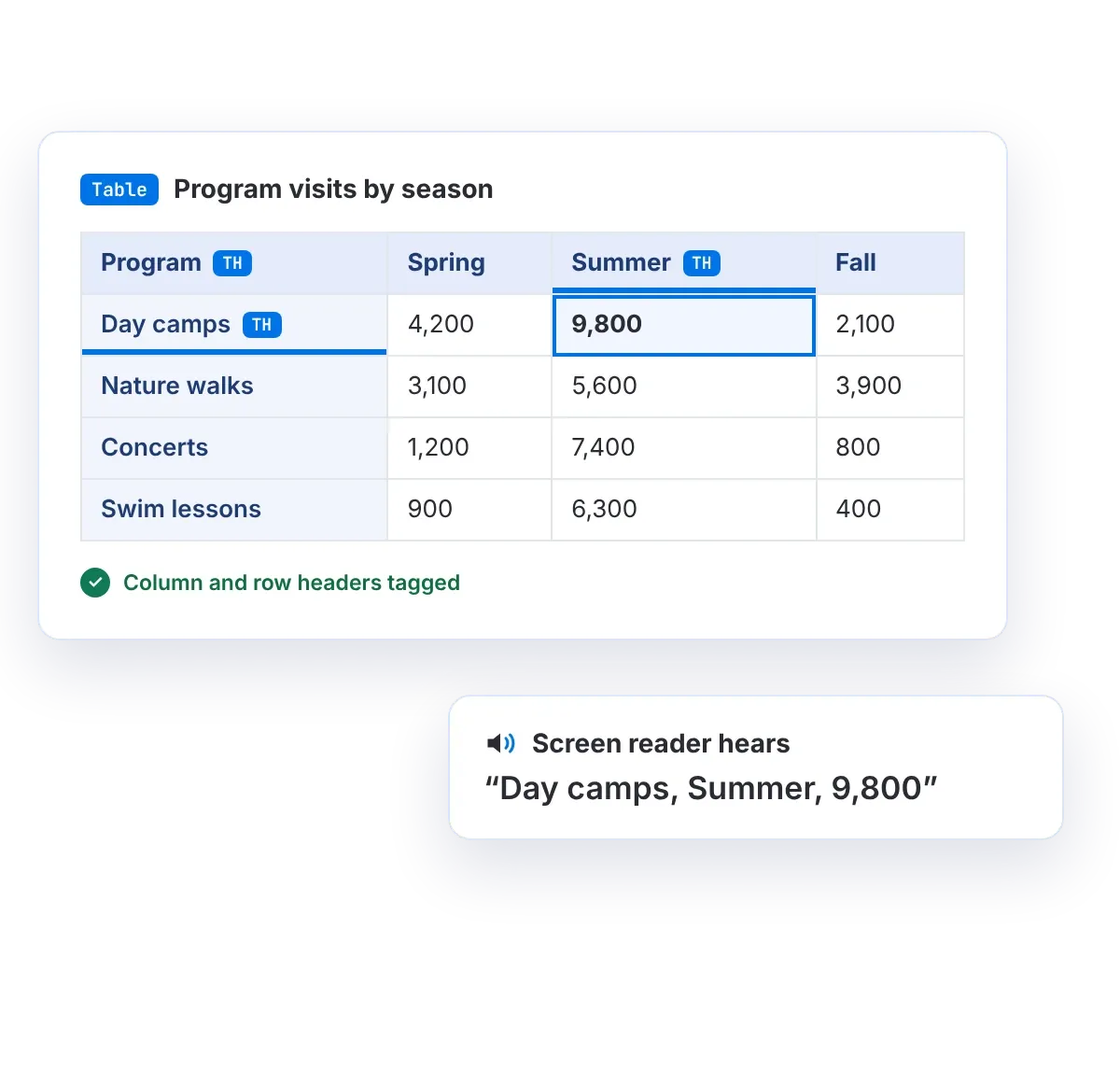
A program visits table with its column and row headers tagged, and a screen reader announcing Day camps, Summer, 9,800 for the selected cell.

Tables screen readers can navigate

Venngage tags header rows and columns, so a screen reader announces the right headers with every cell.

Tables stay real tables, not flattened images, so readers can move through them cell by cell.

Approve every alt text before export

Our expert reviewed AI writes concise alt text that describes what matters in each image and chart, not the wordy captions generic AI tools produce.

It's built for people who aren't accessibility experts. Review each description, edit it, or mark an image as decorative. Nothing is exported until your team approves it.
Alt text panel with an approved description of a park photo and an AI drafted chart description ready to approve.
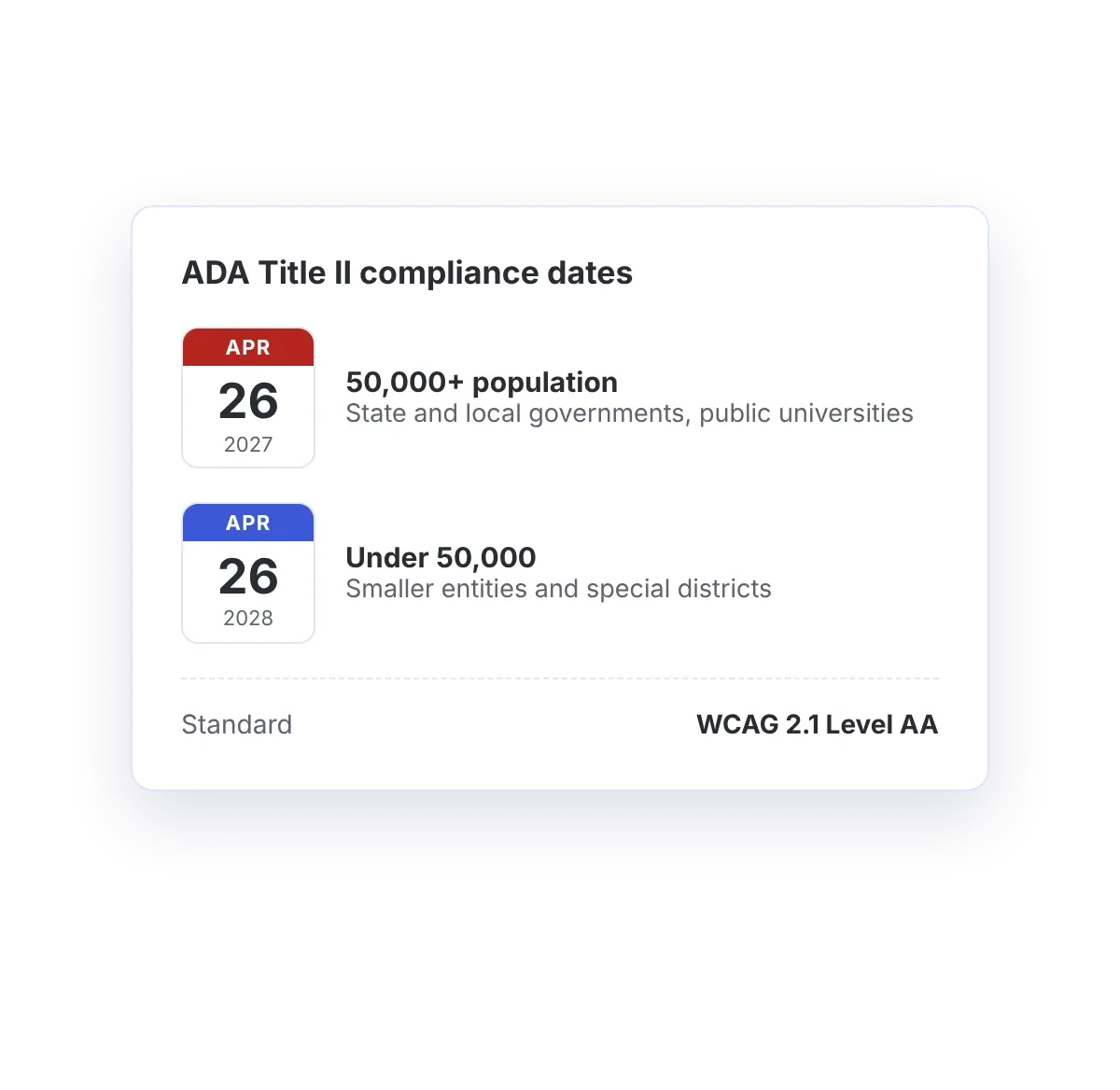
Calendar showing the ADA Title II compliance dates in April 2027 and April 2028.

Get ahead of the ADA Title II deadline

The Department of Justice's Title II rule requires state and local governments, including public colleges and universities, to meet WCAG 2.1 AA for their web content. PDFs that people still use to access services are covered.

Public entities serving 50,000 or more people must comply by April 26, 2027. Smaller entities and special districts must comply by April 26, 2028.

Venngage checks every export against WCAG 2.2 AA, which includes all of WCAG 2.1 AA. Accessible PDFs also support your Section 508 and AODA obligations.

Compliance

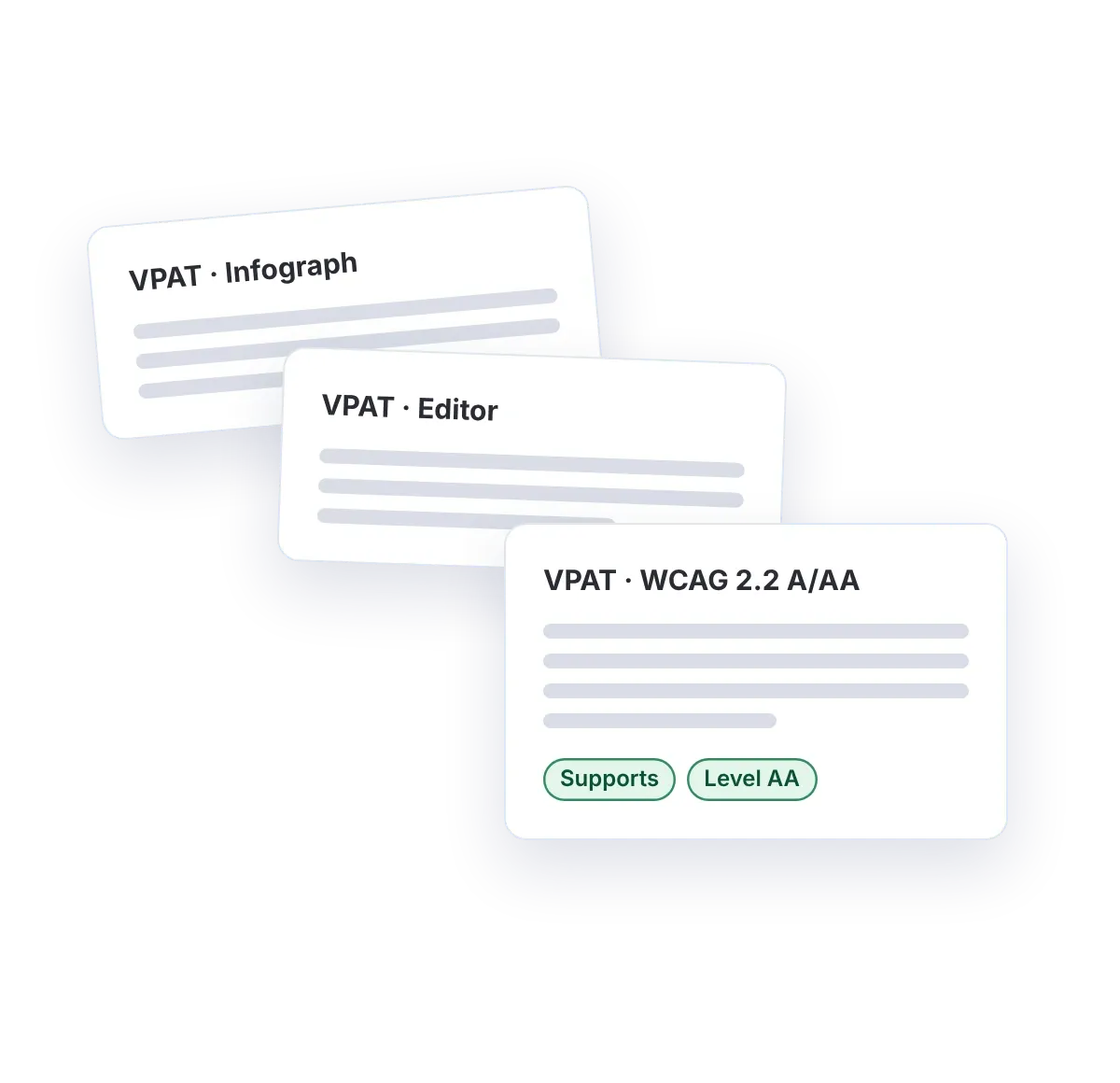
Venngage is built to be accessible and keyboard navigable. Our VPATs show how we align with WCAG 2.1 AA, so your procurement and accessibility teams can review us with confidence.

View our compliance reports:

Infograph Web App VPAT (June 2023)

Editor Web App VPAT (June 2023)

Venngage VPAT (February 2024)
Stack of Venngage VPAT reports.

FAQs

What is PDF remediation?

Remediation fixes an existing PDF so people who use screen readers and other assistive technology can read it. That covers tags, headings, reading order, alt text and document language.

Which PDFs can Venngage remediate?

Reports, brochures, newsletters, syllabi, notices and other documents. Fillable forms are coming soon.

Which standards do you check against?

Every export goes through automated checks for PDF/UA and WCAG 2.2 AA, which includes WCAG 2.1 AA. You can download a timestamped certificate showing that a person reviewed the file and that it went through those checks.

Do we need to run a separate accessibility check?

No. Checks run automatically, so once you have reviewed the file it is ready to export.

Can your team remediate PDFs for us?

Yes. Our remediation services team can take on large PDF libraries. Ask about it in your demo.

How does Venngage use AI?

Our expert reviewed AI drafts tags, reading order and alt text. Your team reviews everything and can override any of it before export.