


Free AI Restaurant Menu Generator
Create custom menus for restaurants, cafes, food trucks, and bars in less than a minute




Browse Through More Restaurant Menu Templates




Popular AI Design Generators
Sample Prompts You Can Modify and Use
“I've uploaded a Word document with our full restaurant menu, dishes, descriptions, and prices included. Design a professional, print-ready dinner menu layout using this content, organized into starters, mains, and desserts, formatted as a single-page A4 printable menu.”
“As the owner of a specialty coffee shop launching a new seasonal menu, write a cafe menu featuring 8 hot drinks, 6 cold drinks, and 4 food items — descriptive and artisanal in tone, organized by category, and formatted as a printable A4 menu board.”
“Write a menu for a Korean-Mexican fusion food truck targeting lunch crowds in a busy city center. It should sound exciting and adventurous, featuring 5 main dishes, 3 sides, and 2 specials, with dish names that reflect the fusion concept clearly, formatted for both a printed board and a digital QR code menu.”
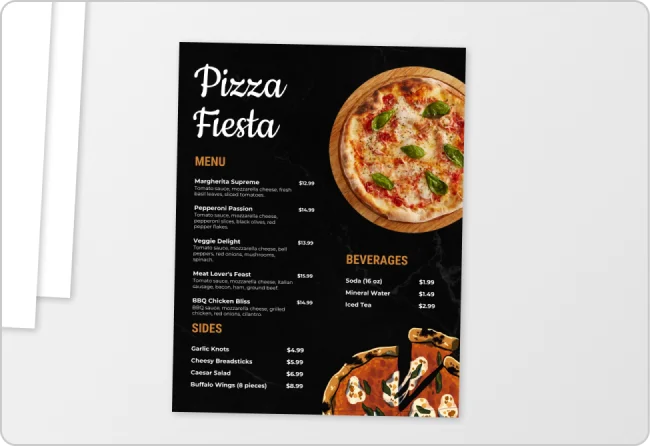
“I've uploaded our current restaurant menu. Redesign it into a more modern, visually appealing layout but keep all the existing dishes, descriptions, and prices exactly as they are, and format it as a print-ready single-page A4 menu.”
How to Create a Restaurant Menu Using AI
Step 1
Enter Your Menu Details or Upload an Existing Menu
Type your restaurant type, cuisine, dish names, descriptions, and prices into the prompt field or upload an existing menu to redesign it. The more detail you provide, the more accurate your menu design will be.
Step 2
Generate Your Restaurant Menu Design
Click generate and Venngage's AI produces a complete restaurant menu — layout, typography, color palette, and visual hierarchy — matched to your cuisine instantly. A fine dining menu feels elegant, a food truck menu bold, a cafe menu warm, and a cocktail bar menu atmospheric.
Step 3
Edit Your Menu With Venngage's AI Tools
Use the AI Designer to adjust the layout, reorganize sections, and update fonts and colors. The AI Writing Assistant can help rewrite dish descriptions, sharpen menu copy, or add daily specials without rebuilding the design from scratch.
Step 4
Apply Your Brand With the Brand Kit
Apply your restaurant's exact fonts, colors, and logo across every menu format in one click so your printable menu, digital menu, and QR code menu all look consistently on-brand across every surface.
Step 5
Export as a Printable Menu or QR Code Menu
Download as a print-ready PDF for physical and laminated table menus, or PNG for digital display screens and social media. To create a QR code menu, paste your shareable menu link into Venngage's QR code generator and download a print-ready QR code for every table.
Design Professional Menus as an Independent Restaurant Owner
Most independent restaurant and cafe owners have attempted to redesign their menu, making Word do something it was never built to do. Venngage fixes that. Type your dishes, descriptions, and prices or upload your existing menu and get a professionally designed, print-ready restaurant menu in minutes.
Use the Brand Kit to lock in fonts, colors, and logo across every menu format, and export an updated PDF every time something changes. No designer, no starting from scratch every season.
Generate Restaurant Menus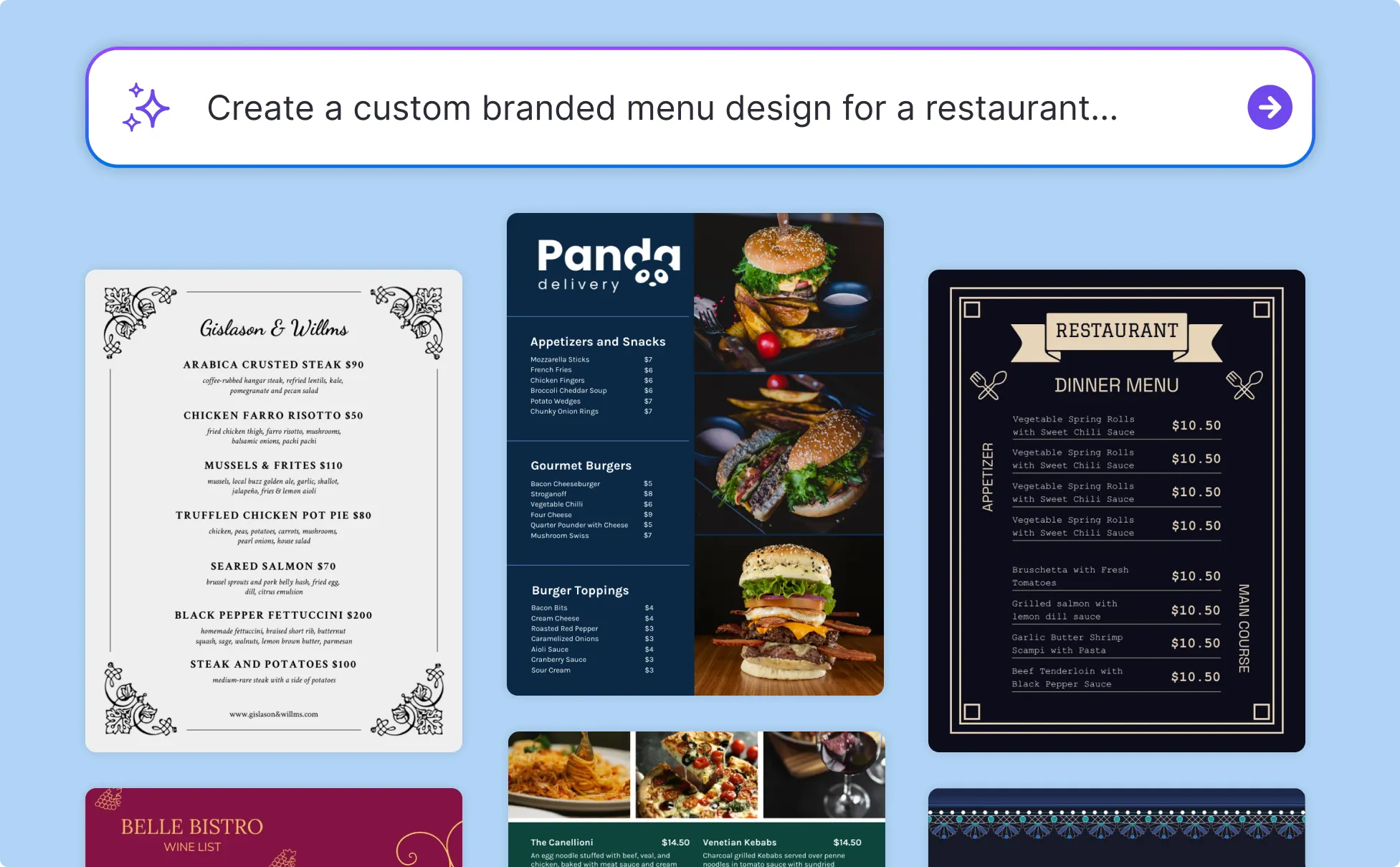
Create a Food Truck Menu Board That Sells as a Food Truck Owner
The food trucks that sell are the ones with menus easy to read and designed to make the decision obvious before the customer reaches the front of the queue. Type your offering, pick the format — chalkboard board, large-format PDF, or digital display — and get an appetite-driving food truck menu board in minutes.
Add a scannable QR code menu at the order window by pasting your menu link into Venngage's QR code generator.
Generate Restaurant Menus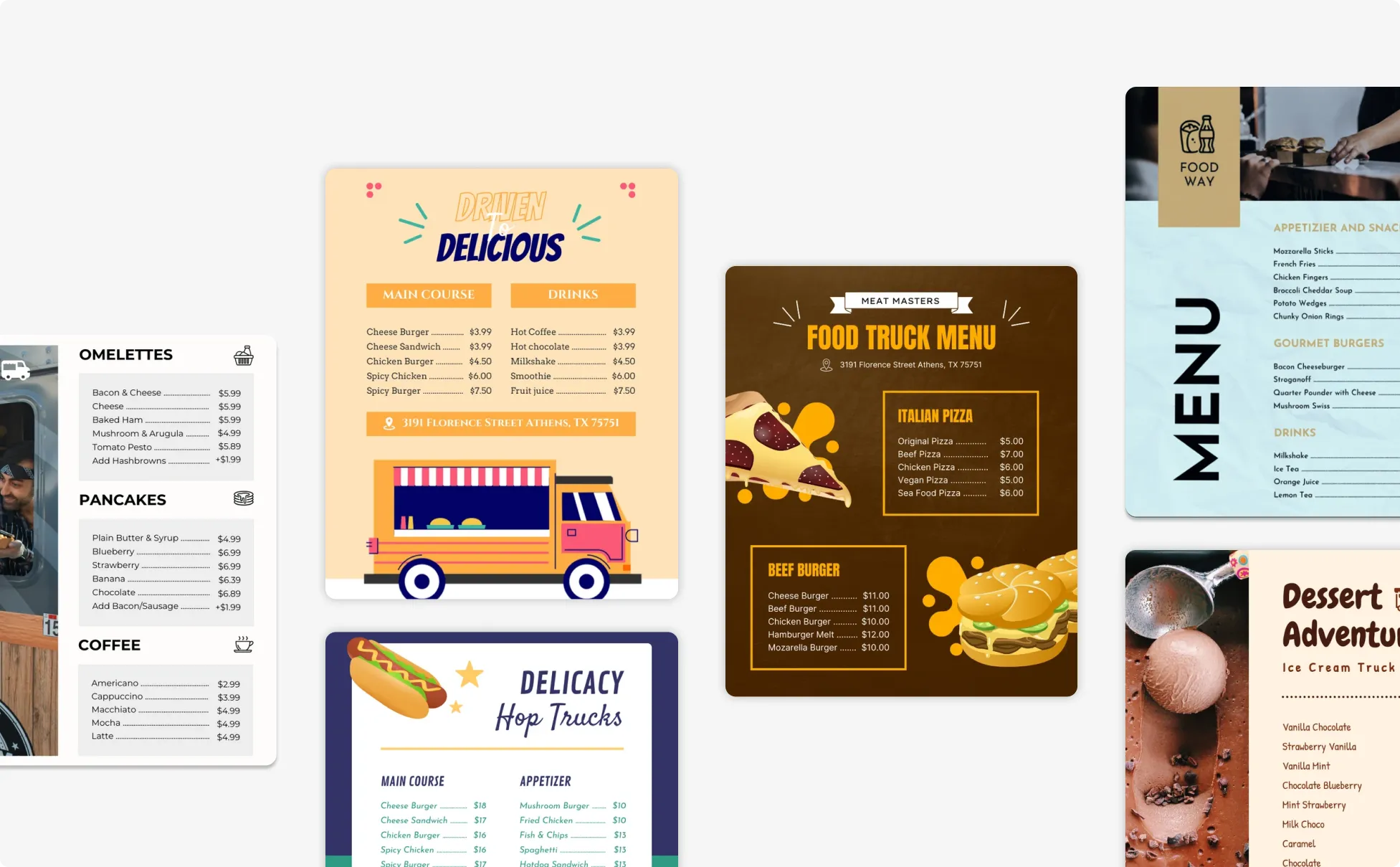
Update and Manage Restaurant Menus Faster as a Manager
Restaurant menus are never finished — a dish gets pulled, a price changes, a seasonal special rotates in. Venngage's AI Restaurant Menu Generator lets managers update dishes, adjust prices, and refresh layouts without rebuilding from scratch every time.
Keep every format — printed table menus, digital display menus, and catering menus — consistent with the Brand Kit, and export a print-ready PDF before service starts.
Generate Restaurant Menus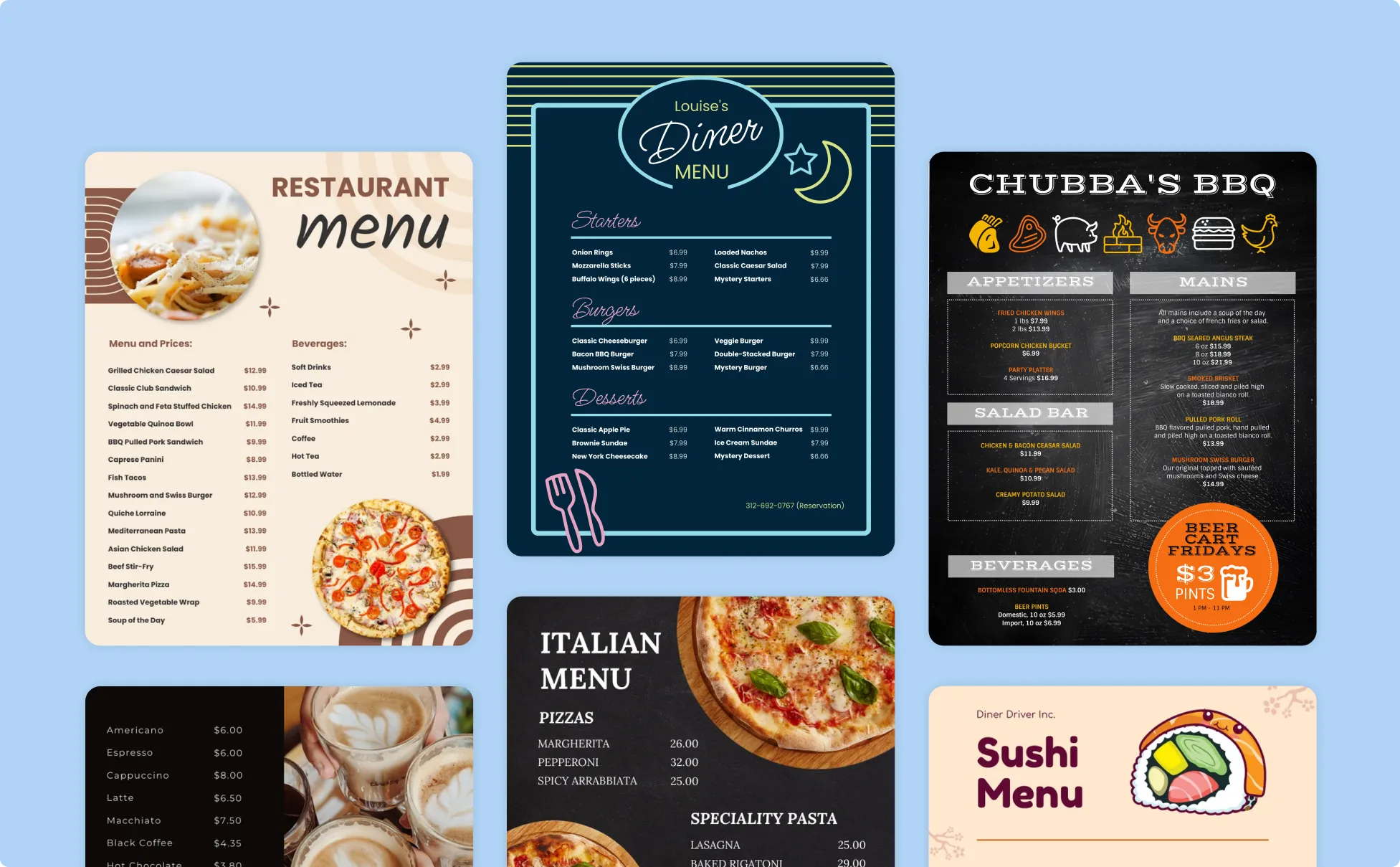
Generate Restaurant Menus In Seconds With Our AI Restaurant Menu Generator

Go From Dish List to Professional Menu Design in Minutes
A poorly designed menu undermines the food before a single dish arrives. Venngage's AI Restaurant Menu Generator produces a professionally designed, print-ready menu from your dish list in minutes.

Stop Paying a Designer Every Time the Menu Changes
Seasonal updates, price changes, new specials, every edit used to mean briefing a designer and waiting days. Upload your existing menu as a PDF, Word doc, spreadsheet, or photo and Venngage redesigns or updates it instantly.
One Tool for Every Menu Format Your Restaurant Needs
Printable dinner menus, cafe breakfast menus, food truck menu boards, cocktail bar menus, catering menus, and digital display menus, Venngage generates the right layout for every format automatically. No reformatting the same content five times.

Switch to a QR Code Menu Without The Hassle
Upload your menu to Google Drive, paste the link into Venngage's QR code generator, and download a print-ready QR code in seconds. Guests scan directly to your full digital menu. No app, no printed copies to reorder.

Keep Every Menu On-Brand Without a Brand Manager
Use the Brand Kit to apply your exact fonts, colors, and logo across every menu format in one click so a takeaway menu, specials board, and fine dining dinner menu all look like they came from the same restaurant.

Update Tonight's Specials in Minutes
Use the AI Designer to swap dishes, adjust prices, or add a daily specials board without rebuilding the layout. Export an updated print-ready PDF or refresh the QR code menu the moment the kitchen changes something. No designer, no delay.
Fuel Your Creativity with AI-Powered Design Tools
Venngage is your one-stop shop for creating impactful presentations, infographics, reports, and more. It's a favorite among professionals, educators, and marketers for a reason:
AI Branding Automation
Instantly extract brand colors, fonts, and styles. Auto-apply your logo and visual identity to every design for seamless brand consistency.

DesignAI Generator
Turn simple prompts into stunning professional visuals in seconds. Describe what you need in plain language and watch our AI generate layouts optimized for maximum visual impact.

AI Content Auto-Fill
Kickstart your design process in seconds. Choose a template and let our AI auto-fill it with relevant, on-brand content, ideal for streamlining workflow and boosting productivity.

AI Generated Icons and Images
Create unique visuals that perfectly match your content and style. Generate custom illustrations, icons and images that align perfectly with your brand.

AI Writer and Translation
Enhance clarity, rewrite content, and instantly translate text to create accessible, global-ready visuals.

Smart Accessibility AI
Ensure every project looks great and works for everyone. Use AI to write alt text check contrast, layout, and font readability, and export fully WCAG-compliant visuals and PDFs.

FAQs
Absolutely. All AI-generated restaurant menus on Venngage's platform are fully customizable, allowing you to personalize colors, designs, images and more to match your unique vision.
Yes, there are a variety of design generators available on Venngage. Along with the AI Restaurant Menu Generator, Venngage offers tools to create infographics, social media posts, reports, and more. These AI design tools are easy to use and customizable, helping you generate professional visuals quickly to match your style and needs.
Yes, the AI-generated restaurant menu created using Venngage's tools are copyright-free. You can use them for both personal and commercial purposes without any restrictions on copyright. However, it's always good practice to ensure that any externally sourced content you include is also cleared for use.
We offer a free plan so you can try out all our AI features without spending anything. If you want more advanced features like private sharing and auto branding, we've got Premium and Business plans available too.